
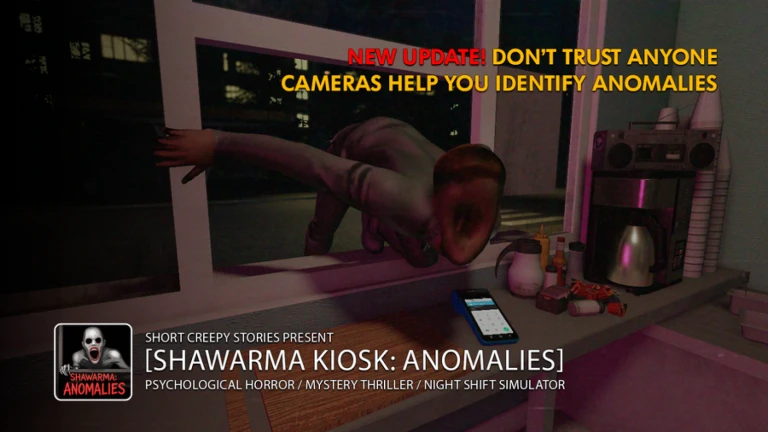

Running a late night food stall would already be stressful, but Scary Shawarma Kiosk: The Anomaly turns it into a full horror experience.
Between serving customers, spotting anomalies, and following strict rules, knowing the controls is essential for survival. One wrong interaction or delayed movement can easily cost you a run.
This guide covers all controls and commands in Scary Shawarma Kiosk The Anomaly, including PC and mobile layouts, along with tips to use them efficiently during tense moments.
Why Controls Matter in Scary Shawarma Kiosk The Anomaly
Unlike action heavy Roblox games, this experience is built around observation, timing, and interaction. You are not fighting enemies. You are reacting to them.
Good control awareness helps you
- Move quickly between stations
- Interact with customers without hesitation
- Spot anomalies from better camera angles
- Avoid panic misclicks during dangerous encounters
Mastery here is about smooth, deliberate inputs.
PC Controls Keyboard and Mouse
If you are playing on PC using a keyboard and mouse, these are the default controls you will rely on throughout the game.
| Command | Function |
|---|---|
| Arrow Keys or W A S D | Move around inside and around the kiosk |
| E | Interact with objects or talk to customers |
| Mouse | Pan and rotate the camera to change your view |
Movement is straightforward. You will spend most of your time walking short distances between work areas and customers.
The E key is the most important input, as it handles nearly every interaction in the game.
Camera control with the mouse is crucial for scanning your surroundings and identifying subtle visual changes tied to anomalies.
SEE ALSO:
- (6) All Corruptions in Scary Shawarma Kiosk: The Anomaly
- Scary Shawarma Kiosk: The Anomaly Corruption Tier List
- Roblox Scary Shawarma Kiosk: the ANOMALY Codes
Mobile Controls Touch Layout
On mobile devices, the game uses a simplified touch based control scheme designed for quick reactions.
Mobile controls include
- Virtual joystick on the left side for movement
- Tap prompts to interact with customers and objects
- Swipe on the right side of the screen to move the camera
The mobile layout is intuitive, but camera control requires more attention since precise viewing is important for spotting anomalies early.
Tips for Using Controls Effectively
Do not rush interactions. Misclicking can trigger the wrong response.
Keep adjusting your camera. Many anomalies rely on visual cues.
Position yourself centrally in the kiosk when idle.
On mobile, swipe slowly for better camera accuracy.
Avoid spamming the interact key during tense moments.
Calm and controlled inputs are more important than speed.
Platform Availability
Scary Shawarma Kiosk The Anomaly is available on
PC with keyboard and mouse
Mobile devices including phones and tablets
The experience is optimized for both platforms, though PC offers more precise camera control.
Multiplayer Support
Yes, the game supports multiplayer.
You can play solo for a more intense horror experience or team up with friends to split tasks, observe anomalies together, and reduce pressure during busy nights.
Controller Support Status
At the moment, there is no confirmed controller support. The game is designed primarily around keyboard mouse and touch controls, and using a controller may lead to inconsistent inputs or limited functionality.
Final Thoughts
The controls in Scary Shawarma Kiosk The Anomaly are intentionally simple, but that simplicity is deceptive.
Every movement, interaction, and camera adjustment directly affects your ability to survive the night.
Once you are comfortable with the control scheme, the game becomes less about fighting the controls and more about mastering the rules and anomalies.
If you are struggling early on, slow down, adjust your camera often, and focus on clean interactions. The horror comes from what you see, not what you press.

Abhigyan identifies himself as a tech geek, gaming cognoscenti, and also a connoisseur of music. Unidentified and mysterious phenomena never fail to gather his undivided attention. When not reading about bizarre and perplexing entities across the Universe, he can often be found cheering for his favorite teams in Football.