
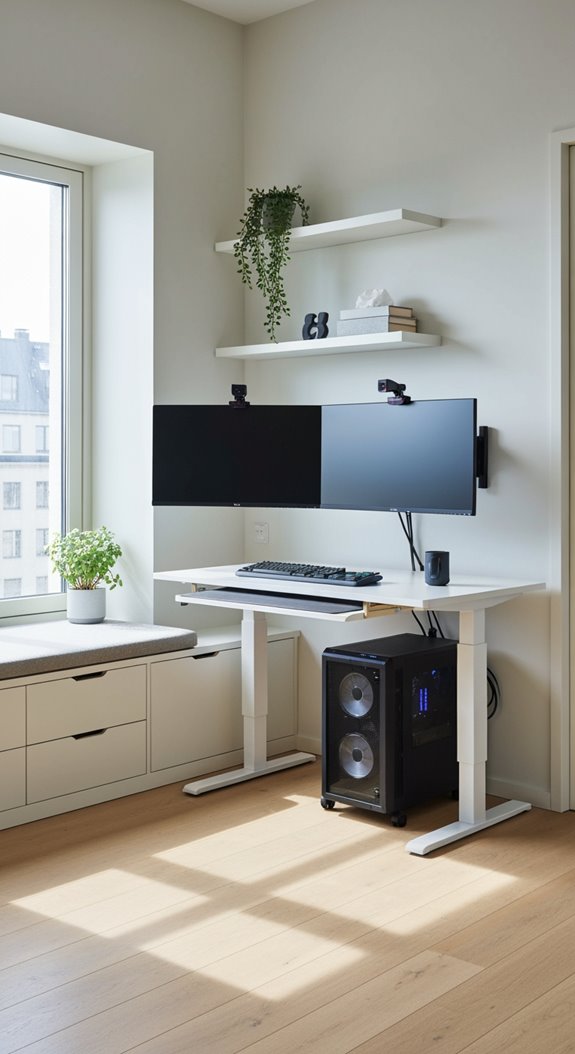

Quick answer: For gaming, sit about 1.2 times your screen’s diagonal away, and up to 1.5 times for competitive shooters. That is about 29 inches (73 cm) for a 24 inch monitor and 32 inches (82 cm) for a 27 inch. Ultrawides have the same height as their 16:9 cousins, so a 34 inch ultrawide sits at the same distance as a 27 inch screen. Use the calculator for your exact monitor, or flip to the second tab to find the best size for your desk.
Last updated: November 22, 2026
Monitor size and viewing distance calculator
| Size | Fills your view | Fit | Sharp at this distance |
|---|
Monitor viewing distance chart
Ideal distances for all-round gaming (about 40° field of view) and competitive shooters (about 32°), plus how close you can sit before the picture stops looking sharp.
| Monitor | Ideal distance (gaming) | Competitive shooters | Looks sharp from |
|---|---|---|---|
| 24″ 1080p | 29 in (73 cm) | 36 in (93 cm) | 31 in (79 cm) |
| 24.5″ 1080p | 29 in (75 cm) | 37 in (95 cm) | 32 in (81 cm) |
| 27″ 1440p | 32 in (82 cm) | 41 in (104 cm) | 26 in (67 cm) |
| 27″ 4K | 32 in (82 cm) | 41 in (104 cm) | 18 in (45 cm) |
| 32″ 1440p | 38 in (97 cm) | 49 in (124 cm) | 31 in (79 cm) |
| 32″ 4K | 38 in (97 cm) | 49 in (124 cm) | 21 in (53 cm) |
| 34″ ultrawide (3440 x 1440) | 32 in (81 cm) | 41 in (103 cm) | 26 in (66 cm) |
| 42″ 4K | 50 in (128 cm) | 64 in (162 cm) | 27 in (69 cm) |
| 49″ super ultrawide (5120 x 1440) | 32 in (82 cm) | 41 in (104 cm) | 26 in (67 cm) |
A 24 inch 1080p monitor only looks fully sharp from about 31 inches, so at arm’s length you may notice pixels. That is why 27 inch 1440p has become the sweet spot for most gamers.
Best monitor size for gaming
| What you play | Best size | Resolution | Why |
|---|---|---|---|
| Competitive shooters | 24 to 25 in | 1080p or 1440p | The whole screen stays in your central vision, and high refresh rates are easier to drive. |
| All-round gaming | 27 in | 1440p | The best balance of size, sharpness and frame rate. |
| Single-player and RPGs | 32 in or 34 in ultrawide | 4K or 3440 x 1440 | More immersive, and big open worlds look stunning. |
| Racing and flight sims | 34 to 49 in ultrawide | 3440 x 1440 or 5120 x 1440 | The wide view fills your peripheral vision like a real cockpit. |
How much desk depth do you need?
Your eyes usually sit a few inches behind the front edge of your desk, and a monitor’s stand takes up several inches behind the screen. As a rule of thumb, you need a desk about as deep as your viewing distance plus 3 inches (8 cm). A monitor arm saves about 6 inches (15 cm), which makes a 32 inch or ultrawide screen practical on a standard 24 to 30 inch deep desk.
Our monitor picks by size
- 24 to 25 inch, 240 Hz: the esports standard for fast shooters. Shop 24.5 inch 240 Hz monitors
- 27 inch 1440p, 165 to 180 Hz: the best all-rounder for most gamers. Shop 27 inch 1440p monitors
- 32 inch 4K: razor sharp for single-player games and consoles. Shop 32 inch 4K monitors
- 34 inch ultrawide: immersive without needing a huge desk. Shop 34 inch ultrawide monitors
- Monitor arm: frees up desk space and lets you set the perfect height and distance. Shop monitor arms
FAQ
How far should I sit from a 27 inch monitor?
About 32 inches (82 cm) for general gaming, and up to 41 inches (104 cm) for competitive shooters. A 1440p 27 inch screen looks sharp from about 26 inches.
Is 27 inches too big for gaming?
Not for most people. 27 inch 1440p is the most popular size for gaming. Competitive shooter players often prefer 24 to 25 inches so they can see the whole screen at once without moving their eyes.
How far should I sit from a 24 inch monitor?
About 29 inches (73 cm), or roughly an arm’s length. Sit a little farther back from a 1080p screen if you notice pixels.
Can sitting too close to a monitor hurt your eyes?
Sitting close will not damage your eyes, but it can cause eye strain and neck fatigue because you have to move your eyes and head more. Follow the 20-20-20 rule: every 20 minutes, look at something 20 feet away for 20 seconds.
Is 4K worth it on a 27 inch monitor?
It looks noticeably sharper up close and is great for consoles and single-player games, but 1440p is easier to run at high frame rates. At 32 inches away, most people find 27 inch 1440p plenty sharp.
More setup tools: Gaming desk height calculator · Gaming room decor ideas
Affiliate disclosure: As an Amazon Associate, we earn from qualifying purchases. Buying through these links costs you nothing extra.

Hi, I’m Ankit Kumar, the founder of StealthyGaming. I handle everything from SEO to researching and writing gaming articles. I’m passionate about helping fellow gamers stay updated with the latest tips, guides, and news. When I’m not optimizing content, I’m probably testing out new games or digging into strategies to make my articles as helpful and engaging as possible.
Our guides are researched, fact-checked and updated as games change. How we research and verify our guides.