


Garden Tower Defense is a fun and fast paced Roblox tower defense game where you protect your garden using powerful plant based towers like sunflowers, cactuses, and other unique units.
Your goal is to stop waves of bugs from reaching your base by placing, upgrading, and managing towers efficiently across different modes such as Classic, Endless, Survival, and PvP.
Understanding the controls is essential if you want to place towers quickly, upgrade them during intense waves, and react before bugs overwhelm your defenses.
This guide covers all Garden Tower Defense controls on PC and mobile, explained clearly so you can play confidently.
Controls for Garden Tower Defense
Knowing the controls helps you focus on strategy instead of struggling with inputs, especially in Hard mode or Endless runs.
Garden Tower Defense Controls on PC
Use these keyboard and mouse controls when playing on a computer.
| Control | Action |
|---|---|
| Mouse or WASD | Move the camera around the map |
| Left Mouse Click | Place or summon a tower |
| Number Keys 1 to 0 | Quickly select towers from your hotbar |
| Right Click | Sell the selected tower |
| Shift + Click or Hold E | Upgrade the selected tower |
| P or Esc | Pause the game |
| Tab | Open shop or crates menu |
| F | Fast forward waves |
| Mouse Wheel or + and – | Zoom camera in or out |
These controls allow fast tower placement and quick upgrades, which are crucial when bugs start spawning in large numbers.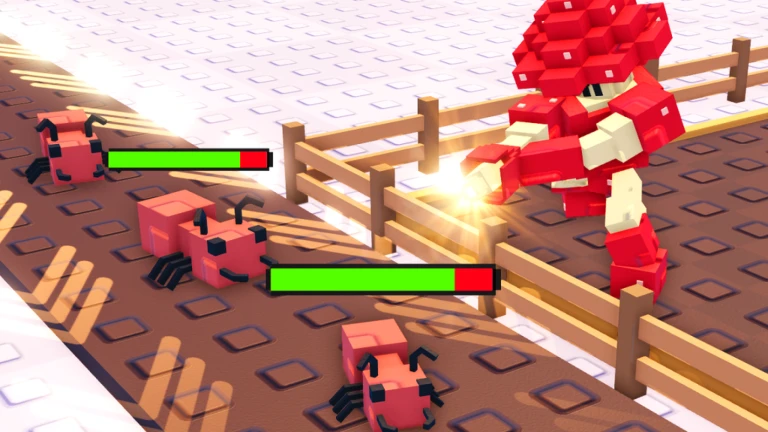
Garden Tower Defense Controls on Mobile
Mobile controls are designed for touch screens and are easy to learn.
| Control | Action |
|---|---|
| Drag with one finger | Move the camera |
| Tap on a spot | Place or summon a tower |
| Tower buttons | Select towers from the menu |
| Sell icon | Sell the selected tower |
| Upgrade button | Upgrade the selected tower |
| Pause button | Pause the game |
| Shop button | Open shop or crates |
| 2x speed button | Fast forward waves |
| Pinch with two fingers | Zoom in or out |
Mobile players should take a moment to get used to camera movement and tower buttons to avoid misplacing towers during busy waves.
Tips to Use Controls More Effectively
- Place towers early before waves start
- Use fast forward only when your defense is stable
- Upgrade towers instead of spamming weak units
- Zoom out to track bug movement across the map
- Pause the game if you need time to plan placements
Mastering the controls helps you survive longer and earn more Seeds per match.
FAQs
How Do I Start Playing Garden Tower Defense?
Start with Classic mode to learn the basics. Use the Seeds you earn to open plant crates and place towers along the bug paths.
Why Are Bugs Reaching My Base?
This usually happens when towers are poorly placed or underleveled. Place towers near path corners and upgrade them early to deal more damage.
How To Get Free Seeds and Units?
You can get free Seeds by redeeming active codes, completing daily quests, and finishing challenges. Winning matches also rewards Seeds.
Final Thoughts
Garden Tower Defense becomes much easier once you fully understand the controls.
Whether you are playing on PC or mobile, mastering camera movement, tower placement, upgrades, and fast forward options will greatly improve your performance.
Once the controls feel natural, you can focus on strategy, harder difficulties, and building the perfect garden defense setup.

Hi, I’m Ankit Kumar, the founder of StealthyGaming. I handle everything from SEO to researching and writing gaming articles. I’m passionate about helping fellow gamers stay updated with the latest tips, guides, and news. When I’m not optimizing content, I’m probably testing out new games or digging into strategies to make my articles as helpful and engaging as possible.