

Last updated on July 31st, 2026 at 10:04 am
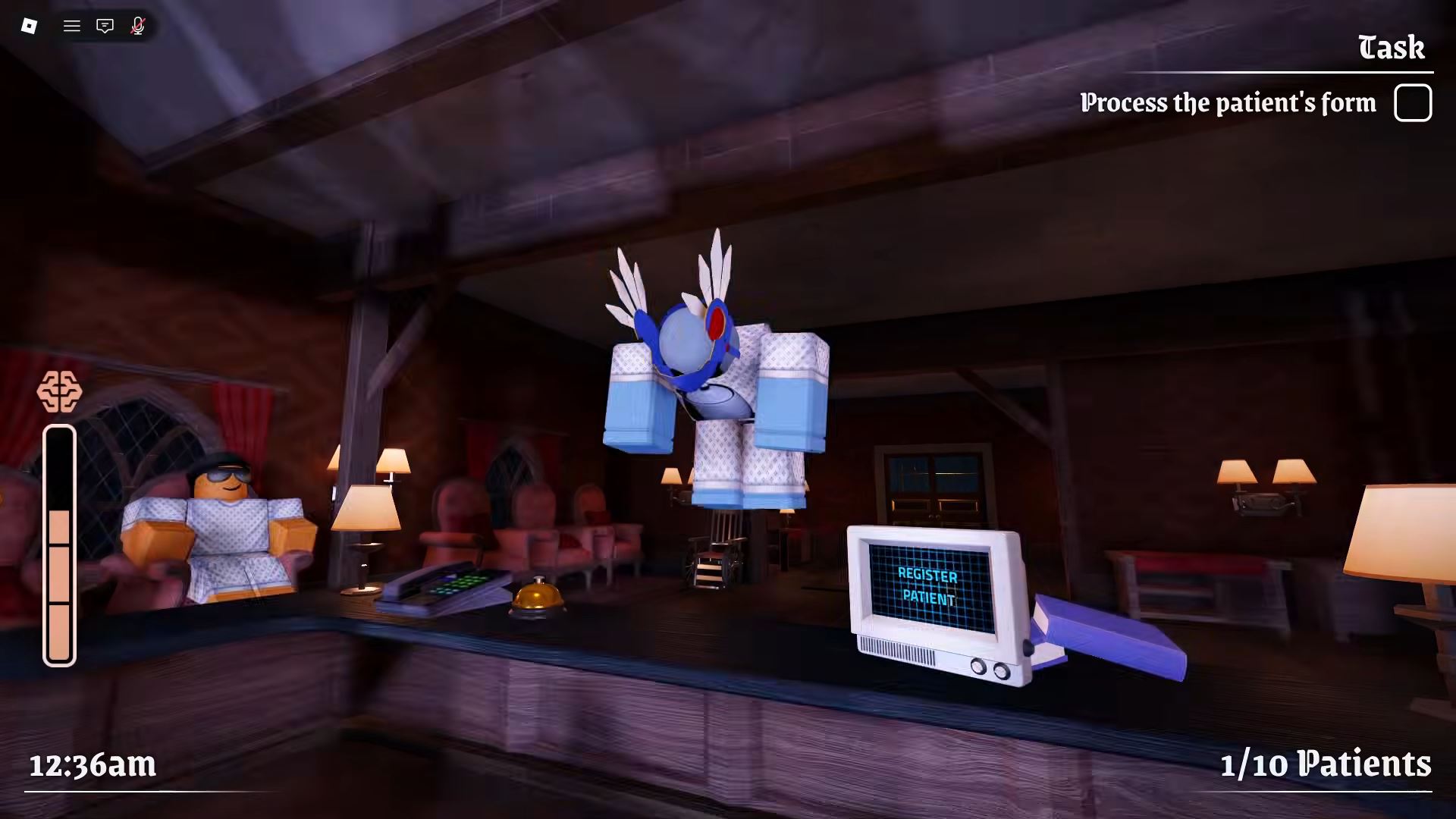
Night At The Infirmary has many anomalies that can trick you during each shift. Some anomalies are easy to spot from the reception window, while others only appear in the printed photo or CCTV camera feed.
To avoid wrong admissions, you must check every patient through three layers: visual evidence, photo evidence, and camera evidence. Missing even one clue can lead to admitting an anomaly.
Game: Night At The Infirmary
Main Task: Detect anomalies before admitting patients
Layer 1: Visual check from reception window
Layer 2: Printed photo comparison
Layer 3: CCTV camera check
Biggest Rule: If something looks wrong, do not admit the patient
Related Guides: You can also check our Roblox Game Codes, Best Roblox Horror Games, Best Roblox Games to Play, and Roblox Guides for more Roblox tips.
How Anomaly Detection Works
Before admitting any patient, you should check them properly. Anomalies can appear in different forms, so relying on only one check is risky.
| Layer | Method | When to Check |
|---|---|---|
| Layer 1 | Visual inspection through the reception window | Before taking a photo or pulling up cameras |
| Layer 2 | Compare the printed photo booth snapshot to the live patient | After the window check, before the camera check |
| Layer 3 | Cycle through all CCTV feeds for the patient | After the photo check, before admitting |
Layer 1: Visual Evidence
The first thing you should do is look at the patient through the reception window. Some anomalies are visible immediately, so this step can save you from wasting time.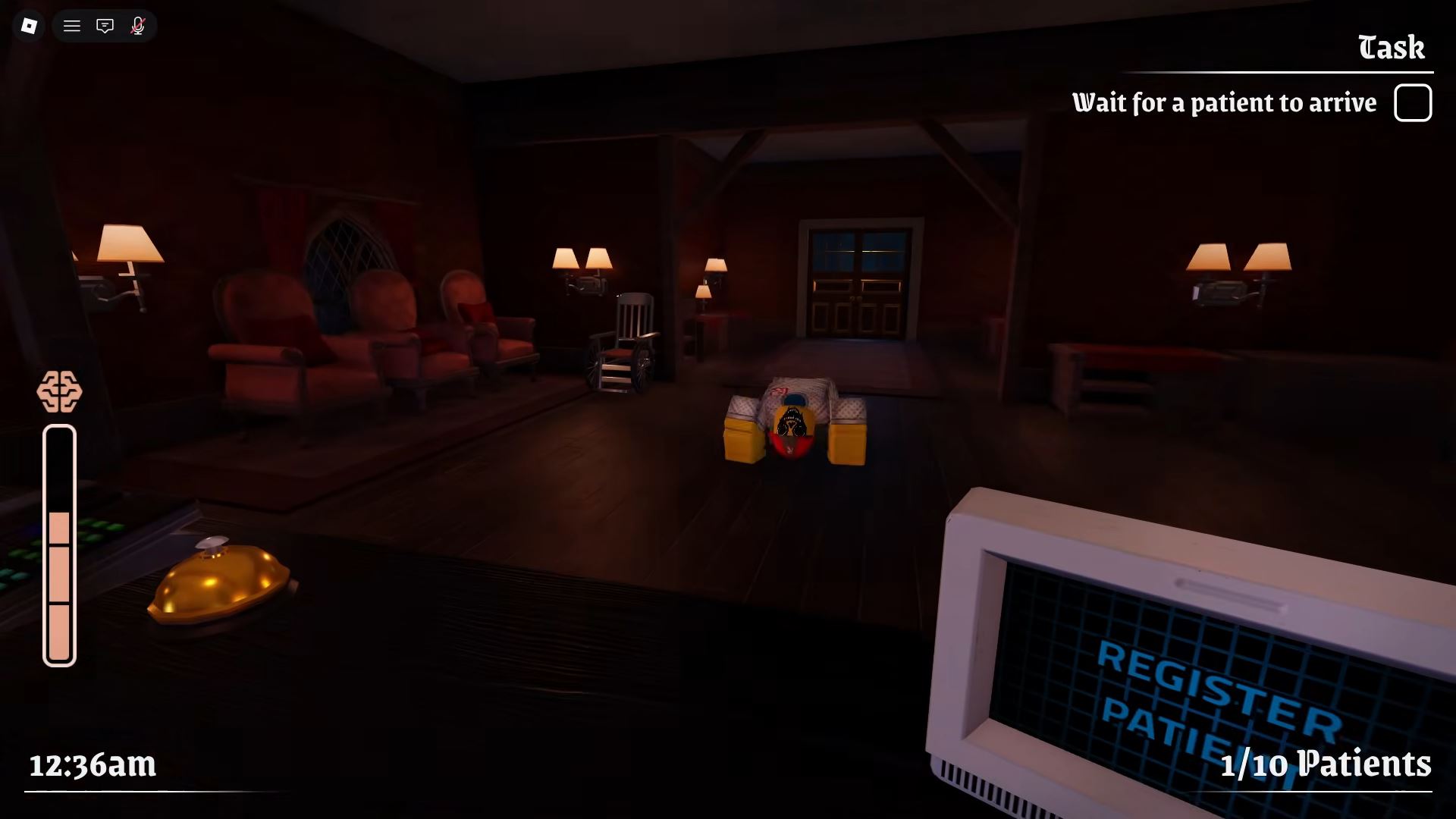
| Evidence | What to Look For |
|---|---|
| Hollow Eyes | Dark empty eye sockets with no visible pupil or light reflection. |
| Wrong Eye Count or Spacing | Too many or too few eyes, or eyes placed too wide or narrow for a normal face. |
| Sharp or Excessive Teeth | Too many teeth, teeth that are too long, or unnaturally sharp teeth. |
| Proportion Errors | Head, limbs, or height that do not match normal human proportions. |
| Unnatural Movement | Twitching limbs, jerky hand turns, or complete frozen stillness. |
| Head Tracking | The patient’s head follows your movement when their body stays still. |
Layer 2: Photo Evidence
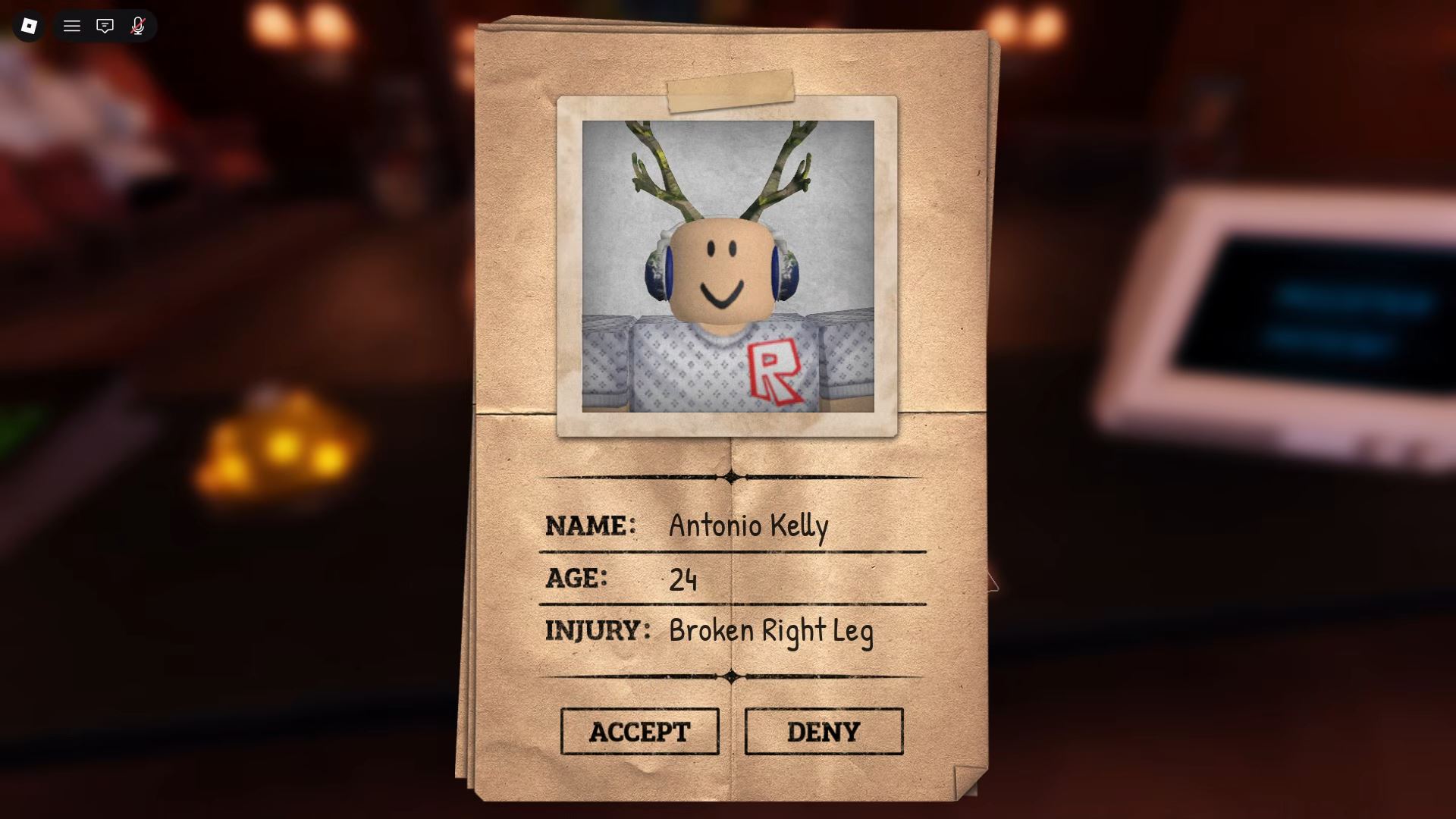
After the visual check, compare the printed photo with the patient standing in front of you. Some anomalies hide in plain sight but appear clearly in the printed photo.
| Evidence | What to Look For |
|---|---|
| Feature Mismatch | Eyes, ears, nose, mouth, or hair in the print are different from the live patient. |
| Added or Removed Traits | Horns, extra eyes, scars, or features that are absent on the patient or vice versa. |
| Static Photo | Heavy grain, TV error texture, corrupted image data, or frozen-looking photo. |
| Cursed Photo | Blackened eyes, unnatural grin, or the printed photo looking more creepy than the patient. |
| Hyper-Realistic Face | A face in the print that looks exaggerated, distorted, or more realistic than the patient. |
Layer 3: Camera Evidence
The CCTV camera layer is important because some anomalies only show up on camera. A patient may look normal at the window and in the photo, but appear wrong in the camera feed.
| Evidence | What to Look For |
|---|---|
| Black Eyes | A rectangular black void covering the eyes on the camera feed. |
| Void or Pitch-Black Body | The full body or entire camera feed turns black or void-like. |
| Stretched or Distorted Limbs | Arms, legs, or neck appear stretched or inhumanly long on the feed. |
| Camera Stare | The patient looks directly into the CCTV lens while waiting. |
| Feature Mismatch in Window | Different ears, nose, jaw, or hair compared with what you saw at the window. |
| Skinwalker Form | Non-human shape, posture, or distorted appendages visible only on camera. |
| Sanity Events | Food turns toward a dark figure with red eyes, blood x-ray events, or other unsettling camera scenes. |
Best Anomaly Check Order
To avoid mistakes, follow the same check order every time. This keeps your process simple and reduces the chance of missing a clue.
- Check the patient at the reception window.
- Take and compare the printed photo.
- Cycle through the CCTV cameras.
- Look for mismatched features, creepy photo details, or camera-only changes.
- Admit only if all three layers look normal.
What Happens After a Wrong Admission?
Admitting anomalies is not always immediately dangerous, but it creates risk for your shift. Some may pass as patients, while others may trigger events such as power loss, hostile encounters, or full anomaly activity later.
The safest rule is simple: if something feels suspicious, do not admit the patient.
Best Tips to Avoid Anomalies
- Never admit a patient after only one check.
- Always compare the printed photo with the live patient.
- Use CCTV before admitting anyone suspicious.
- Reject patients with hollow eyes, sharp teeth, strange movement, or distorted photos.
- Watch for camera-only anomalies because they may not appear at the window.
- Take your time during early nights to learn the patterns.
Final Thoughts
Detecting anomalies in Night At The Infirmary is all about patience and pattern recognition. Every patient should be checked through the reception window, printed photo, and CCTV camera before admission.
If the patient has hollow eyes, wrong facial features, distorted limbs, cursed photos, black eyes on camera, or unnatural movement, reject them. The safest strategy is to admit only patients who pass all three evidence layers.
FAQs
What should I do if I see a cursed photo?
Reject the patient immediately. Do not stare at the photo longer than needed, and avoid admitting the patient.
How do I know if a patient is an anomaly?
Check the patient through the reception window, printed photo, and CCTV camera. If any layer shows distorted features, creepy movement, black eyes, or mismatched details, treat them as an anomaly.
Can anomalies look normal at the window?
Yes, some anomalies may look normal at the reception window but reveal themselves in the printed photo or CCTV feed.
What is the safest way to check patients?
The safest method is window check first, photo comparison second, and CCTV camera check last before admitting.
What happens if I admit an anomaly?
A wrong admission can lead to dangerous events, power issues, hostile encounters, or other anomaly-related problems later in the shift.
Should I rush admissions?
No. Rushing admissions increases the chance of missing anomalies. Take time to check all three evidence layers.

Abhigyan identifies himself as a tech geek, gaming cognoscenti, and also a connoisseur of music. Unidentified and mysterious phenomena never fail to gather his undivided attention. When not reading about bizarre and perplexing entities across the Universe, he can often be found cheering for his favorite teams in Football.