

Last updated on June 22nd, 2026 at 12:15 pm
Animal Hospital (Anomaly) is a Roblox horror-survival game where your main job is to treat normal patients and reject dangerous anomalies before they enter the hospital. Every patient that arrives at the check-in window may look normal at first, but some of them are hiding strange traits that can end your shift if you let them inside.
Spotting anomalies is the most important skill in Animal Hospital. You must check the patient’s body, face, photo, CCTV appearance, voice, movement, and behavior before deciding whether to admit them or close the shutters.
In this guide, we will explain how to spot anomalies in Animal Hospital, all major anomaly signs, how to use the photo and CCTV cameras, when to reject a patient, what mistakes to avoid, and the best checklist to follow every time a new patient arrives.
Quick Answer:
To spot anomalies in Animal Hospital, check the patient’s face, eyes, ears, teeth, body shape, movement, voice, printed photo, and CCTV appearance. If the patient looks different in the photo, appears distorted on camera, has extra eyes, black eyes, sharp teeth, twitching movement, or a distorted voice, close the shutters and reject them.
Related Guides: You can also check our Animal Hospital Items Guide, Animal Hospital Classes Guide, Roblox Game Codes, and Best Roblox Horror Games for more Roblox help.
What Are Anomalies in Animal Hospital?
Anomalies are patients that look, sound, or behave differently from normal animals. Some anomalies are obvious, while others are very hard to notice unless you use the photo or security camera.
Your job is to identify suspicious patients before admitting them. If you let an anomaly inside, it can create danger, reduce your sanity, attack players, or make the shift much harder.
| Patient Type | What to Do | Reason |
|---|---|---|
| Normal Patient | Admit and treat them. | They are safe and need the correct treatment item. |
| Anomaly Patient | Close the shutters and reject them. | They are dangerous or suspicious and should not enter. |
How to Reject an Anomaly
If you are sure the patient is an anomaly, you should close the shutters at the check-in window. This turns the suspicious patient away and prevents them from entering the hospital.
- Wait for the patient to arrive at the check-in window.
- Look at the patient carefully.
- Take or check their photo if needed.
- Use CCTV if the patient seems normal but suspicious.
- Look for abnormal features or behavior.
- If you confirm an anomaly, close the shutters.
- If the patient is normal, admit them and treat them.
Main Ways to Spot Anomalies
There are three main ways to identify anomalies in Animal Hospital: normal visual inspection, photo inspection, and CCTV inspection.
| Detection Method | What It Finds | When to Use |
|---|---|---|
| Normal Visual Check | Obvious body, face, eye, teeth, and movement anomalies. | Use on every patient first. |
| Photo Check | Differences between the patient and their printed photo. | Use when the patient looks normal but you are unsure. |
| CCTV / Security Camera Check | Hidden camera-only anomalies like black eyes, distorted body, skinwalker appearance, or camera staring. | Use when the patient looks normal at the window. |
Visual Anomalies You Can Spot Without Equipment
Some anomalies can be seen directly at the check-in window without needing a photo or CCTV camera. These are usually the easiest anomalies to catch.
| Visual Anomaly | How to Spot It | What to Do |
|---|---|---|
| Wide Eyes and Sharp Teeth | The patient has a creepy distorted smile, sharp teeth, and glowing mismatched eyes. | Reject immediately. |
| Three Eyes | The patient has three glowing red eyes instead of a normal face. | Reject immediately. |
| Hollow Face | The patient has dark hollow eyes and may twitch unnaturally. | Treat carefully if required, but stay alert for ritual behavior. |
| Unnatural Facial Appearance | The face has realistic teeth, strange eyes, eyebags, or a drawn-on smile. | Reject if the face looks unnatural. |
| Twitching | The head, arms, or neck twitch strangely. Sometimes the neck looks stretched. | Check carefully and reject if abnormal. |
| Staring at Player | The patient keeps turning its head to stare at you when you move in front of it. | Reject if the staring behavior is unnatural. |
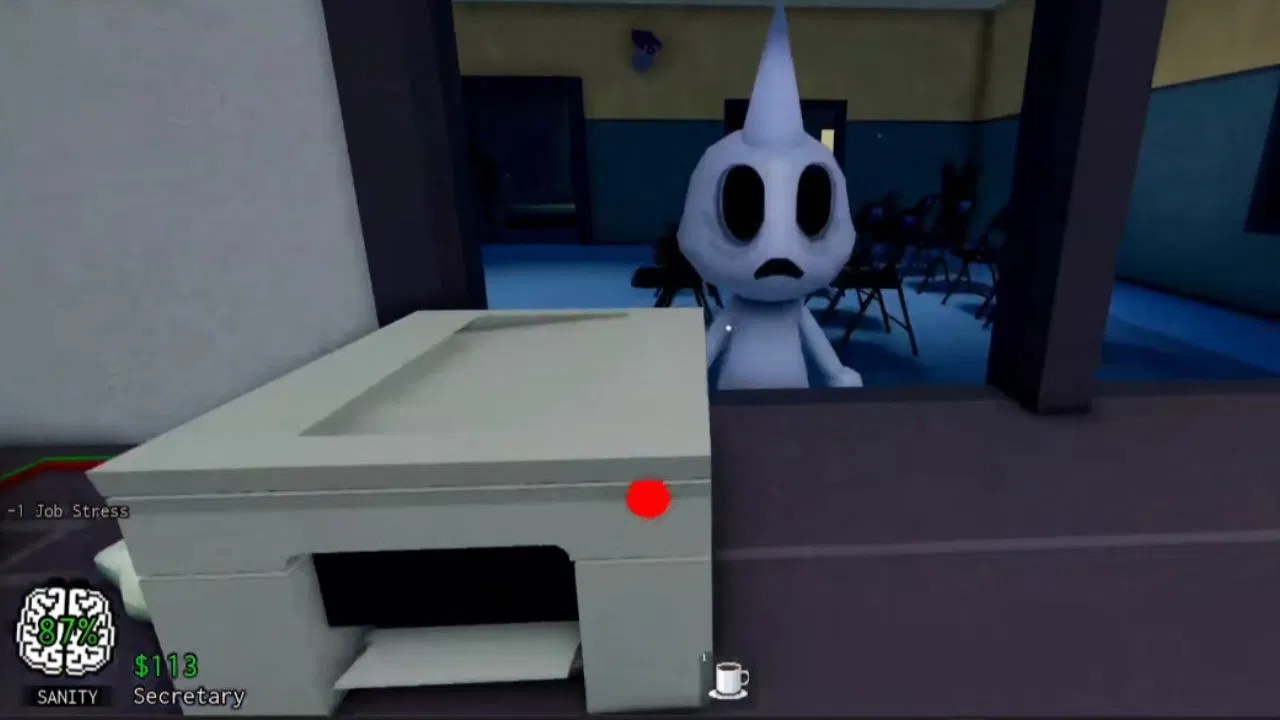 Photo Anomalies Explained
Photo anomalies are harder to catch because the patient may look normal at the window. The problem only appears after you compare the patient with their photo.
The safest habit is to always check the photo before admitting a patient, especially during harder shifts.
| Photo Anomaly | How to Spot It | Danger Level |
|---|---|---|
| Incorrect Photo | The patient’s photo does not match their current appearance. Eyes, ears, horns, or other features may be different. | High |
| Different Eyes | The eyes in the photo look different from the patient at the window. | High |
| Different Ears | The photo shows different ears, such as bear ears instead of rabbit ears. | High |
| Missing or Extra Horn | The photo has a horn that the patient does not have, or the patient has a horn missing from the photo. | High |
| Unnatural Photo | The patient looks normal at the window but has eerie realistic facial features in the photo. | High |
| Static Photo | The photo has static, grain, or visual distortion. | High |
| Cursed Photo | The photo shows wide bloodshot eyes with a creepy grin. | Very High |
CCTV / Security Camera Anomalies
Some anomalies only show up on the security cameras. The patient may look completely normal at the window, but when you check CCTV, their appearance becomes strange or dangerous.
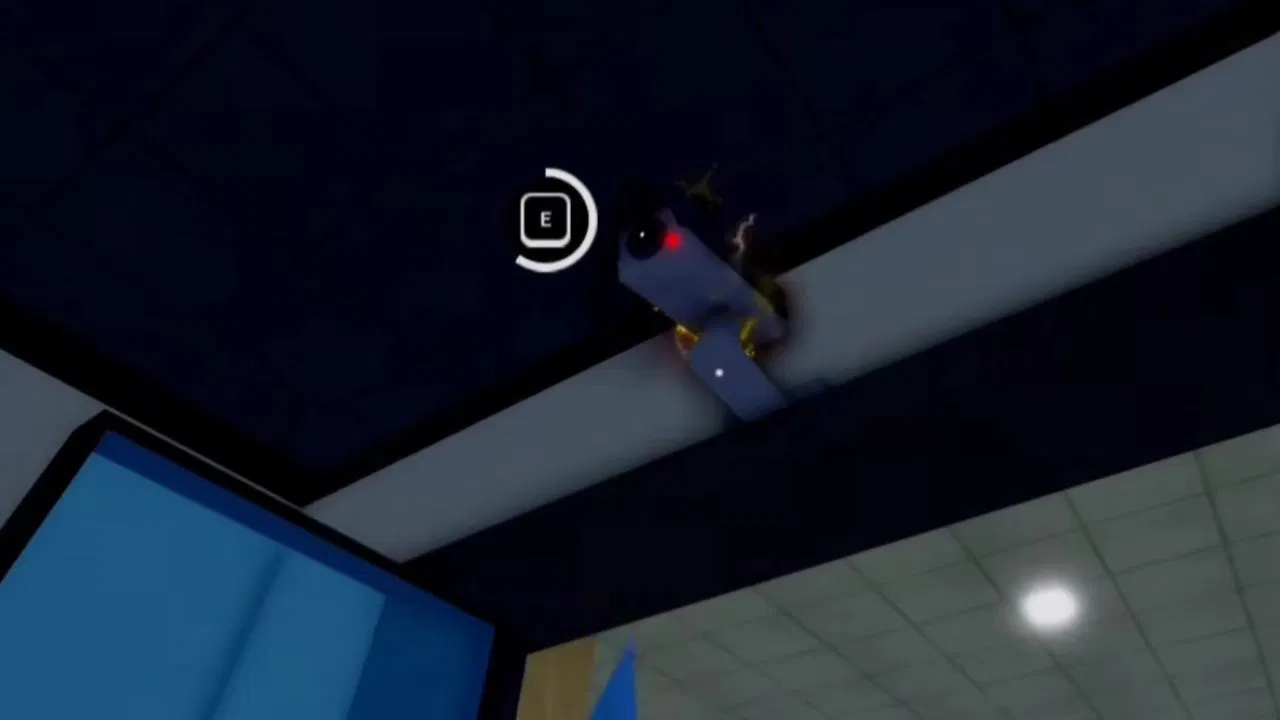
This is why the security camera is important during later shifts. If you only check the window, you can miss camera-only anomalies.
| CCTV Anomaly | How to Spot It | What to Do |
|---|---|---|
| Black Eyes | The patient’s face is covered or blocked by black staring eyes on camera. | Reject immediately. |
| Unnatural Body | The patient appears stretched, distorted, or warped on the security camera. | Reject immediately. |
| Staring at Camera | The patient stares directly at the CCTV camera even while walking. | Reject if the behavior is clearly abnormal. |
| Void / Black Body | The patient appears completely black, including the eyes. | Reject immediately. |
| Twitching on Camera | Twitching may only appear through the camera, even if the patient looks normal at the window. | Reject if twitching is abnormal. |
| Skin Walker | The patient appears as a skin walker only on security cameras. | Reject immediately. |
| Different Ears on Camera | The patient’s ears look different through CCTV compared to the window view. | Reject if the camera and window do not match. |
Voice Anomalies
Some anomalies can be detected by sound. If the patient has a low-pitched, distorted, or strange voice, treat it as a warning sign.
Voice anomalies often appear with visual anomalies like wide eyes, sharp teeth, three eyes, or unnatural facial features. Because of that, sound can help confirm what you already suspect visually.
| Voice Sign | Meaning |
|---|---|
| Low-pitched voice | The patient may be an anomaly. |
| Distorted voice | Often connected to dangerous facial anomalies. |
| Unnatural sound | Check photo and CCTV before admitting. |
Complete Anomaly Detection Checklist
Use this checklist every time a patient arrives. This helps you avoid admitting anomalies by mistake.
| Check | What to Look For | Reject If You See |
|---|---|---|
| Eyes | Number, color, size, shape, and glow. | Three eyes, black eyes, glowing red eyes, mismatched eyes. |
| Mouth / Teeth | Smile shape and teeth. | Sharp teeth, realistic teeth, creepy grin. |
| Face | Normal animal face and expression. | Hollow eyes, drawn smile, realistic face, bloodshot photo face. |
| Ears / Horns | Compare window, photo, and CCTV. | Different ears, missing horn, extra horn. |
| Body Shape | Normal body proportions. | Stretched body, distorted body, void black body. |
| Movement | Normal walking and idle behavior. | Twitching, elongated neck, unnatural staring. |
| Photo | Does it match the patient? | Static photo, cursed photo, wrong eyes, wrong ears, wrong horn. |
| CCTV | Does the patient look normal on camera? | Black eyes, skinwalker form, camera staring, distorted body. |
| Voice | Normal or distorted? | Low-pitched, distorted, or creepy voice. |
 Step-by-Step: How to Check Every Patient
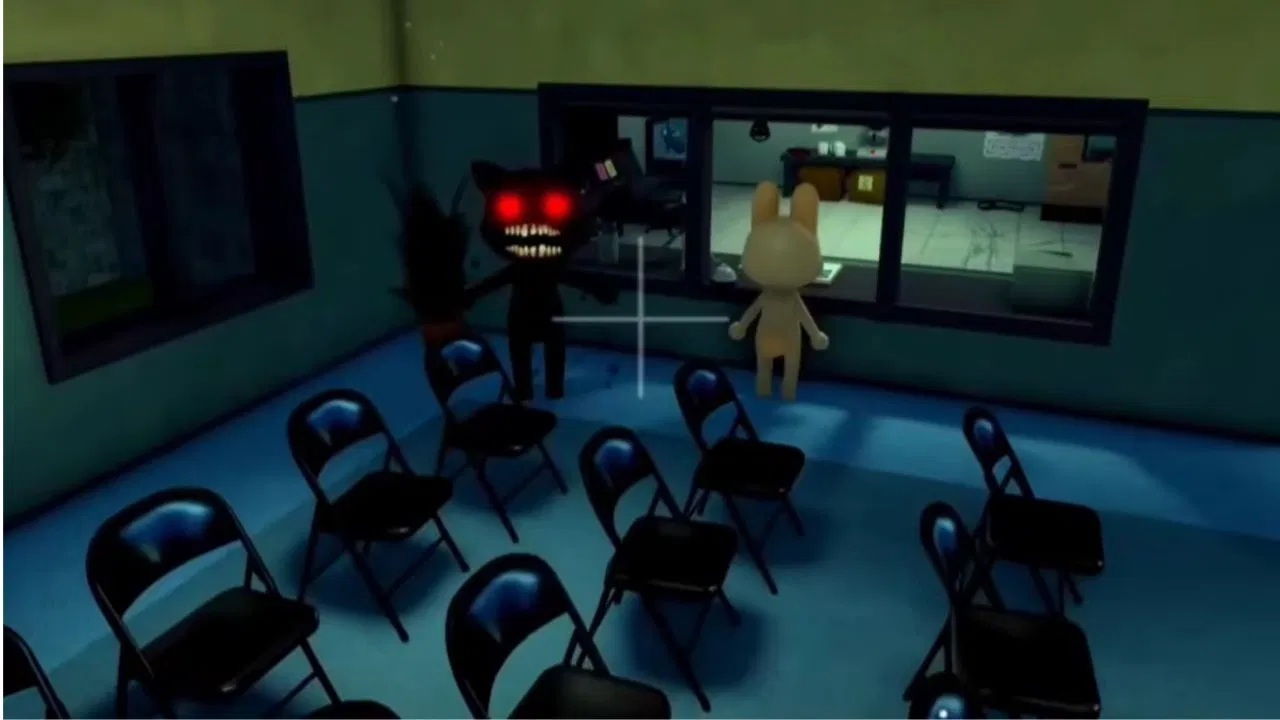
Follow this simple routine for every patient. It is slower at first, but it helps you avoid mistakes.
- Look at the patient directly: Check eyes, teeth, face, ears, horns, body, and movement.
- Listen to the voice: A distorted or low-pitched voice is suspicious.
- Check the printed photo: Compare the photo with the patient at the window.
- Use CCTV: Check if the patient looks different on security cameras.
- Compare all views: Window, photo, and CCTV should match.
- Reject if suspicious: Close the shutters if any major anomaly appears.
- Admit only if normal: If everything matches, let the patient in and treat them.
Common Anomaly Signs Beginners Miss
Beginners usually catch obvious anomalies like extra eyes or sharp teeth, but they often miss smaller signs. Pay special attention to these:
- One ear shape changing in the photo
- Eyes looking slightly different in the photo
- A horn appearing or disappearing
- Static or grain on the printed photo
- Patient staring directly at CCTV
- Body stretching only on security camera
- Low-pitched distorted voice
- Head following the player unnaturally
- Small twitching in arms or head
- Photo looking more realistic than the actual patient
How to Use the Photo Correctly
The photo is one of the best tools for catching hidden anomalies. Some patients look normal at the window but their photo reveals something wrong.
When checking the photo, compare these details:
- Eye shape
- Eye count
- Ear shape
- Horn count
- Facial expression
- Mouth shape
- Photo texture
- Static or grain
- Realistic facial features
- Bloodshot eyes or cursed grin
If the photo does not match the patient, reject them.
How to Use CCTV Correctly
The CCTV camera is needed because some anomalies only appear through the security system. Do not ignore the camera during harder shifts.
When using CCTV, check:
- Does the patient look distorted?
- Are the eyes black or hidden?
- Is the body stretched?
- Is the patient staring at the camera?
- Does the patient look like a skinwalker?
- Do the ears look different from the window view?
- Is the body completely void black?
- Does the patient twitch only on camera?
If the CCTV version does not match the window version, close the shutters.
Should You Admit a Suspicious Patient?
No. If a patient is suspicious and you cannot confirm they are normal, it is usually safer to reject them. Admitting an anomaly is more dangerous than taking extra time to check.
However, do not reject every patient randomly. Wrong decisions can slow your progress and make the shift harder. Use photo and CCTV checks before deciding.
| Situation | Best Action |
|---|---|
| Obvious sharp teeth or extra eyes | Reject immediately. |
| Patient looks normal but photo is different | Reject. |
| Patient looks normal but CCTV is distorted | Reject. |
| Patient, photo, CCTV, and voice all seem normal | Admit and treat. |
| You are unsure | Check again before deciding. |
 Best Classes for Spotting Anomalies
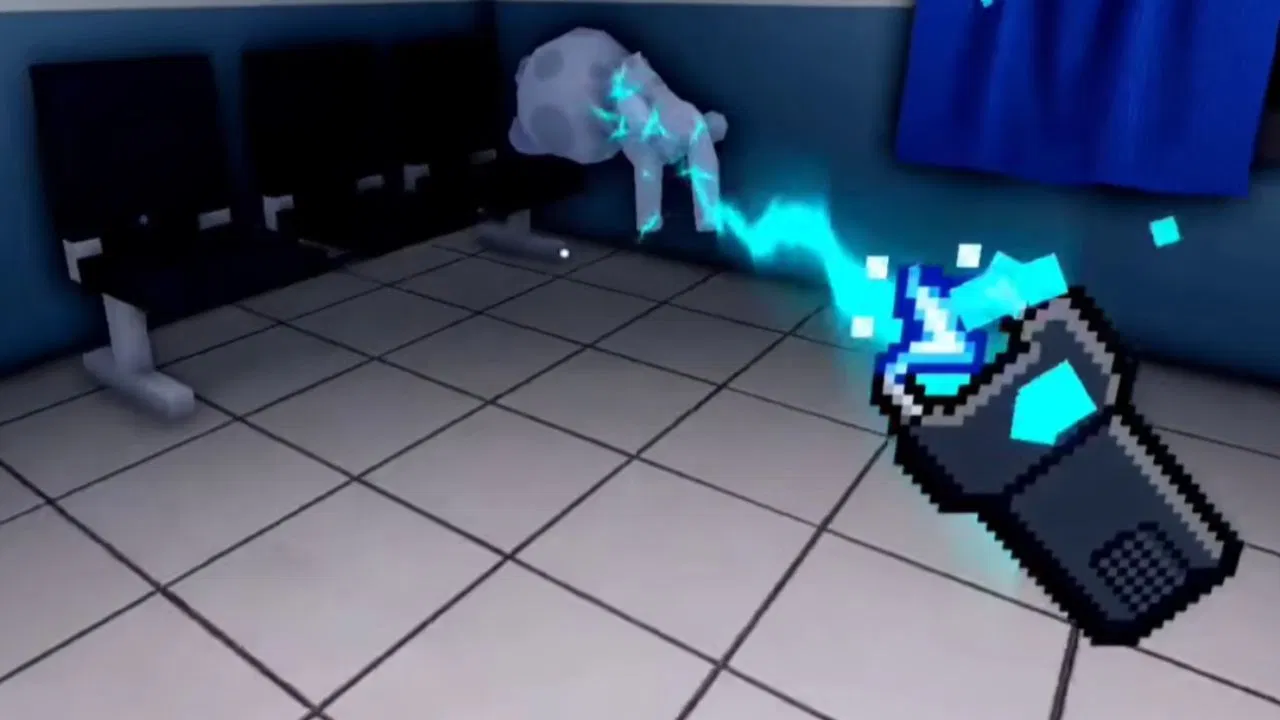
Some classes make anomaly checking easier because they help with sanity, inventory, speed, or defense.
| Class | Why It Helps |
|---|---|
| Secretary | Recovers sanity when checking in patients, making it good for reception players. |
| Nurse | Extra inventory helps you carry more tools or support items. |
| Head Nurse | More inventory space makes it easier to carry emergency items. |
| Security | Starts with X-Taser, useful if an anomaly slips inside. |
| Secret Agent | Starts with a Gun, useful for dangerous anomaly control. |
Best Items for Dealing With Anomalies
If an anomaly gets inside or a dangerous event begins, tools can help you survive.
| Item | Use |
|---|---|
| Taser | Shocks anomalies and crazed patients. |
| Gun | Useful for dealing with threats from a distance. |
| Coffee | Restores sanity after scary or dangerous encounters. |
| Run Faster | Helps you escape if something goes wrong. |
Solo Anomaly Spotting Tips
Solo players must handle everything alone, so the safest approach is to slow down and check every patient carefully.
- Do not admit patients instantly.
- Use the same checklist every time.
- Check window, photo, and CCTV before deciding.
- Keep Coffee ready if sanity drops.
- Use Security or Nurse if you struggle with survival.
- Close shutters quickly when you confirm an anomaly.
- Do not stare at cursed photos longer than needed.
- Listen for distorted voice cues.
Co-op Anomaly Spotting Strategy
Animal Hospital becomes easier in co-op because players can divide roles. A good team can spot anomalies faster and reduce mistakes.
| Team Role | Job |
|---|---|
| Reception Player | Talks to patients, checks window appearance, and controls shutters. |
| Photo Checker | Compares printed photos with the patient’s real appearance. |
| CCTV Watcher | Checks if the patient looks different on security cameras. |
| Security Player | Uses Taser or Gun if an anomaly enters or an emergency happens. |
Common Mistakes to Avoid
Most failed shifts happen because players rush or ignore one of the detection methods. Avoid these mistakes:
- Do not admit patients without checking the photo.
- Do not ignore CCTV during later shifts.
- Do not assume a patient is normal because they look fine at the window.
- Do not stare too long at cursed photos.
- Do not ignore distorted voice cues.
- Do not forget that one patient can have more than one anomaly.
- Do not reject randomly without checking.
- Do not panic if a suspicious patient arrives; follow the checklist.
- Do not stay in one view only; compare window, photo, and CCTV.
Best Beginner Strategy to Spot Anomalies
If you are new, use this simple rule: Window → Photo → CCTV → Voice → Decision.
- Window: Look for obvious face, eye, teeth, body, or movement problems.
- Photo: Compare ears, eyes, horns, and facial features.
- CCTV: Look for distortion, black eyes, void body, or skinwalker form.
- Voice: Listen for low-pitched or distorted sound.
- Decision: Admit only if all checks look normal.
Final Thoughts
Spotting anomalies in Animal Hospital is all about careful observation. Some anomalies are obvious, like three eyes, sharp teeth, or hollow faces. Others are hidden and only appear in the photo or CCTV camera.
The safest strategy is to check every patient in the same order: direct view, photo, CCTV, voice, then decision. If the patient’s appearance does not match across the window, photo, and camera, close the shutters and reject them.
Once you learn the common signs, you will survive longer shifts, avoid dangerous patients, protect your team, and progress more consistently in Animal Hospital.
FAQs
How do you spot anomalies in Animal Hospital?
Check the patient’s appearance, photo, CCTV camera view, voice, and movement. Reject the patient if you see extra eyes, sharp teeth, distorted body, wrong photo details, black eyes, twitching, or camera-only abnormalities.
What should I do if I find an anomaly?
Close the shutters at the check-in window to reject the anomaly and stop it from entering the hospital.
Can anomalies look normal at the window?
Yes, some anomalies look normal at the window but appear wrong in the photo or CCTV camera.
What are photo anomalies?
Photo anomalies happen when the printed photo does not match the patient or shows strange effects like static, realistic facial features, different eyes, different ears, missing horns, or cursed faces.
What are CCTV anomalies?
CCTV anomalies are only visible through security cameras. Examples include black eyes, distorted bodies, void-black appearance, skinwalker form, and patients staring directly at the camera.
Can one patient have more than one anomaly?
Yes, one patient can have more than one anomaly, so always check multiple signs before making a decision.
Should I admit a patient if I am unsure?
No. Check the photo and CCTV again before deciding. If the patient still looks suspicious, it is safer to reject them.
What is the best class for checking anomalies?
Secretary is good for reception because it restores sanity when checking in patients. Security and Secret Agent are good if you want defensive tools in case an anomaly gets inside.
Why is the photo important in Animal Hospital?
The photo can reveal anomalies that are not visible at the window, such as different ears, wrong eyes, missing horns, static effects, or cursed faces.
Why should I use CCTV?
CCTV can reveal hidden anomalies that only appear on security cameras, such as skinwalker form, black eyes, distorted bodies, and void-black appearance.

A gaming aficionado. Sometimes he can be seen fabricating a poem or feeding on a good sci-fi novel.