
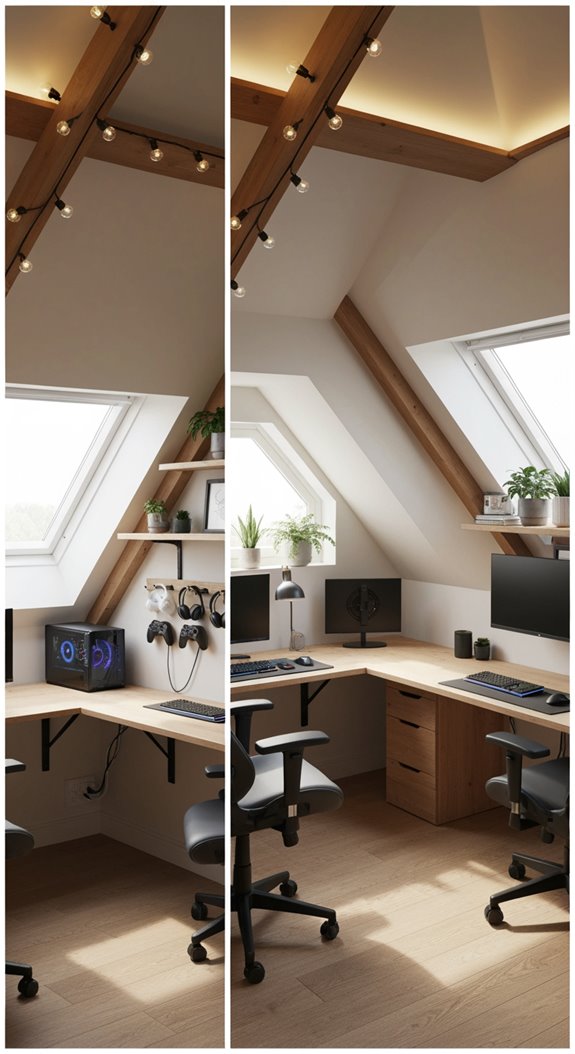

Quick answer: Your desk should sit at the height of your elbows when you sit with your arms relaxed, which works out to about 39% of your height. For a 5’9″ (175 cm) gamer, that is about 27 inches (69 cm), with a chair seat around 18 inches and the top of the monitor at eye level. Standard 29 to 30 inch desks only suit people around 6’2″ and taller, so most gamers need to raise their chair and add a footrest, or use an adjustable desk. Enter your height below for exact numbers.
Last updated: November 22, 2026
Gaming desk height calculator
Gaming desk height chart
These heights assume you wear shoes at your desk. Take off about 1 inch (2.5 cm) if you game barefoot.
| Your height | Chair seat | Sitting desk | Standing desk | Monitor top (sitting) |
|---|---|---|---|---|
| 5’0″ (152 cm) | 16.0 in (41 cm) | 23.6 in (60 cm) | 38.0 in (97 cm) | 41.9 in (106 cm) |
| 5’2″ (157 cm) | 16.5 in (42 cm) | 24.4 in (62 cm) | 39.3 in (100 cm) | 43.3 in (110 cm) |
| 5’4″ (163 cm) | 17.0 in (43 cm) | 25.2 in (64 cm) | 40.5 in (103 cm) | 44.7 in (113 cm) |
| 5’6″ (168 cm) | 17.5 in (44 cm) | 25.9 in (66 cm) | 41.8 in (106 cm) | 46.1 in (117 cm) |
| 5’8″ (173 cm) | 18.0 in (46 cm) | 26.7 in (68 cm) | 43.0 in (109 cm) | 47.5 in (121 cm) |
| 5’10” (178 cm) | 18.5 in (47 cm) | 27.5 in (70 cm) | 44.3 in (113 cm) | 48.8 in (124 cm) |
| 6’0″ (183 cm) | 19.0 in (48 cm) | 28.3 in (72 cm) | 45.6 in (116 cm) | 50.2 in (128 cm) |
| 6’2″ (188 cm) | 19.5 in (49 cm) | 29.1 in (74 cm) | 46.8 in (119 cm) | 51.6 in (131 cm) |
| 6’4″ (193 cm) | 20.0 in (51 cm) | 29.8 in (76 cm) | 48.1 in (122 cm) | 53.0 in (135 cm) |
| 6’6″ (198 cm) | 20.5 in (52 cm) | 30.6 in (78 cm) | 49.3 in (125 cm) | 54.4 in (138 cm) |
How to set up your gaming desk and chair
- Set the chair first. Adjust the seat so your feet rest flat on the floor and your knees bend at about 90 degrees, with your thighs roughly level.
- Line up the desk with your elbows. With your shoulders relaxed and elbows at your sides, bent at about 90 degrees, your keyboard and mouse should sit at elbow height or just below.
- Bring the armrests up to meet your elbows. They should support your forearms without pushing your shoulders up.
- Raise the monitor. The top edge of the screen should sit at or slightly below eye level, so you look slightly down at the middle of the screen.
- Set the distance. Sit about an arm’s length (20 to 30 inches, or 50 to 75 cm) from a 24 to 27 inch monitor, and farther from bigger screens.
What to do if your desk is too high
This is the most common problem, because most desks are built around 29 to 30 inches tall. You have three good fixes:
- Raise your chair and add a footrest. Lift the seat until your elbows line up with the desk, then put a footrest under your feet so they stay supported. Enter your desk height in the calculator to get the exact footrest height. Shop: ergonomic footrests.
- Add a keyboard tray. An under-desk tray drops your keyboard and mouse to the right height without moving the chair. Shop: keyboard trays.
- Switch to an adjustable desk. A height-adjustable standing desk can be set to your exact sitting height, and lets you stand between gaming sessions. Shop: electric standing desks.
Monitor height and position
Your eyes should hit the screen about 2 to 3 inches below its top edge, so the middle of the screen is slightly below eye level. That keeps your neck neutral during long sessions. If your monitor stand cannot go high enough, a monitor arm frees up desk space and lets you set the exact height and distance. Shop: monitor arms.
Standing desk height tips
- Set the desk so your elbows bend at about 90 degrees with your shoulders relaxed, the same as when sitting.
- Raise the monitor too: when standing, the top of the screen should still be at or just below eye level.
- Alternate between sitting and standing rather than standing all day, and use an anti-fatigue mat if you stand for long stretches.
FAQ
What is the standard desk height?
Most desks are 28 to 30 inches (71 to 76 cm) tall. That height suits people around 6’2″ and taller, so most gamers need a footrest, keyboard tray or adjustable desk.
How tall should a gaming desk be for a 6 foot person?
About 28.3 inches (72 cm) for sitting and 45.6 inches (116 cm) for standing, with shoes on. A standard 29 to 30 inch desk is close enough with the chair raised slightly.
How high should my gaming chair be?
High enough that your feet sit flat and your knees bend at about 90 degrees. For most adults, that is a seat height of 16 to 21 inches (41 to 52 cm).
Should my monitor be at eye level?
The top of the screen should be at or just below eye level, so you look slightly down at the middle of the screen. A screen that is too high strains your neck.
How far should I sit from my monitor?
About an arm’s length for 24 to 27 inch monitors, which is 20 to 30 inches (50 to 75 cm). Larger and ultrawide monitors need more distance.
More setup guides: Gaming room decor ideas · Keyboard tester · Mouse test
Affiliate disclosure: As an Amazon Associate, we earn from qualifying purchases. Buying through these links costs you nothing extra.
This calculator gives general guidance based on average body proportions and is not medical advice. If you have pain or a medical condition, ask a doctor or physiotherapist about your setup.

Abhigyan identifies himself as a tech geek, gaming cognoscenti, and also a connoisseur of music. Unidentified and mysterious phenomena never fail to gather his undivided attention. When not reading about bizarre and perplexing entities across the Universe, he can often be found cheering for his favorite teams in Football.
Our guides are researched, fact-checked and updated as games change. How we research and verify our guides.