
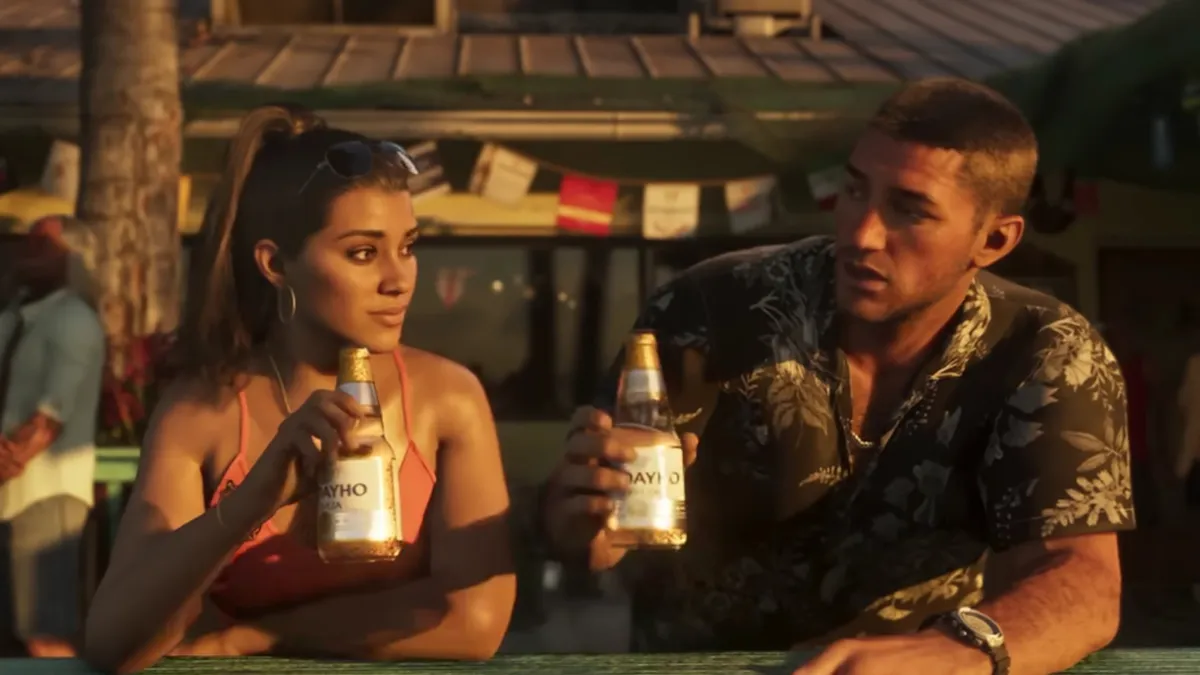

Quick answer: The best GTA 6 settings for most players are Motion Blur Strength turned down (0 if you want the sharpest image), Camera Shake off, Targeting on Partial with Aim Assist Strength around 3, subtitles set to always on, and HDR set up on your console before you start. GTA 6 runs at 30 FPS on PS5, PS5 Pro and Xbox Series X|S with no performance mode, and the PS5 Pro’s PSSR upscaling and ray-traced shadows turn on automatically.
Last updated: November 19, 2026 (launch day). Rockstar hasn’t published an official list of options, so this early version is built from the settings reported by outlets and players who have the game. We’ll add anything new as the full menu is documented.
GTA 6 has a lot of options, and a few defaults are worth changing before you get too far into Jason and Lucia’s story. Here’s what to change first, what each setting does, and what you can’t change.
GTA 6 Best Settings at a Glance
| Setting | Recommended | Why |
|---|---|---|
| Motion Blur Strength | 0 to low | Sharper image when driving and turning the camera |
| Camera Shake | Off | Less wobble in chases and gunfights |
| Kill / crash camera | Lowest | Fewer cinematic interruptions |
| Targeting | Partial | Helps at 30 FPS without full lock-on |
| Aim Assist Strength | About 3 (0 to 5) | A middle ground; lower it as you get used to aiming |
| Subtitles | Always on | Default is reported as missions only |
| Brightness | Use the calibration screen | Avoid crushed shadows in night scenes |
| HDR | Calibrate on the console | No in-game HDR screen has been reported |
Display and Visual Effects Settings
KeenGamer, BGR and player screenshots shared on r/GTA6 show these options under the Display tab and its visual effects section:
- Motion Blur Strength: a slider rather than an on/off switch. Turning it to 0 gives the clearest picture. Some players like a little blur because it smooths out camera movement at 30 FPS, so try a low value if 0 feels choppy.
- Brightness: set it with the calibration screen so the dark symbol is barely visible. Night-time Vice City looks much better when shadows aren’t crushed.
- Safe Zone: pull it in if your TV cuts off the edges of the HUD.
- Blood & Gore Intensity (three levels) and Dismemberment (on/off): purely personal preference. Parents can find more in our GTA 6 parents guide.
- Hit and status effects intensity: lower these if screen effects when you’re hurt or in combat get in the way.
HDR Settings for GTA 6
No in-game HDR calibration screen has been reported so far, so GTA 6 uses your console’s HDR settings. Set them up before you play:
- PS5 and PS5 Pro: Settings > Screen and Video > Video Output > HDR: On When Supported, then run Adjust HDR.
- Xbox Series X|S: Settings > General > TV & display options > Calibrate HDR for games.
- On your TV: use Game Mode, turn motion smoothing off, and turn on HGiG tone mapping if your TV has it before you calibrate.
Camera Settings
- Camera Shake: turn it off for a steadier view, especially if you get motion sick.
- Kill camera and crash camera: both can be turned down. The lowest setting cuts the slow-motion cinematic shots that play after kills and big crashes.
- Field of view: reported as adjustable only in Photo Mode, not during normal play.
Aim Assist and Targeting Settings
| Option | Choices | Our pick |
|---|---|---|
| Targeting | Lock-On, Partial, Free Aim | Partial for most players; Free Aim if you want a challenge |
| Aim Assist Strength | 0 to 5 | About 3, lower over time |
| Shooting Assist | On / Off | Off for fully manual aiming |
| Drive-By Assist | On / Off | On; shooting from a car is hard at 30 FPS |
| Quick Draw | On / Off | On |
These options are reported by KeenGamer and TheTechBasket from the launch build. Partial targeting snaps less than full lock-on, so fights still feel like you’re aiming. Free Aim at 30 FPS takes practice. Want an advantage in fights? Learn how Focus slows time and marks weak points.
Controls and Accessibility
- Control scheme: player screenshots show Default, Classic and Left-Handed layouts.
- Default Movement Speed: set it to Jog if you’re tired of holding sprint.
- Hold and tap assists: turn button holds into toggles and reduce button mashing.
- Trigger Effect Intensity (PS5): lower it if the DualSense adaptive triggers tire your fingers.
- Accessible combat and driving assists: reported options include reduced damage taken and lower vehicle damage, for players who want an easier ride. GTA 6 has no traditional difficulty setting.
- High Contrast Shaders and colorblind options: make enemies and objects easier to pick out.
Audio and Subtitle Settings
- Subtitles: switch from missions only to always on, so you catch radio, phone calls and street chatter.
- Subtitle and UI size: raise them if text is small from your couch.
- Dialogue volume: push it above music and effects if voices get lost in car chases.
- Streamer Mode: mutes licensed music to avoid copyright strikes when streaming. Leave it off for normal play so you don’t miss the radio stations.
- Tinnitus Reduction and Mono Audio: useful accessibility options if you need them.
PS5 Pro Settings: PSSR and Ray-Traced Shadows
Rockstar confirmed GTA 6 targets 30 FPS on PS5, PS5 Pro and Xbox Series X|S. The PS5 Pro adds PlayStation Spectral Super Resolution (PSSR) upscaling and ray-traced shadows, which apply automatically, so there’s no extra toggle to look for. The Pro doesn’t raise the frame rate. Set your PS5 Pro’s resolution to Automatic so it outputs 4K, and don’t worry about 120Hz or VRR, which make no difference at a locked 30 FPS. Full details are in our GTA 6 frame rate guide.
| Console | Frame rate target | Extras |
|---|---|---|
| PS5 | 30 FPS | None |
| PS5 Pro | 30 FPS | PSSR upscaling, ray-traced shadows |
| Xbox Series X | 30 FPS | None |
| Xbox Series S | 30 FPS | None |
What You Can’t Change
- No performance or 60 FPS mode on any console.
- No gameplay field of view slider (Photo Mode only, according to reports).
- No difficulty setting, just assists.
- No first-person mode at launch. See our list of GTA 6 missing features.
FAQ
Should I turn off motion blur in GTA 6?
If you want the sharpest image, yes: set Motion Blur Strength to 0 in the Display settings. If 30 FPS feels choppy without it, try a low value instead.
Does GTA 6 have a performance mode?
No. GTA 6 targets 30 FPS on PS5, PS5 Pro and Xbox Series X|S, and there’s no 60 FPS option.
What’s the best aim assist setting in GTA 6?
Partial targeting with Aim Assist Strength around 3 is a good start. Drop the strength as you improve, or switch to Free Aim if you want no help at all.
Do I need to change any settings on PS5 Pro?
No. PSSR and ray-traced shadows switch on automatically. Just make sure the console outputs 4K and HDR is calibrated.
More GTA 6 guides: GTA 6: everything we know · GTA 6 frame rate · How to pause GTA 6 · GTA 6 beginner tips · GTA 6 not working? Fixes
Grand Theft Auto VI is developed and published by Rockstar Games. Stealthy Gaming is not affiliated with Rockstar Games or Take-Two Interactive.

Ankit kumar is a Digital Marketing Manager and a fan of the COD franchise and Roblox. Perfection is his forte, and the same can be seen in his work. He loves to invest his time in creating awesome content, doing SEO and discovering the latest games.
We label leaks and unconfirmed details and update this guide as Rockstar confirms more. How we research and verify our guides.