
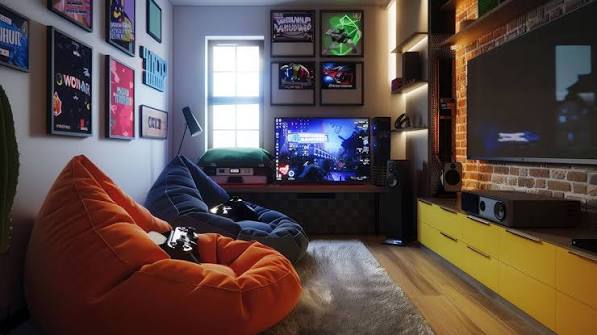

Creating a gaming space doesn’t require a large basement, an extra bedroom, or expensive custom furniture. Some of the best small game room ideas use clever layouts, compact gaming desks, wall-mounted storage, and comfortable seating to make even the smallest areas feel like a dedicated entertainment space.
From cozy gaming corners and modern PlayStation setups to minimalist PC stations and retro-inspired rooms, these 21 small game room ideas offer practical inspiration for bedrooms, apartments, home offices, and shared living spaces. Each idea includes ways to save floor space, organize equipment, and create a setup that fits your gaming style.
Affiliate disclosure: As an Amazon Associate, I earn from qualifying purchases. This article contains affiliate links, which may earn us a commission at no extra cost to you.
More Gaming Room Ideas to Explore:
21 Small Game Room Ideas & Space-Saving Gaming Setups
1. Create a Cozy Gaming Lounge with Soft Seating
A cozy game room feels comfortable and welcoming without needing oversized furniture. Start with a compact loveseat or one supportive lounge chair, then add a soft area rug, textured cushions, and warm indirect lighting. Neutral walls, natural wood, and a few personal gaming accessories create a relaxed atmosphere.
Position seating across from a wall-mounted TV and place a slim side table nearby for drinks or controllers. A small storage basket can hold blankets and extra accessories. If the room is extremely narrow, choose a single comfortable chair rather than squeezing in a full sofa.
Styling tip: Use warm lighting behind the television or beside the seating area to create a soft glow without shining directly into the screen.
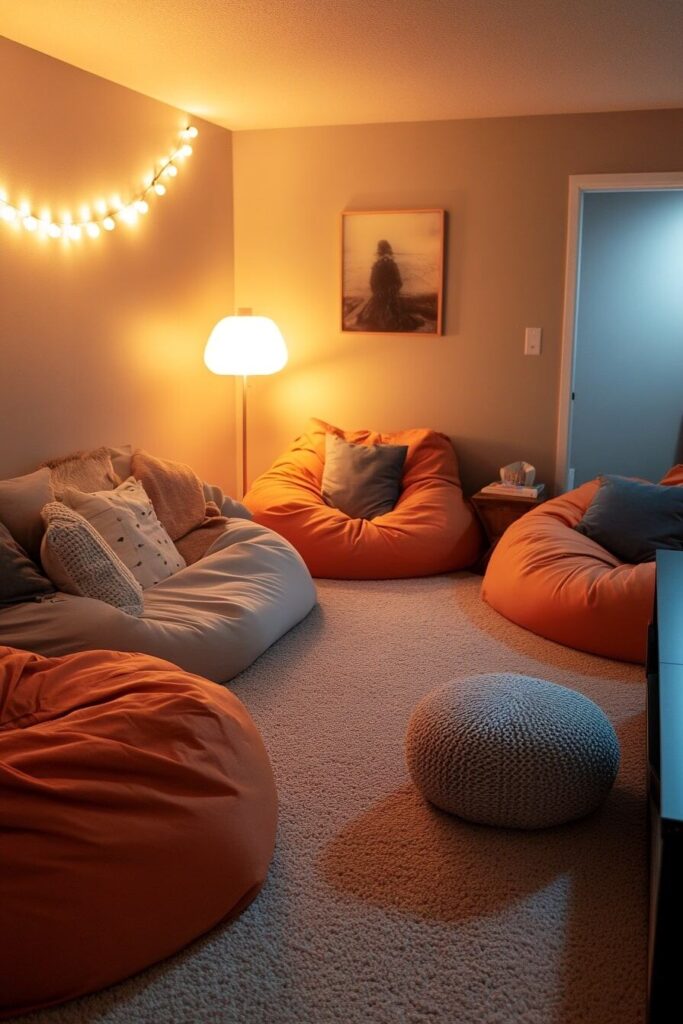
Image credit: @homemadegraceful.com
2. Add Multifunctional Furniture with Hidden Storage
When every square foot matters, furniture that performs two jobs can make a noticeable difference. A storage ottoman works as a footrest and a place for controllers, a folding table can support game nights, and a compact cabinet can store board games alongside electronic accessories.
Choose pieces with straightforward shapes and practical storage compartments. A rectangular ottoman fits neatly in front of a loveseat, while nesting tables offer an extra surface only when needed. Avoid purchasing several small organizers if one well-designed storage cabinet can hold everything.
Budget tip: Repurpose an existing storage bench or cabinet before buying furniture specifically marketed for gaming rooms.
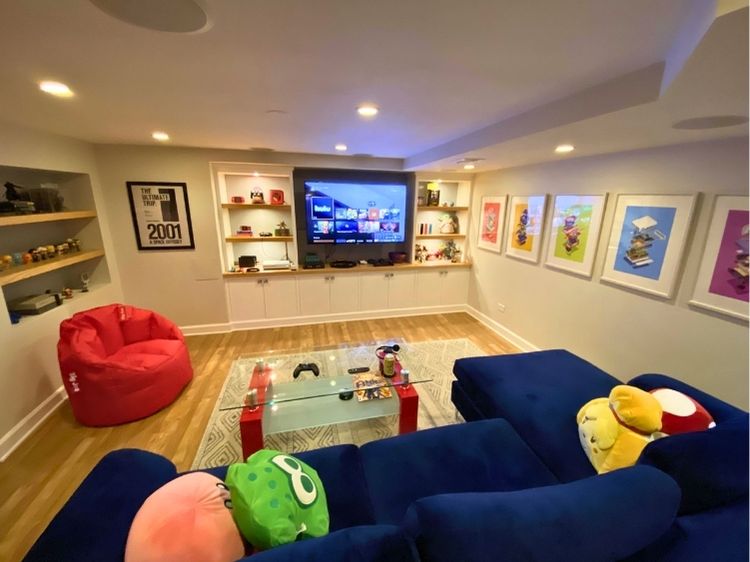
Image credit: @homemadegraceful.com
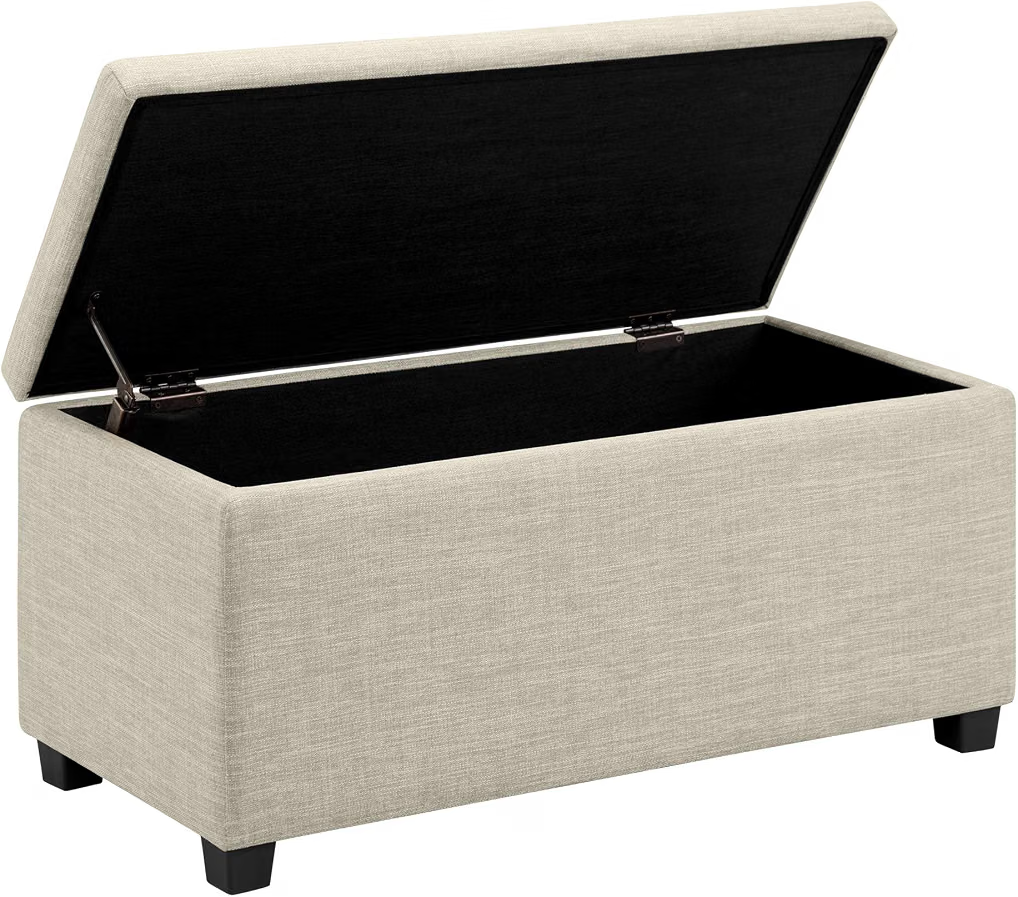
Amazon Find: Storage Ottoman for Small Game Rooms
A compact storage ottoman provides a convenient spot for spare controllers, cables, and blankets while doubling as a comfortable footrest.
3. Design a Clean and Modern Minimalist Game Room
A modern small game room looks especially polished when the furniture follows a consistent visual style. Combine a simple black or white gaming desk with a streamlined monitor, a comfortable chair, and storage with flat-front doors. Gray, beige, charcoal, or warm white walls create a calm foundation.
Keep decorative accessories limited to a few meaningful pieces, such as a framed gaming print, a compact plant, or one display shelf. Hide power strips and loose cables beneath the desk. For additional personality, introduce one accent color through a desk mat or a subtle strip of LED lighting.
Small-space tip: Furniture with exposed legs can make a compact room feel less visually crowded than several bulky, floor-to-ceiling units.
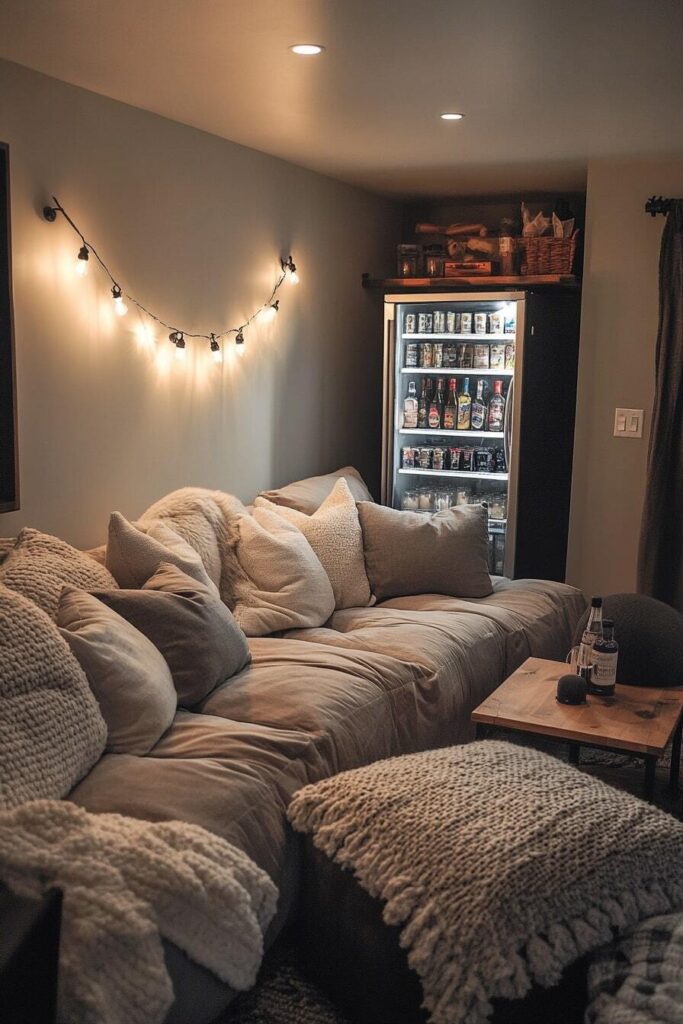
Image credit: @homemadegraceful.com
4. Build a Compact PlayStation Setup with LED Wall Panels
A PlayStation gaming corner can feel like a dedicated entertainment station without using an entire bedroom. Mount a suitable TV or monitor on the main wall and place a slim, ventilated media shelf below it. Arrange geometric LED wall panels on one side to introduce a futuristic gaming aesthetic.
Purple, blue, and soft pink lighting work particularly well against dark gray or white walls. Use a small controller charging station and a narrow shelf for headphones. If you prefer dual screens, check that the wall and desk have enough width before adding the second display.
Practical tip: Keep LED brightness adjustable and leave the console’s ventilation openings unobstructed.
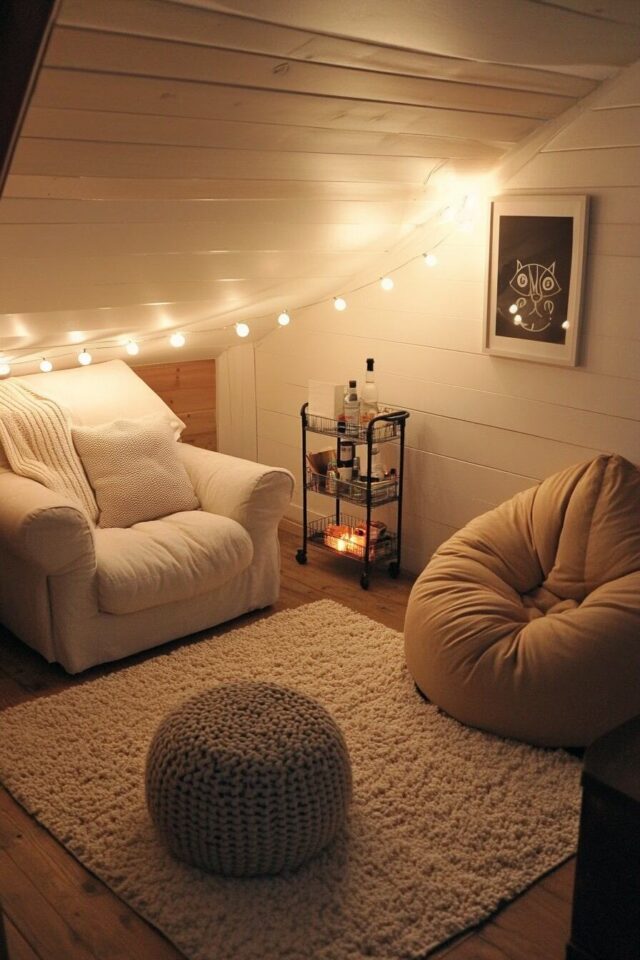
Image credit: @homemadegraceful.com
Amazon Find: Hexagon LED Gaming Wall Lights
Modular geometric light panels add a colorful focal point above a console station or gaming desk without requiring bulky decorative furniture.

5. Organize a Narrow Game Room with Wall-to-Wall Storage
A narrow room becomes easier to use when furniture stays close to the walls. Install a long, slim desk along one side and organize controllers, collectibles, and game cases on shelves above it. A continuous arrangement creates a unified look instead of several disconnected storage areas.
Use a consistent finish for the desk and shelving, such as matte black, white, or medium-tone wood. Keep frequently used accessories at comfortable reaching height and display collectibles on upper shelves. Small LED accent lights can highlight your favorite gaming items without filling the room with additional furniture.
Organization tip: Use cable channels along the back of the desk and avoid deep cabinets that reduce the usable walkway.
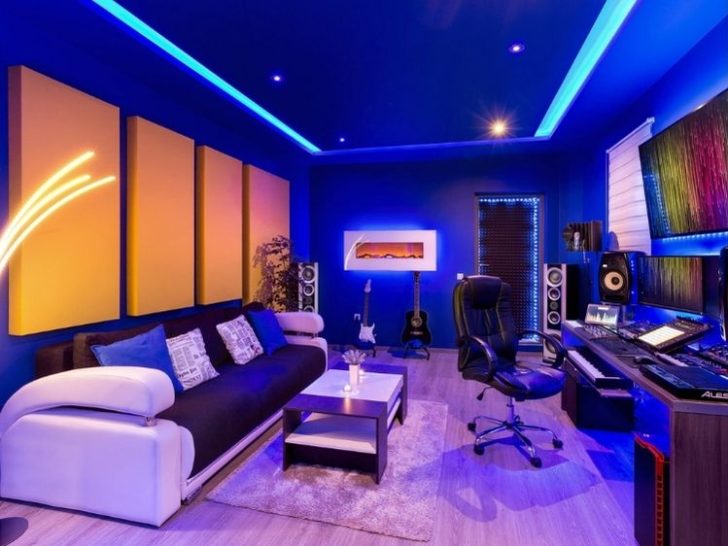
Image credit: @homemadegraceful.com
6. Turn a Walk-In Closet into a Hidden Gaming Station
A walk-in closet or deep unused alcove can become a surprisingly functional gaming nook. Fit a narrow desk against the back wall, mount a pegboard above it, and use small shelves for lightweight accessories. A single monitor and compact keyboard help keep the work surface usable.
Choose a chair that can move comfortably within the available depth and use soft task lighting to brighten the enclosed space. Pegboard hooks can hold headphones, handheld consoles, and cables. If the closet is part of a bedroom, matching the desk finish to the existing furniture helps the gaming area blend in.
Important: Check ventilation, power access, and safe cable routing before placing heat-producing gaming equipment in a closet. Do not block ventilation openings or operate equipment in an unventilated enclosure.
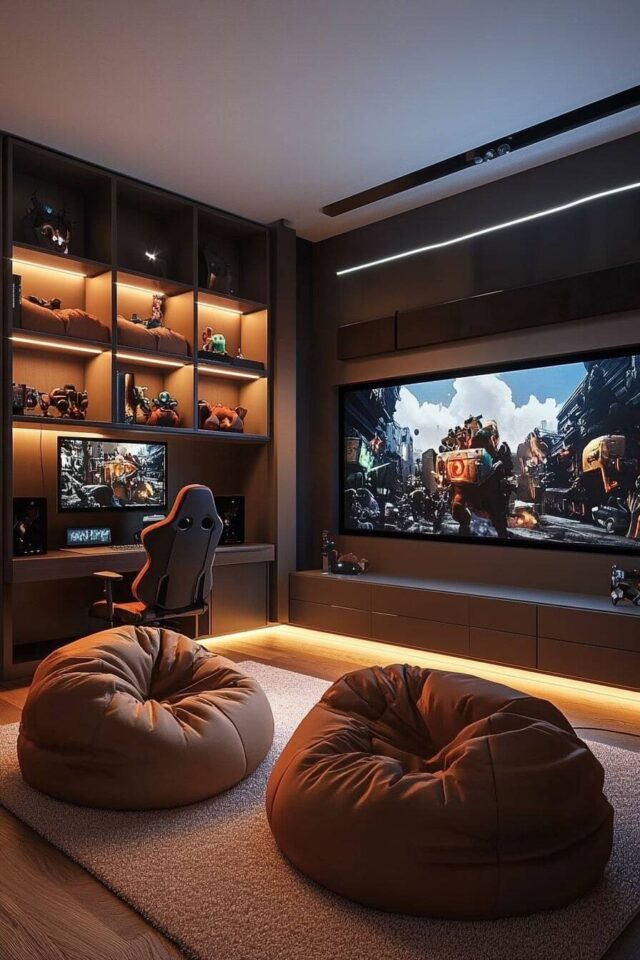
Image credit: @homemadegraceful.com
7. Style a Rustic Game Room with Vintage Details
Rustic game rooms combine entertainment with warm materials and traditional character. Choose wood furniture, leather-look seating, a vintage-style rug, and a few classic tabletop games. Warm brown, cream, olive green, and charcoal create a grounded palette that works beautifully in an adult gaming space.
A compact wooden game table can support cards, chess, and puzzles without requiring a full-size billiard table. Decorate the walls with framed vintage game prints or a small dartboard if sufficient throwing clearance is available. Complete the space with a warm table lamp and one attractive storage cabinet.
Budget tip: Look for secondhand wooden furniture and refinish or clean it to coordinate with your existing pieces.
8. Use an Unused Corner for a PC Gaming Setup
Corners are often overlooked, but they provide an excellent location for a compact PC gaming station. A small corner desk or carefully sized L-shaped desk can keep your monitor, keyboard, and gaming accessories organized without occupying the middle of the room.
Position the monitor at a comfortable viewing distance and install a monitor arm if your equipment and desk support one. A floating shelf above the workstation can hold smaller accessories, while an under-desk cable tray keeps cords out of sight. Choose a chair that can slide beneath the desk when not in use.
Planning tip: Measure the depth of both walls and the space needed to roll your chair backward before ordering an L-shaped gaming desk.
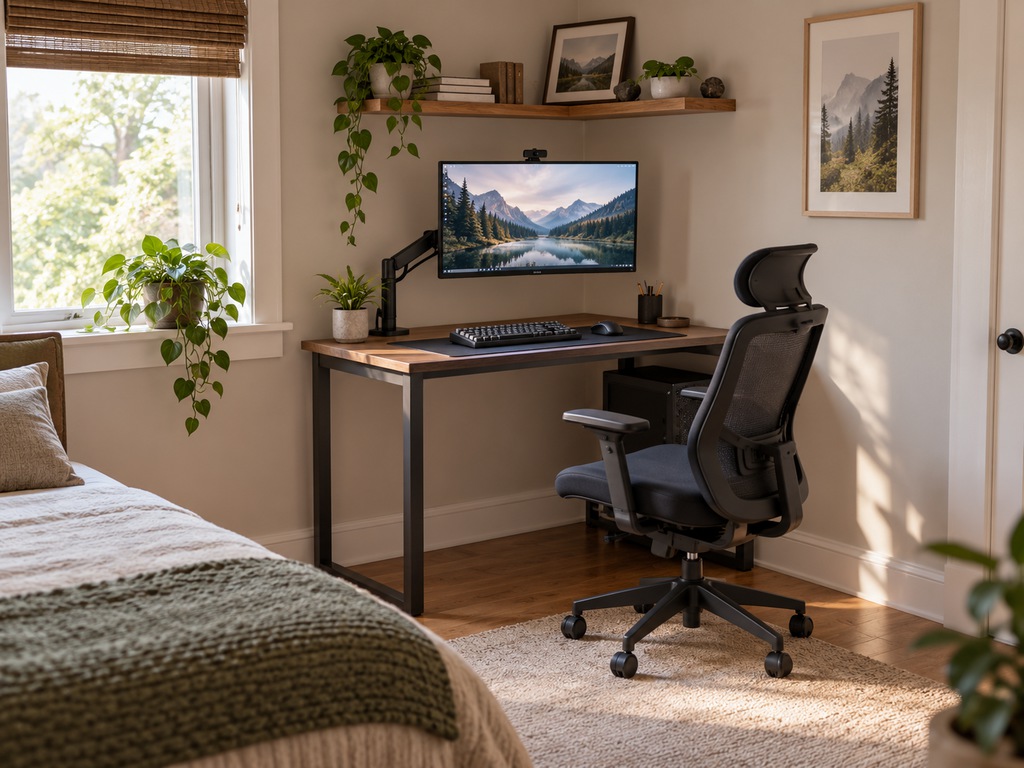
Image credit: @povison.com
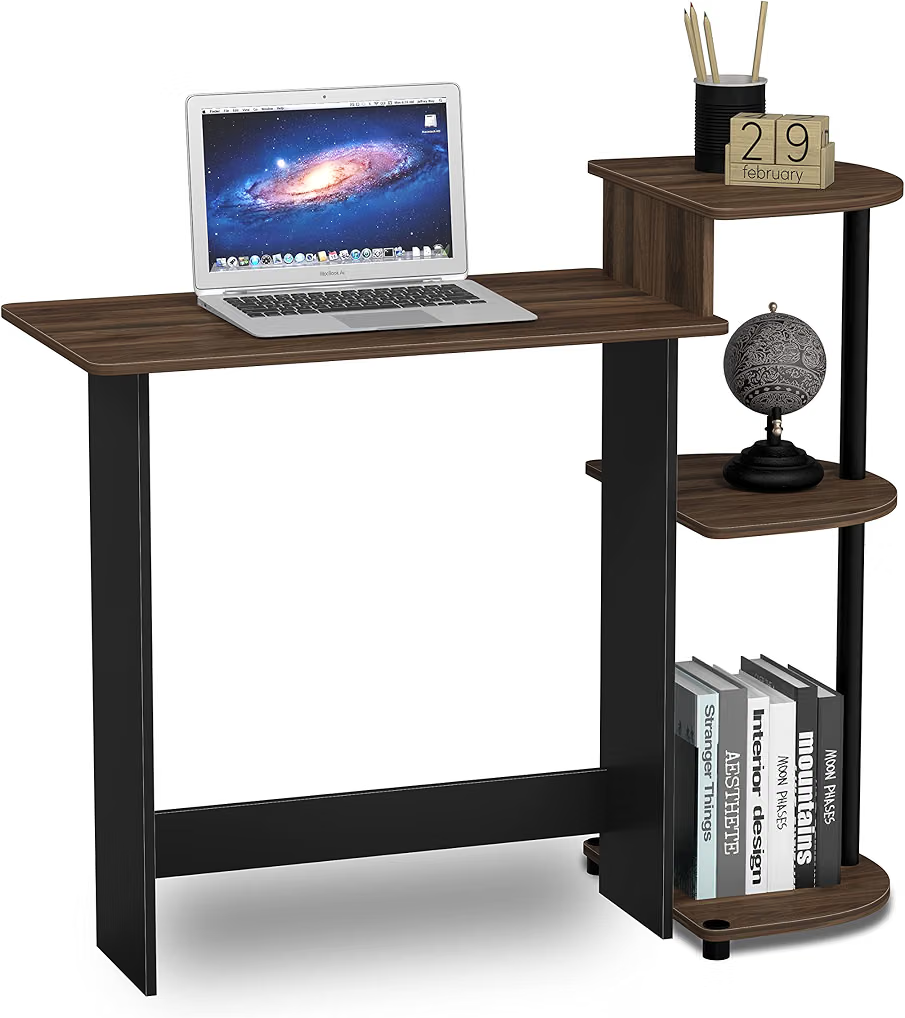
Amazon Find: Compact Corner Gaming Desk
A corner-friendly computer desk can provide a dedicated gaming surface while leaving more floor space available for walking and other furniture.
9. Create a Small Console Lounge with Compact Seating
Console gaming requires less desk space than a traditional PC setup, making it an attractive option for small rooms. Start with a wall-mounted television, a slim media cabinet, and a compact loveseat or comfortable floor chair. Keep the seating centered on the screen for an easy viewing arrangement.
Choose a media unit with accessible cable openings and enough ventilation for your equipment. A small side table is often more practical than a large coffee table because it leaves space for players to stretch their legs. Use a storage basket or drawer for extra controllers and charging accessories.
Layout tip: Test the screen position from the actual seating height before mounting the television permanently.
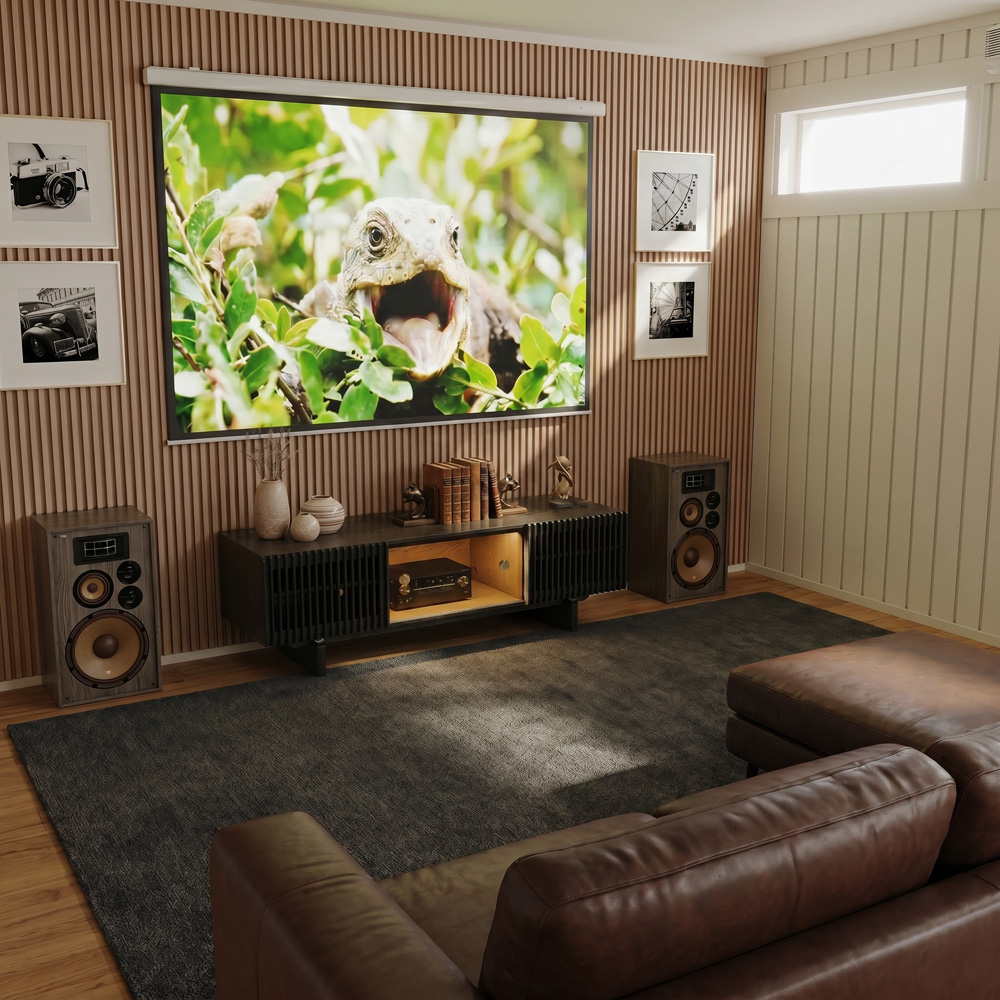
Image credit: @povison.com
10. Install a Fold-Down Table for Board Games and Puzzles
Not every game room needs a computer or television. A fold-down tabletop can create a flexible area for card games, chess, puzzles, and compact board games. When the table is closed, the floor remains available for walking, seating, or other everyday activities.
Choose a sturdy wall-mounted folding table or a compact freestanding alternative. Store folding chairs against a nearby wall and arrange games in a narrow bookcase. A small pendant or adjustable wall light can illuminate the playing surface without requiring another floor lamp.
Practical tip: Check the table’s supported weight and installation requirements. Renters can use a folding freestanding table to avoid permanent wall modifications.
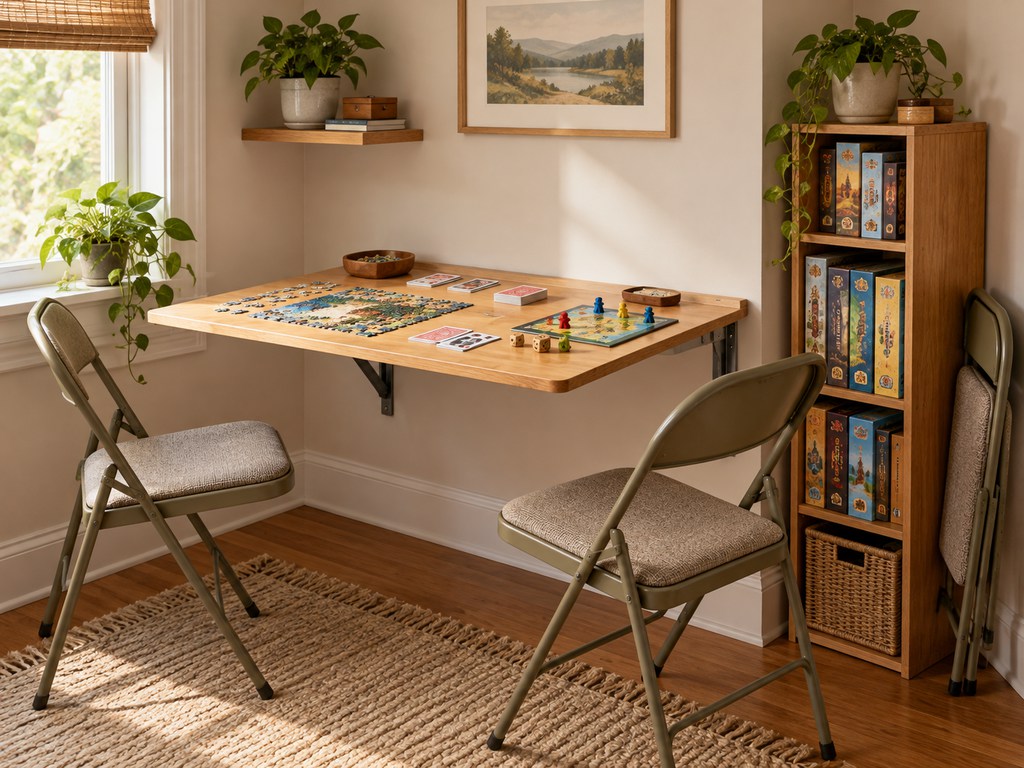
Image credit: @povison.com
11. Create a Wall-Mounted Arcade and Entertainment Zone
A small arcade-inspired corner can deliver plenty of entertainment without several full-size machines. Choose one compact arcade cabinet, tabletop arcade unit, or suitable wall-mounted game and arrange it as the focal point of the space.
Surround the gaming area with a few colorful framed prints, a slim shelf, and carefully positioned accent lighting. A dark wall can provide contrast for retro decorations, while a bright neutral wall creates a more casual appearance. Keep the floor surrounding the equipment clear so players can move safely.
Safety tip: Dartboards and active-motion games need more clearance than their equipment dimensions suggest. Keep screens, glass objects, and seating outside the active play area.
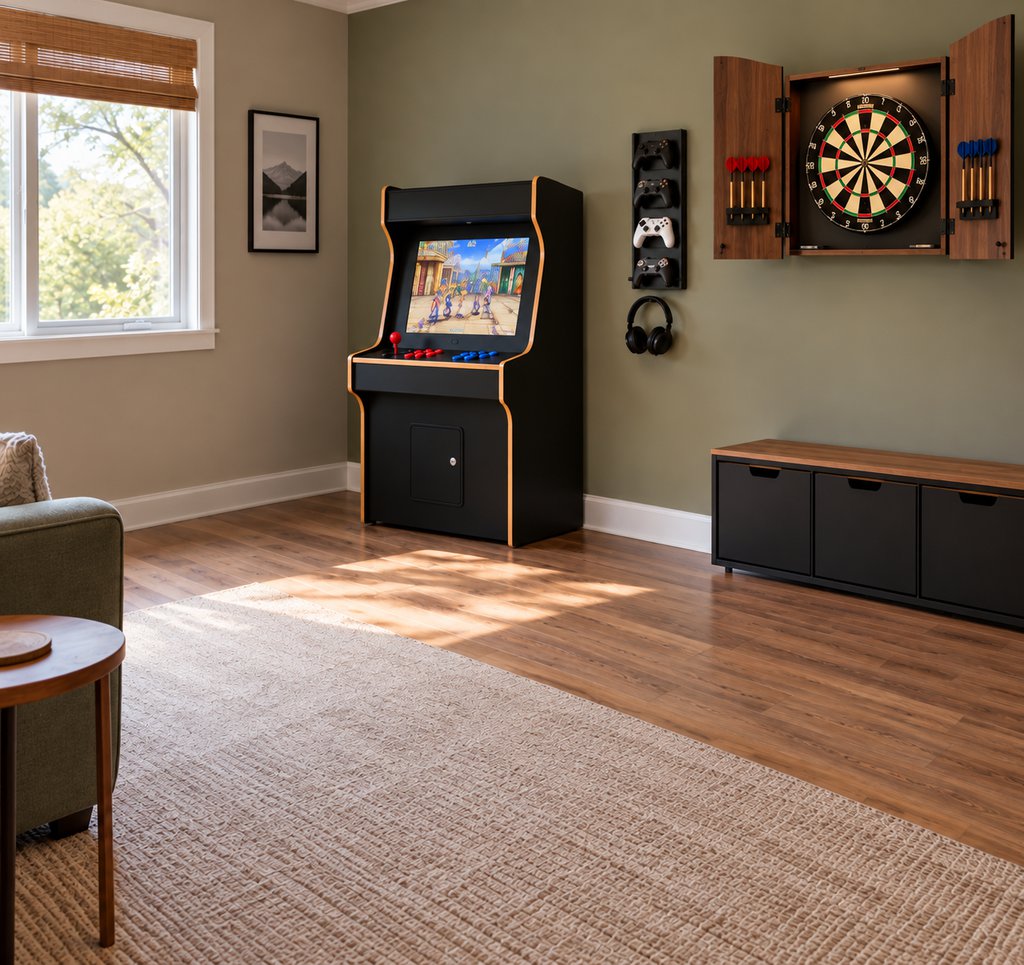
Image credit: @povison.com
12. Combine Your Living Room and Gaming Space
A separate gaming room isn’t necessary when your living room can serve both purposes. Use the main television for console gaming and keep your gaming equipment on a ventilated media shelf or inside a suitable cabinet. The existing sofa becomes a comfortable spot for multiplayer games and everyday relaxation.
Choose storage that blends with the room’s decor, such as a wood media console or woven baskets for controllers. Keep gaming accessories in one designated drawer so the room looks tidy when the console is off. A rolling side table can provide temporary space for drinks and snacks during game nights.
Decorating tip: Repeat colors from the living room in your gaming accessories so the two functions feel visually connected.
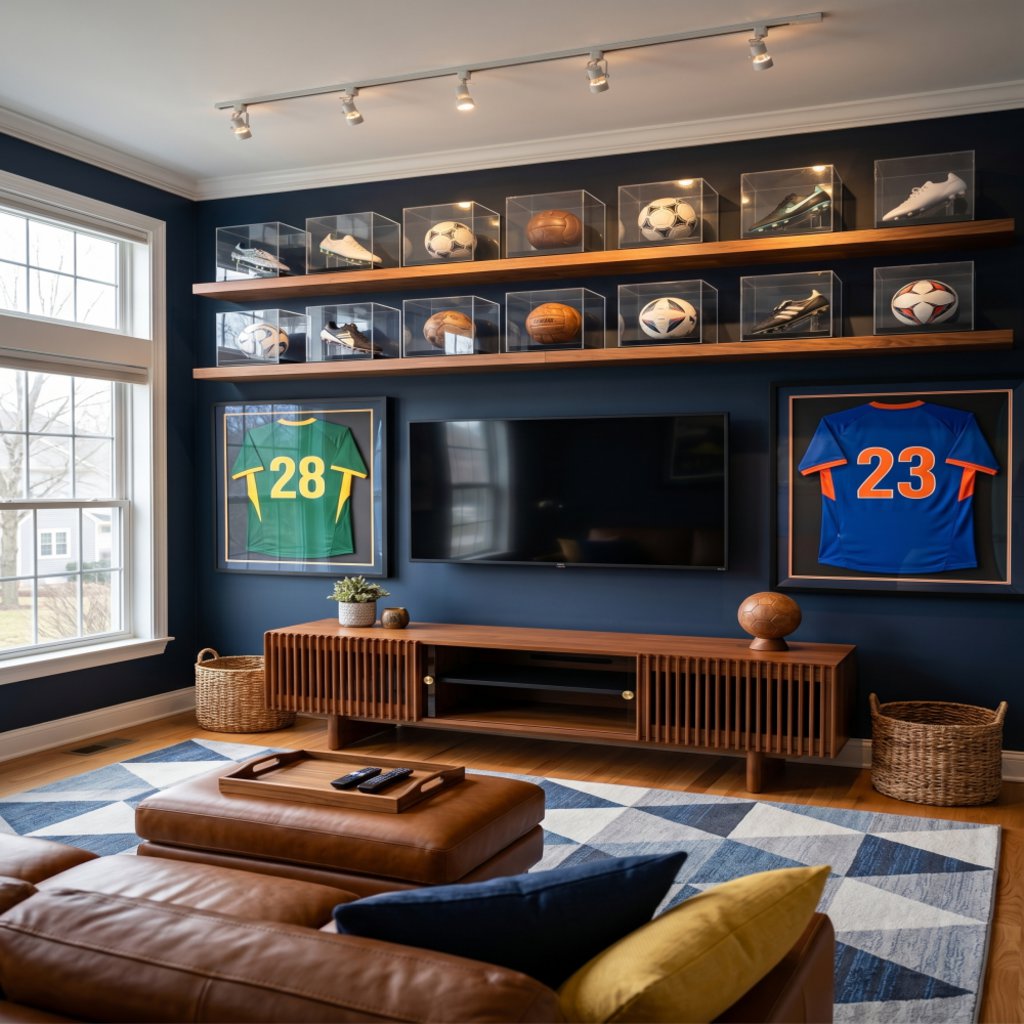
Image credit: @povison.com
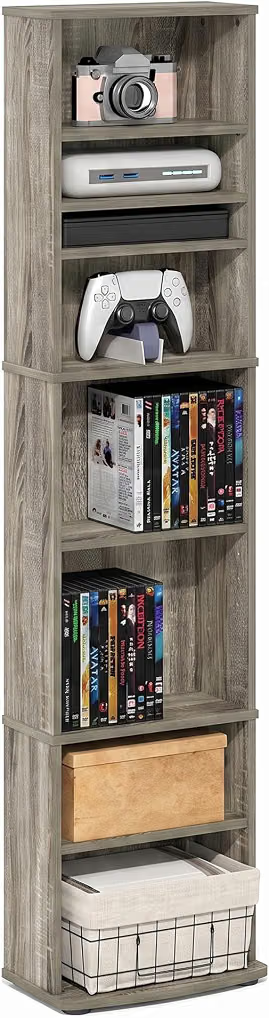
Amazon Find: Slim TV Media Console
A narrow media cabinet helps organize controllers, accessories, and entertainment equipment while keeping the living room looking coordinated.
13. Build a Combined Home Office and Gaming Setup
A home office and game room combination is particularly practical for apartments and small bedrooms. Instead of creating two separate workstations, use one spacious desk, a comfortable adjustable chair, and a monitor that supports your work and gaming needs.
Separate work materials from gaming accessories using drawers, desktop organizers, or a nearby cabinet. Place a task lamp on one side and add adjustable background lighting for evening gaming. Keeping the wall behind the desk relatively simple also creates a cleaner background for video meetings.
Organization tip: Use labeled drawers or bins so you can switch between work and gaming without repeatedly reorganizing the entire desk.
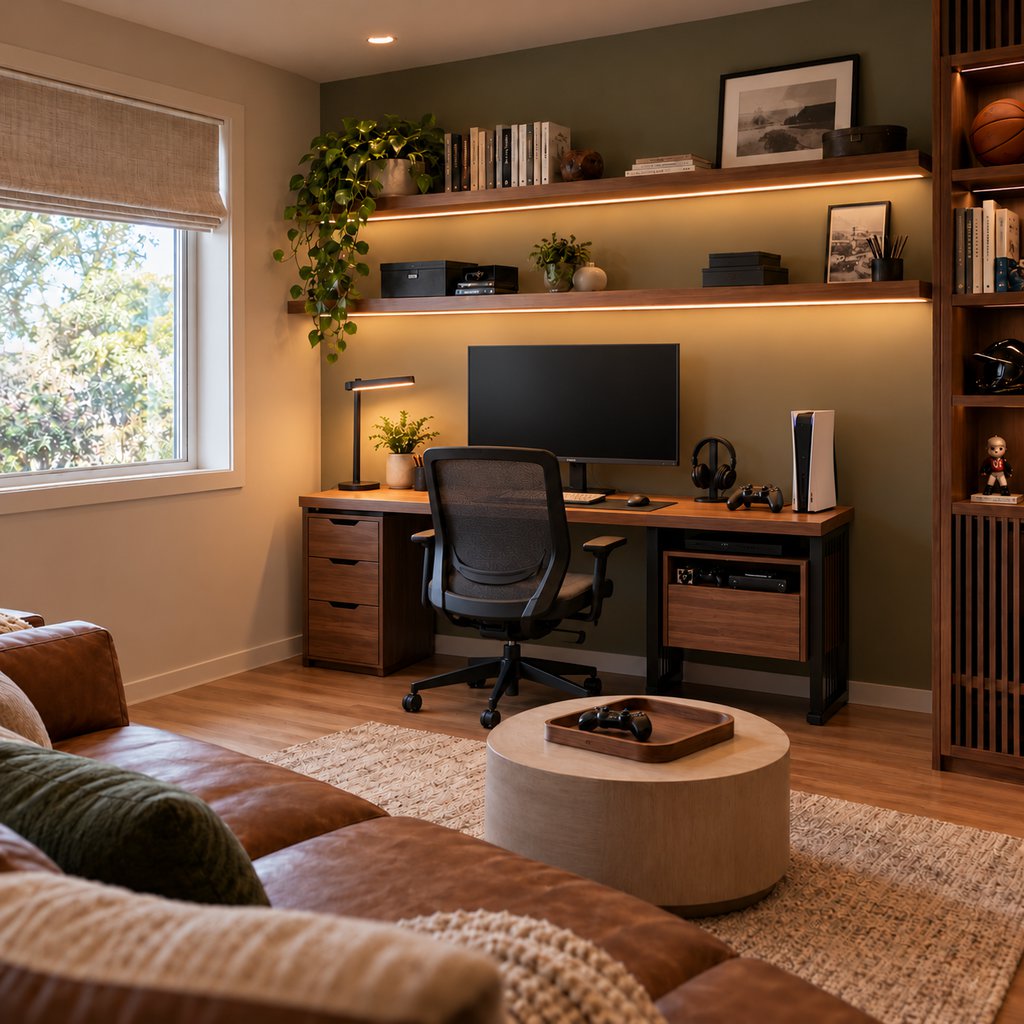
Image credit: @povison.com
14. Turn a Guest Bedroom into a Convertible Gaming Lounge
A multipurpose guest room can function as a gaming lounge for most of the year while remaining ready for overnight visitors. Choose a compact sleeper sofa, daybed, or convertible futon instead of a permanent full-size bed. Position your gaming screen on the opposite wall and use a slim cabinet for equipment.
Keep the main furniture arrangement simple so the sleeping surface can open without moving several heavy pieces. Use a small storage chest for spare bedding and another drawer for gaming controllers. Wall-mounted lighting saves nightstand space and helps the room support both activities.
Planning tip: Measure the full extended dimensions of convertible seating, including the walking space needed when the bed is open.
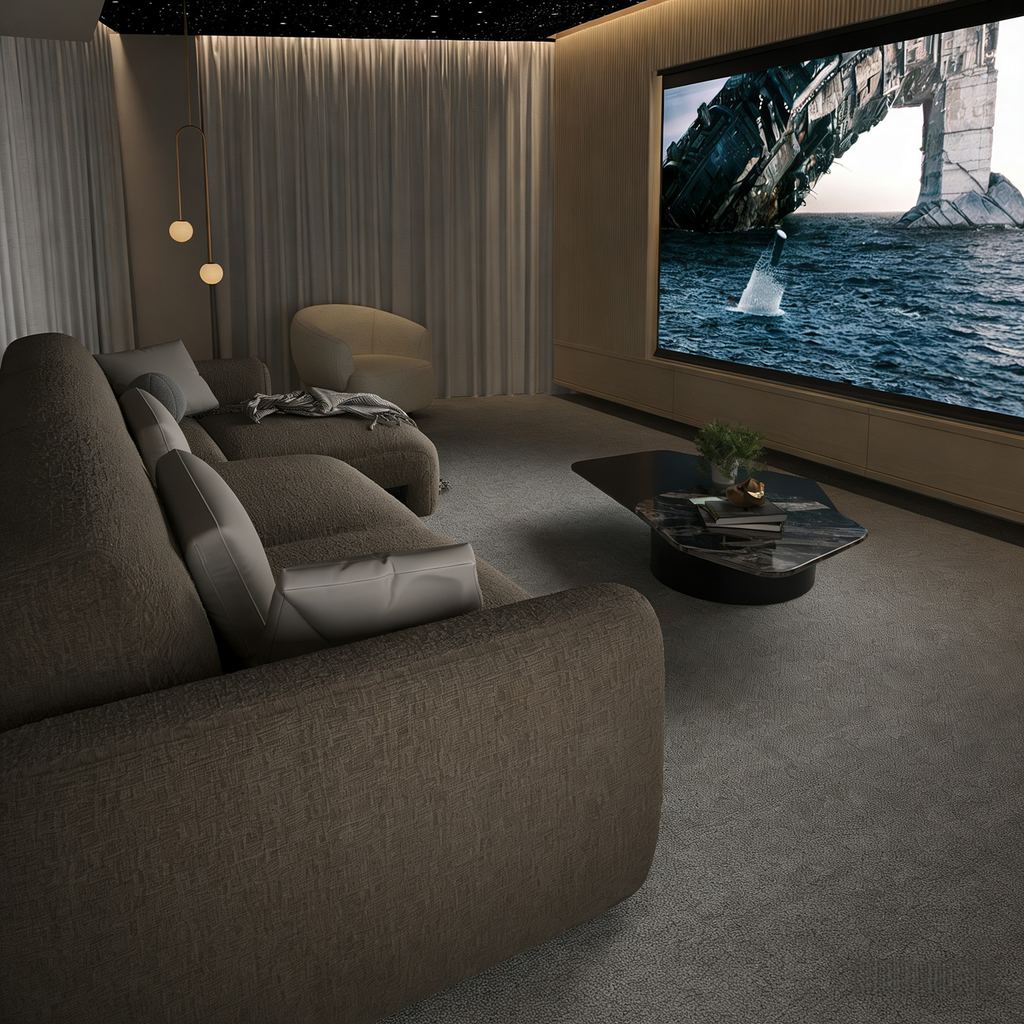
Image credit: @povison.com
15. Choose a Minimalist Gaming Workspace with Neutral Decor
A minimalist gaming workspace creates a clean, organized environment that works well in a bedroom, studio apartment, or shared office. Start with a simple white, beige, gray, or light wood desk and pair it with a streamlined monitor and a supportive chair.
Use a large desk mat to visually group the keyboard and mouse, then add one understated lamp and a small personal accessory. A cable tray beneath the desk keeps cords contained. Closed storage is useful for spare equipment, while a single floating shelf can display a few favorite gaming objects.
Styling tip: Keep the number of visible accessories limited and repeat the same two or three finishes throughout the workstation.
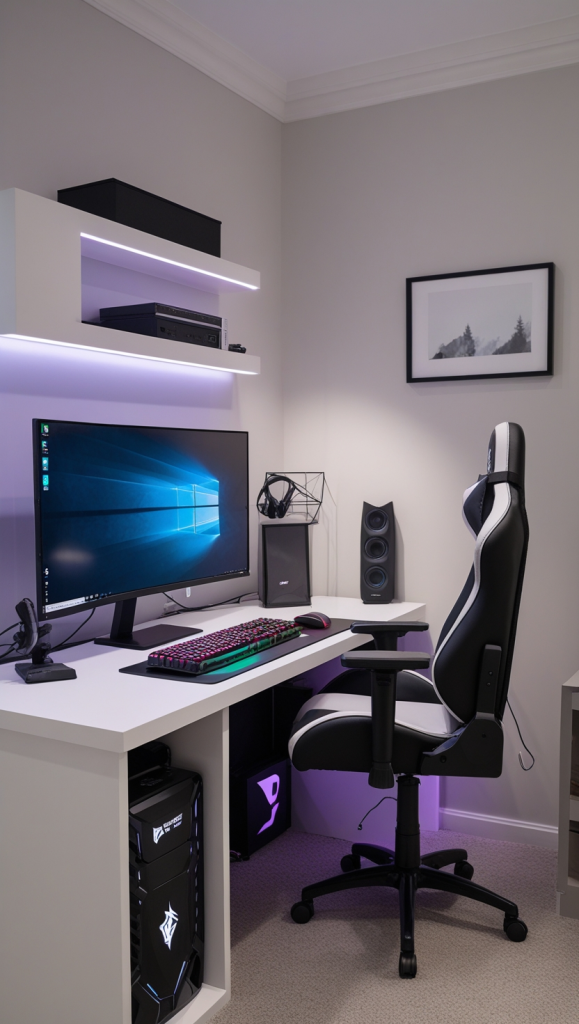
Image credit: @theworldaccordingtome.org
16. Design a Colorful RGB Gaming Room with Futuristic Lighting
RGB lighting is one of the easiest ways to give a compact gaming corner a dramatic appearance. Choose a black or white gaming desk as the foundation, then add adjustable LED light strips behind the monitor, beneath a floating shelf, or along the back edge of the desk.
Blue and violet create a cool futuristic atmosphere, while pink and purple offer a softer aesthetic. For a more balanced look, keep the desk accessories neutral and let the lighting provide most of the color. Diffused lighting directed toward the wall helps create atmosphere without shining directly into your eyes.
Lighting tip: Use adjustable brightness and avoid placing adhesive strips across ventilation openings or heat-producing equipment.
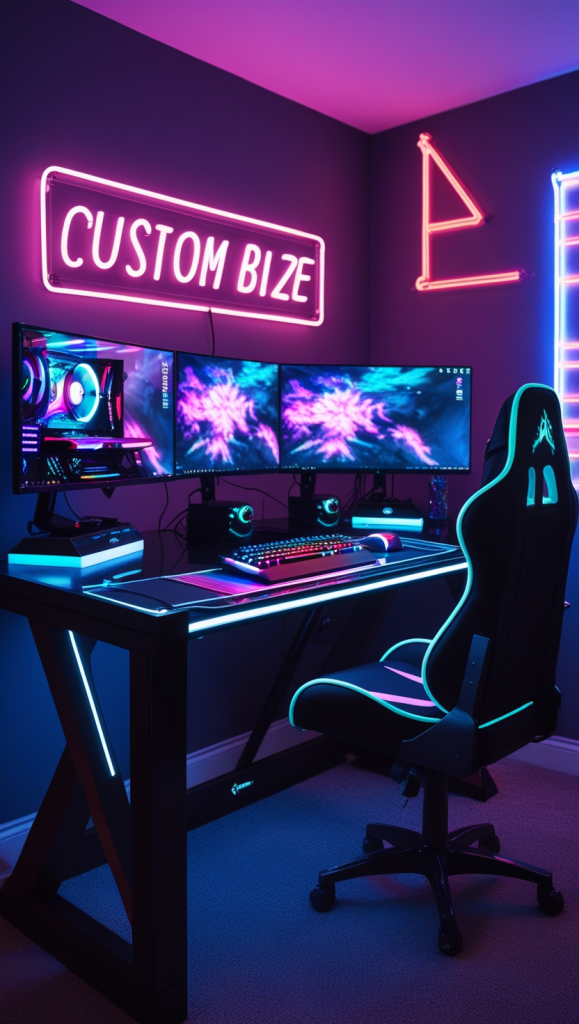
Image credit: @theworldaccordingtome.org
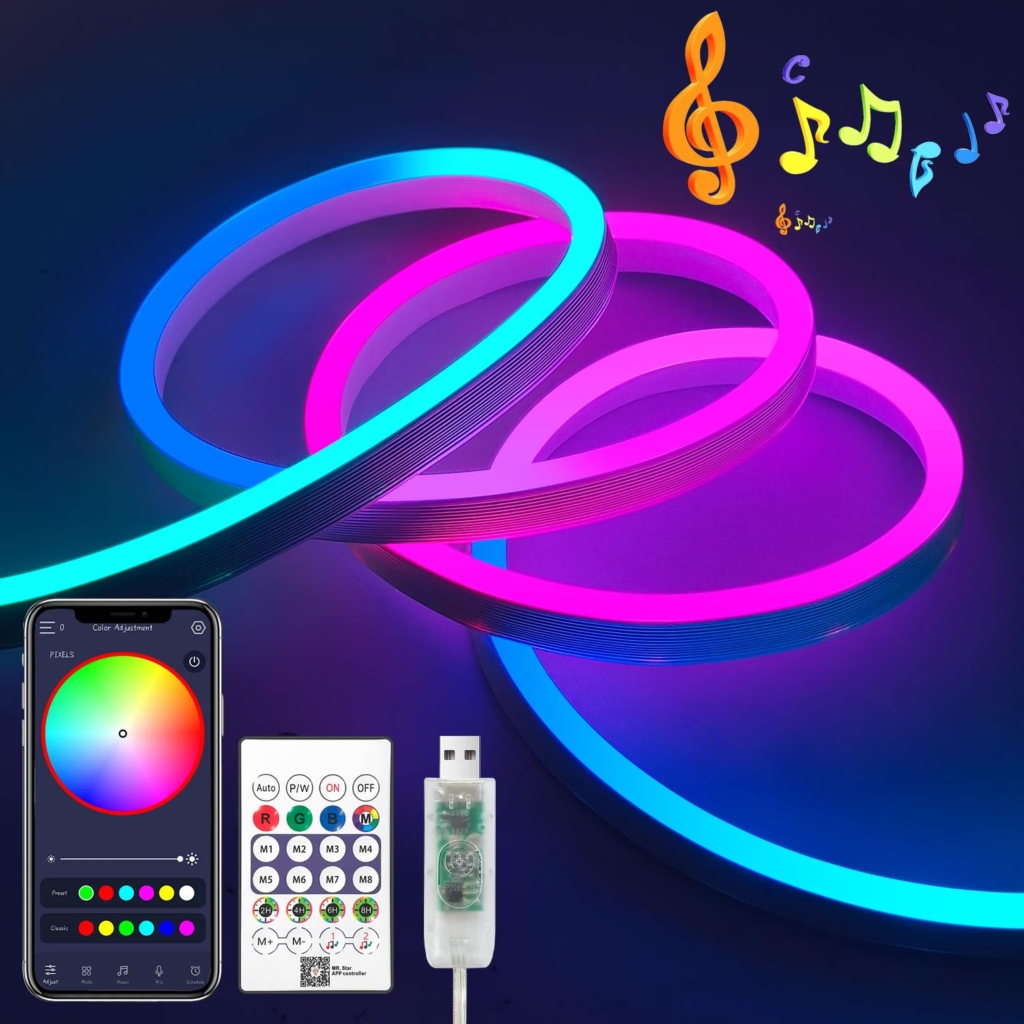
Amazon Find: RGB LED Strip Lights for Gaming Desks
Adjustable LED strips help create colorful backlighting around monitors, shelves, and desks without taking up valuable floor space.
17. Create a Warm and Cozy Gaming Den
If bright RGB lighting isn’t your style, a cozy gaming den offers a more relaxed alternative. Combine a natural wood desk or compact media cabinet with warm white lighting, a textured rug, and comfortable upholstered seating. Earthy green, cream, taupe, and muted brown create an inviting atmosphere.
Place a warm lamp near the gaming station and add one or two soft cushions for console seating. A small plant can make the space feel connected to the rest of the home. Choose a compact footrest instead of a bulky recliner if the room has limited floor space.
Comfort tip: Position the rug so it doesn’t interfere with the wheels of a desk chair or become a tripping hazard in the main walkway.
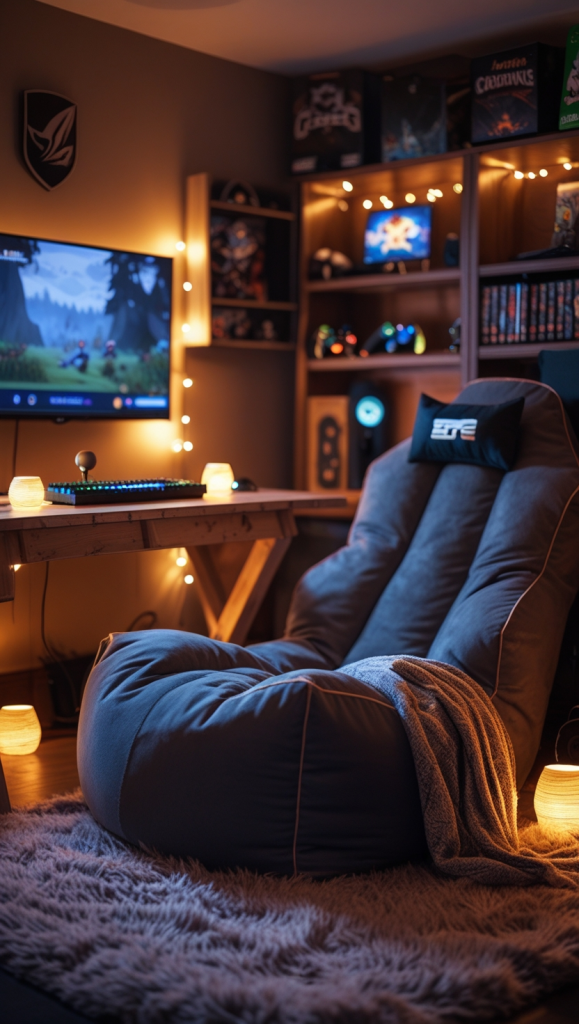
Image credit: @theworldaccordingtome.org
18. Use an Ultrawide Monitor for Gaming and Productivity
An ultrawide monitor can help create a streamlined workstation for people who use the same desk for gaming, creative projects, and everyday computer tasks. Instead of arranging multiple displays and stands, one compatible ultrawide screen can provide a broad working area with fewer separate pieces.
Pair the screen with a sturdy desk deep enough for comfortable viewing and use a properly rated monitor arm if additional surface space is needed. Keep the keyboard centered on your main working position and place speakers or other accessories toward the outer edges. Check game compatibility and the monitor’s dimensions before purchasing.
Setup tip: Make sure the monitor arm supports the screen’s size, weight, and mounting pattern.
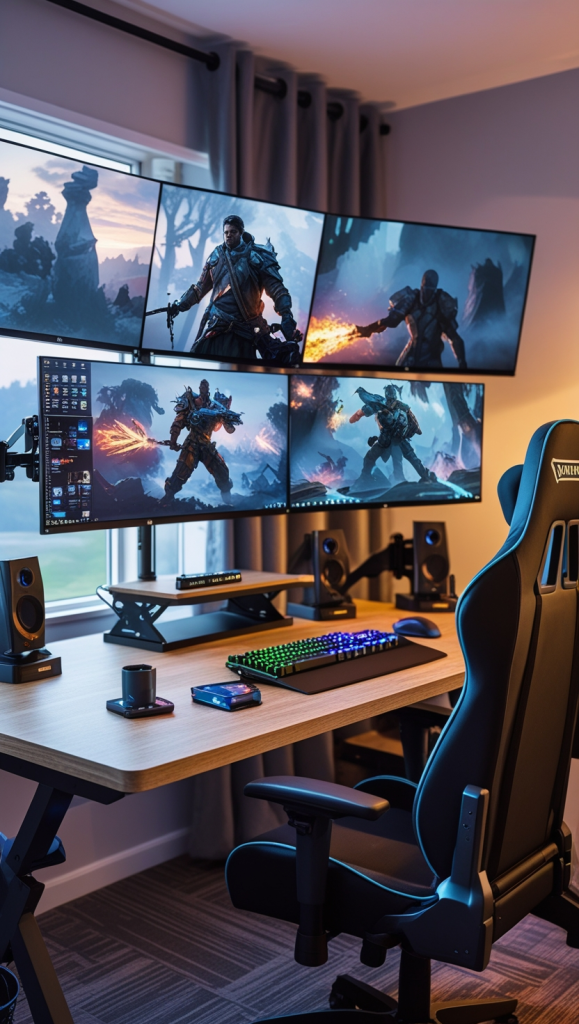
Image credit: @theworldaccordingtome.org
19. Build an Ultra-Compact Gaming Station with Vertical Storage
A small bedroom or apartment corner can accommodate a complete gaming setup when the furniture footprint stays minimal. Choose a compact desk, gaming laptop, or appropriately sized computer system and use the wall above the desk for lightweight storage.
A pegboard, floating shelf, or narrow organizer can hold headphones, cables, and small accessories. Keep the desk surface mostly clear so you have enough space for everyday use. Under-desk organizers can provide extra storage, but position them where they won’t restrict your knees or chair movement.
Budget tip: Start with a basic desk and add removable organization accessories before investing in custom built-ins.
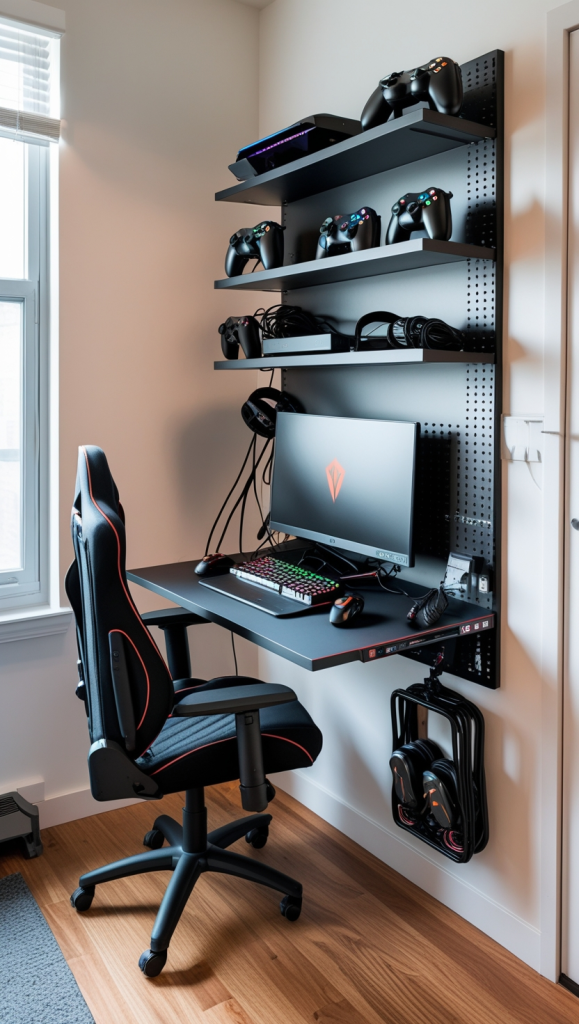
Image credit: @theworldaccordingtome.org
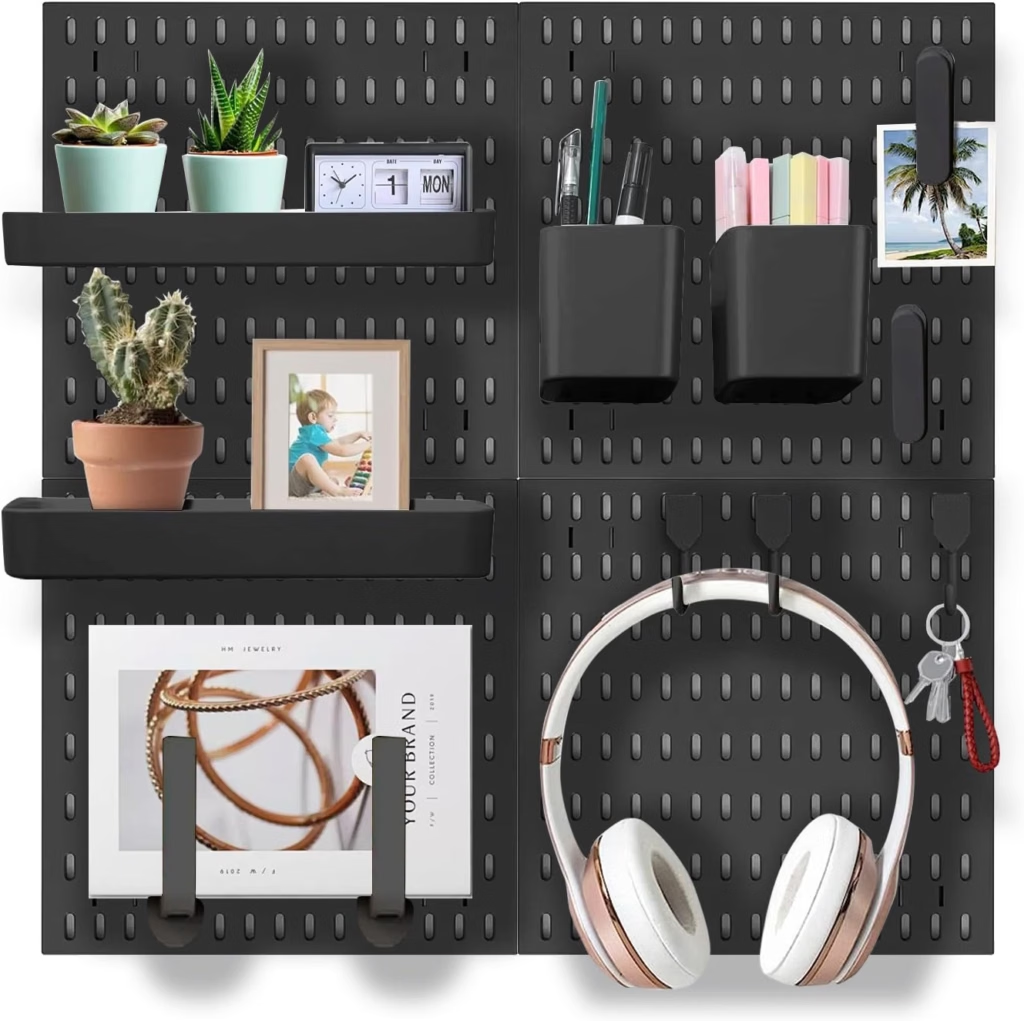
Amazon Find: Wall-Mounted Pegboard Organizer
A wall pegboard keeps headphones, charging cords, and small gaming accessories organized while freeing up valuable desktop space.
20. Design a Retro Gaming Room with Classic Consoles
A retro gaming room is a fun way to display classic consoles, vintage games, and nostalgic accessories. Choose a low media cabinet for your television and arrange your favorite game collection on narrow shelves nearby. Bright red, blue, yellow, or muted vintage-inspired colors can add character without requiring a complete room makeover.
Frame a few retro game prints and include one statement item, such as a tabletop arcade machine or classic-style controller display. Small labeled storage boxes can keep cartridges and accessories organized. If you use older consoles, check their display connections and power requirements before planning the layout.
Decorating tip: Display your favorite pieces rather than every item in your collection. A curated shelf gives the room personality while preserving a tidy appearance.
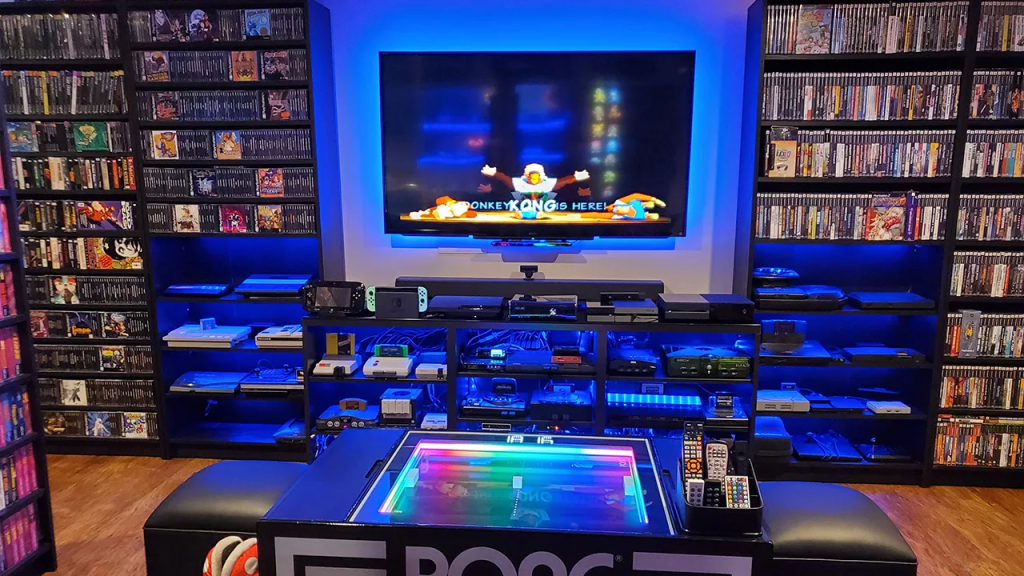
Image credit: @theworldaccordingtome.org
21. Create a Competitive Gaming Battlestation
A competitive gaming setup focuses on practical equipment placement, comfortable seating, and an organized work surface. Choose a stable desk with enough room for a gaming monitor, keyboard, mouse, and mousepad. A supportive adjustable chair is particularly useful for a workstation used frequently.
Position the main monitor directly in front of your seated position and keep frequently used accessories within easy reach. Use a headset stand or desk hook to prevent headphones from taking up unnecessary space. A monitor arm, cable tray, and adjustable task light help maintain a functional arrangement without excessive decorations.
Performance tip: Prioritize equipment that meets your actual gaming requirements and check that your computer supports the display’s resolution and refresh rate before upgrading.
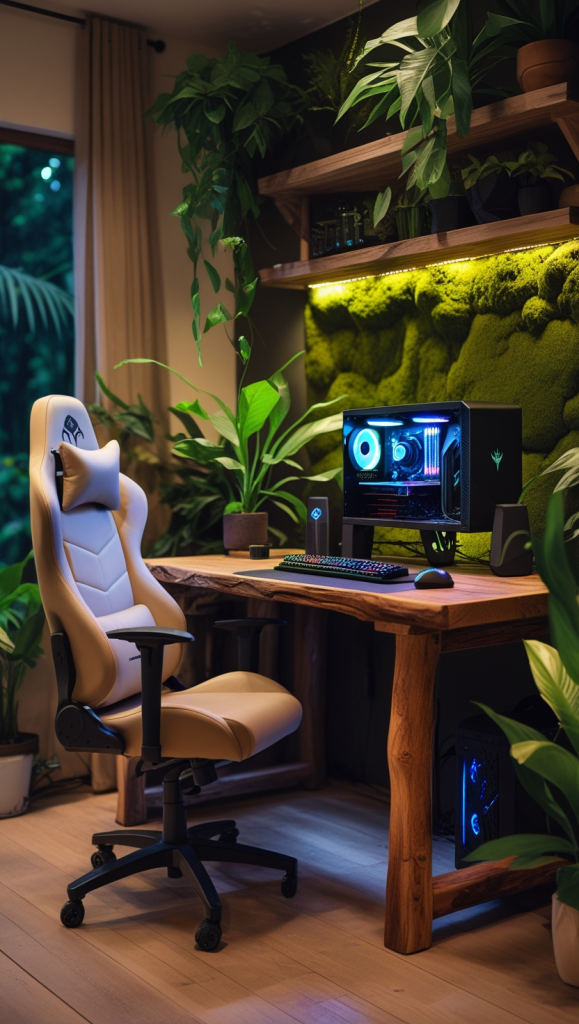
Image credit: @theworldaccordingtome.org
Final Thoughts on Small Game Room Ideas
The most successful small game room ideas make gaming enjoyable without sacrificing comfort, storage, or everyday functionality. A corner desk, wall-mounted console station, foldable game table, or shared living room setup can all work beautifully when the furniture fits the available space.
Start with one layout that suits your favorite games, organize the essentials, and add personal touches gradually. With thoughtful furniture placement, flexible storage, and lighting that matches your style, even a modest corner can become a comfortable gaming space you’ll enjoy using.

Our guides are researched, fact-checked and updated as games change. How we research and verify our guides.