
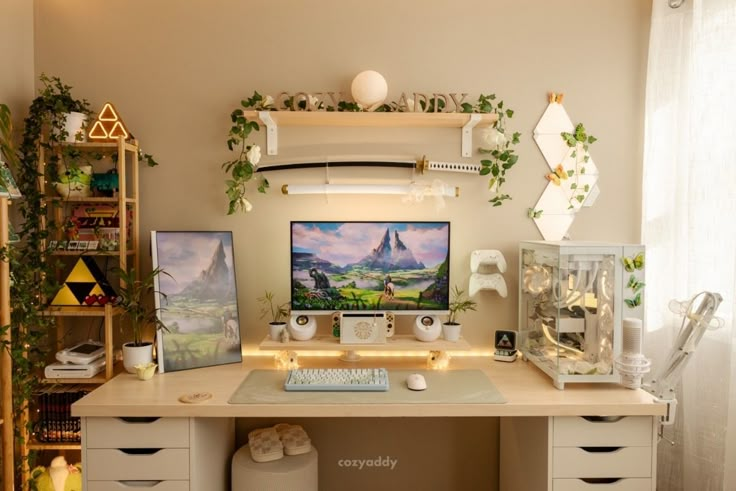

Your gaming space deserves to feel just as inviting as your favorite cozy corner at home. Imagine settling into a comfortable chair, switching on soft ambient lights, and enjoying a peaceful evening playing Stardew Valley, Animal Crossing, The Sims, or your favorite adventure game.
These 16 cozy gaming setup ideas for women combine beautiful desk accessories, comfortable furniture, creative lighting, and personalized decorations. From dreamy pastel battlestations to sophisticated woodland-inspired gaming nooks, there is plenty of inspiration for creating a space that suits your personality, room size, and budget.
More Gaming Setup Ideas to Explore:
16 Beautiful Cozy Gaming Setup Ideas for Women
1 Decorate Your Gaming Desk with Flowers and Greenery
Bring a little garden-inspired charm into your gaming corner with botanical decorations and delicate floral accessories. A cream desk paired with sage-green accents, trailing greenery, and a floral desk mat creates a refreshing alternative to a traditional RGB battlestation.
Arrange a small artificial flower bouquet beside your monitor and display a trailing plant on an upper shelf. Botanical artwork and flower-shaped keyboard accessories can tie the theme together. Keep larger plants beside the workstation rather than crowding your gaming surface.
Styling tip: Choose faux flowers for areas directly beside electronics, and water live plants away from your gaming equipment.
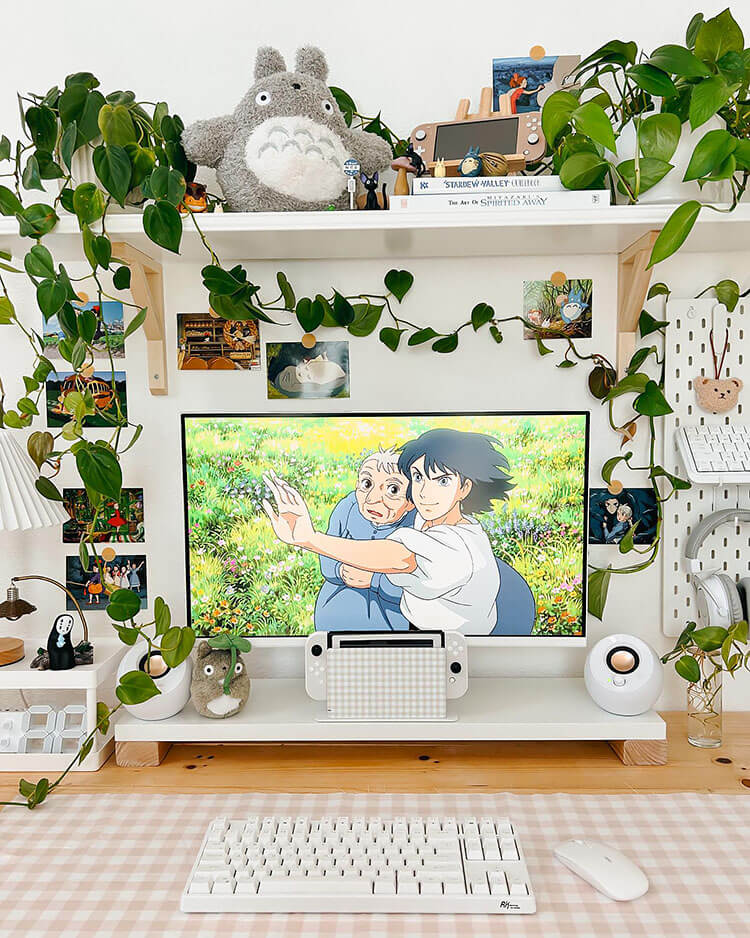
Image credit: @momsgotthestuff.com
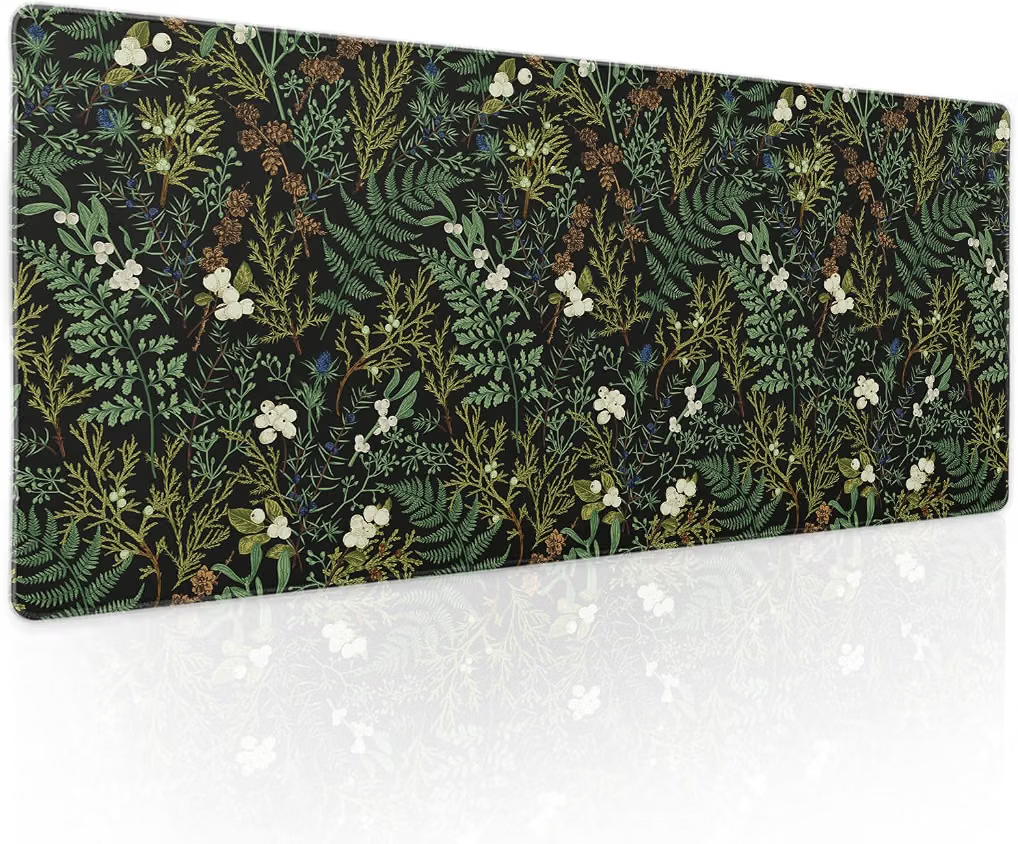
Amazon Find: Botanical Floral Gaming Desk Mat
A floral desk mat introduces soft colors and garden-inspired patterns while providing a dedicated surface for your keyboard and mouse.
2 Create a Magical Gaming Atmosphere with Layered Lighting
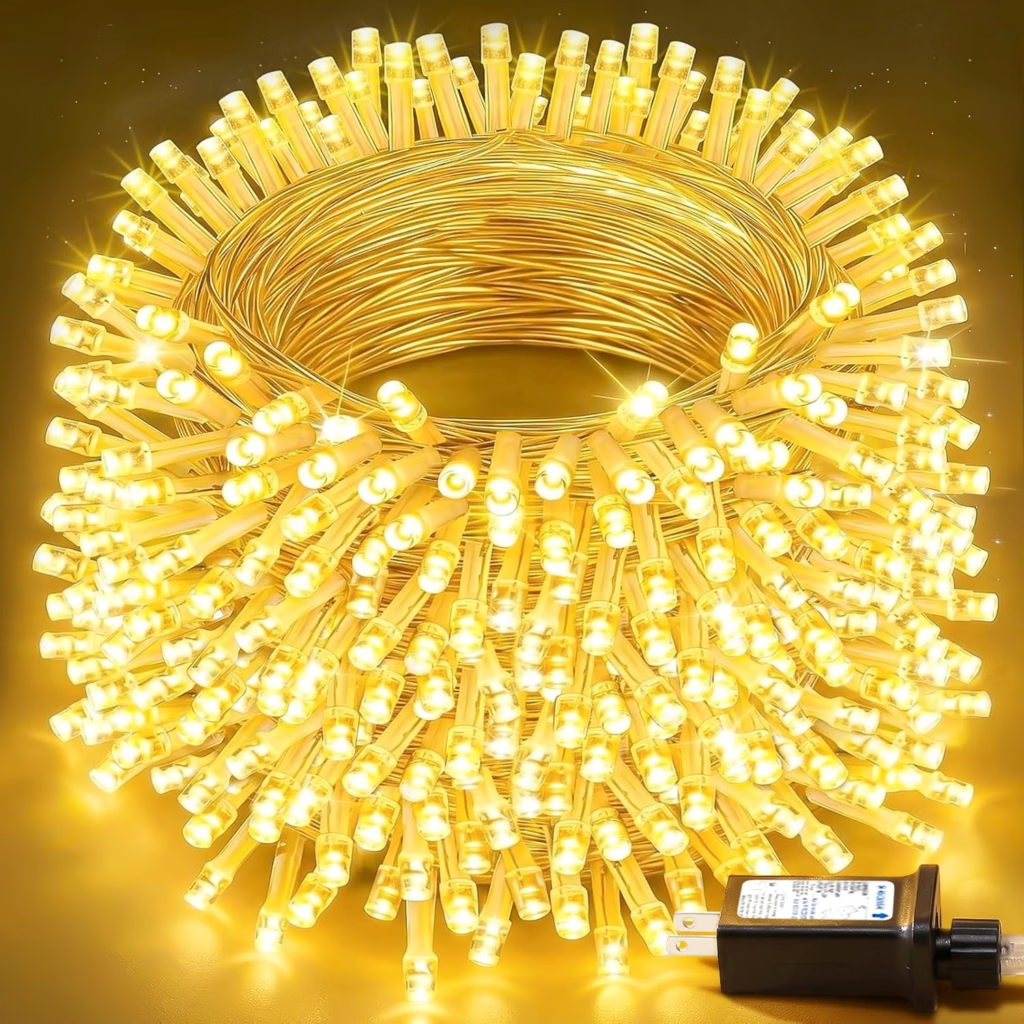
A cozy gaming corner becomes especially inviting after sunset when the lighting is soft and thoughtfully arranged. Instead of depending on a bright ceiling fixture, introduce several smaller light sources around your workstation.
Place a warm-toned table lamp near the edge of your desk, arrange fairy lights along a nearby shelf, and introduce subtle lavender or peach accent lighting. The combination creates visual depth without making the entire room feel like a brightly illuminated gaming arena.
Lighting tip: Choose steady, adjustable lighting and position fixtures where they will not create reflections on your monitor.
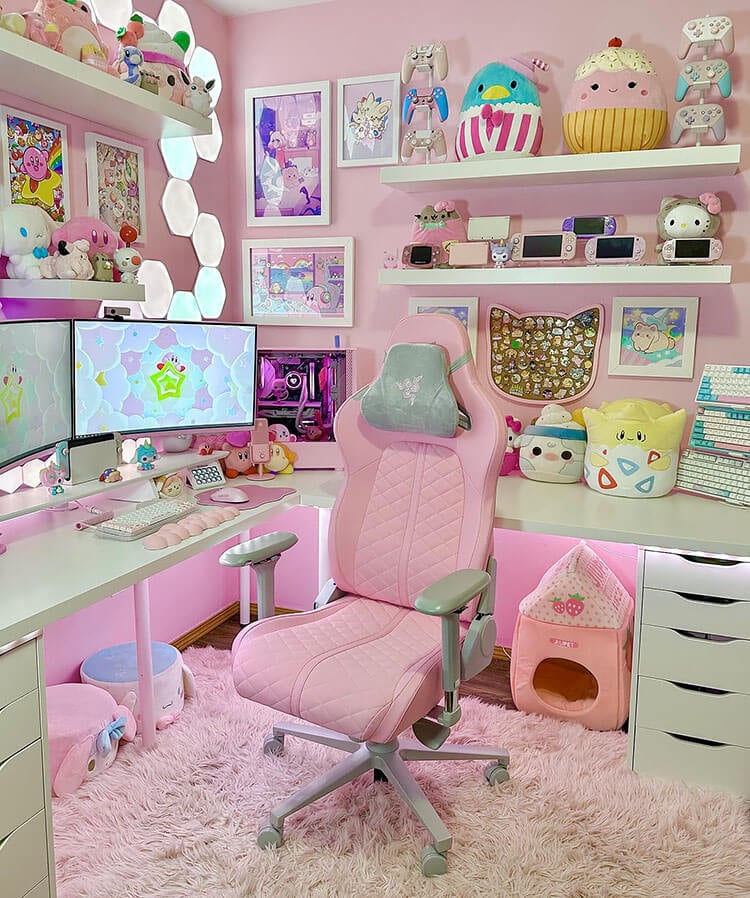
Image credit: @momsgotthestuff.com
Amazon Find: Warm White Decorative Fairy Lights
Soft fairy lights are a simple decorative addition to gaming shelves, headboards, and bedroom accent walls.
3 Display Your Favorite Gaming and Anime Characters
Give your gaming setup a personality of its own by decorating with characters from the games, anime series, and fantasy worlds you love. A small collection of Animal Crossing figures, Pokémon plushies, or Studio Ghibli-inspired decorations can make the workstation feel playful and familiar.
Choose one main theme and display your favorite collectibles on a narrow shelf beside the monitor. Repeat colors from the characters in your keyboard, desk mat, or wall decorations. Keep the larger furniture neutral so your collection remains the visual highlight.
Decorating tip: Rotate your displayed collectibles occasionally instead of trying to fit every favorite character into one small area.
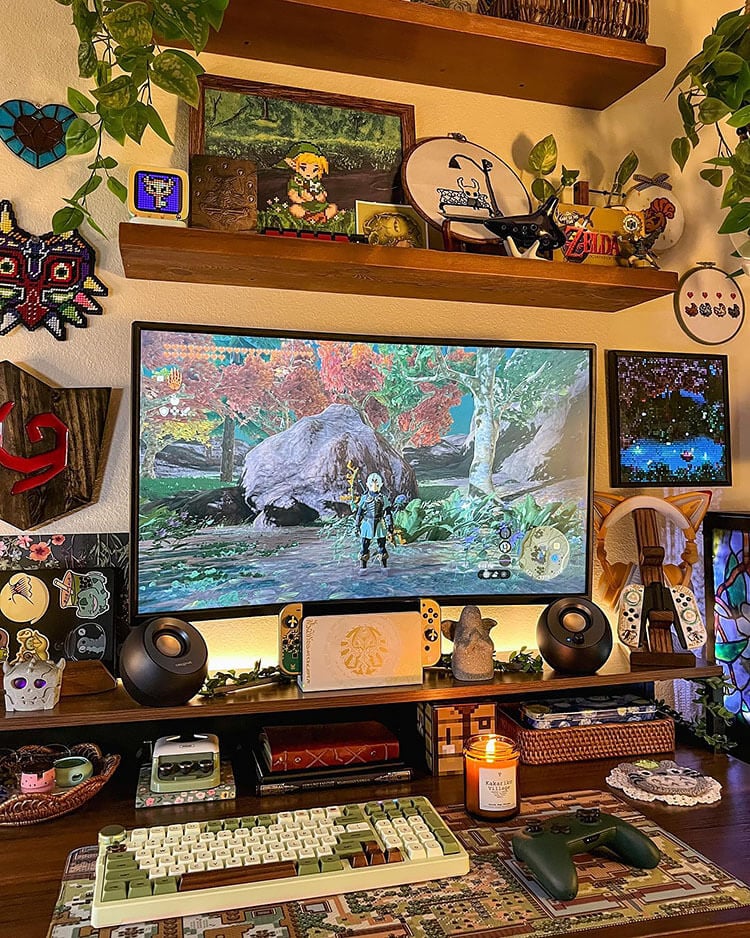
Image credit: @momsgotthestuff.com
4 Choose Cute and Comfortable Gaming Headphones
Headphones can become part of your gaming room aesthetic while serving an important practical purpose. Soft pink, lavender, cream, and mint-green designs look especially attractive alongside white desks and pastel computer accessories.
Look for an adjustable headband, comfortable ear cushions, suitable weight, and compatibility with your gaming platform. Add a matching headset stand beside the monitor or install a small under-desk hook if your workstation has limited space.
Buying tip: Prioritize comfort, microphone quality, and device compatibility over decorative features such as detachable cat ears or RGB lighting.
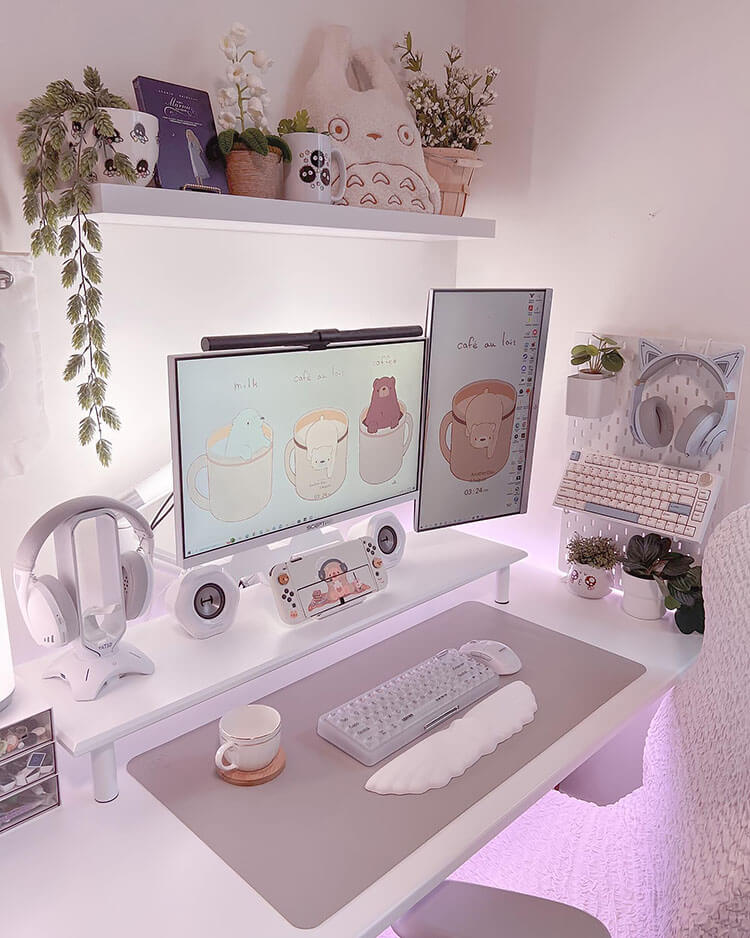
Image credit: @momsgotthestuff.com
Amazon Find: Pastel Gaming Headset
Explore gaming headsets in soft aesthetic colors with adjustable headbands and cushioned ear cups.

5 Design a Clean White Minimalist Gaming Station
A minimalist gaming setup is ideal if you enjoy calm interiors and dislike crowded surfaces. White furniture, coordinated computer accessories, and a few carefully selected decorations can create a peaceful workstation that blends naturally into a bedroom or home office.
Pair a white desk with a cream upholstered chair, a neutral desk mat, and a small ceramic planter. Conceal loose cables behind the desk and store spare controllers and charging accessories inside drawers. Introduce warmth through light oak accents or a softly illuminated table lamp.
Budget tip: Keep your existing black computer equipment if it works well. Repeating black in a few decorative details can create an intentional contrast without replacing expensive electronics.
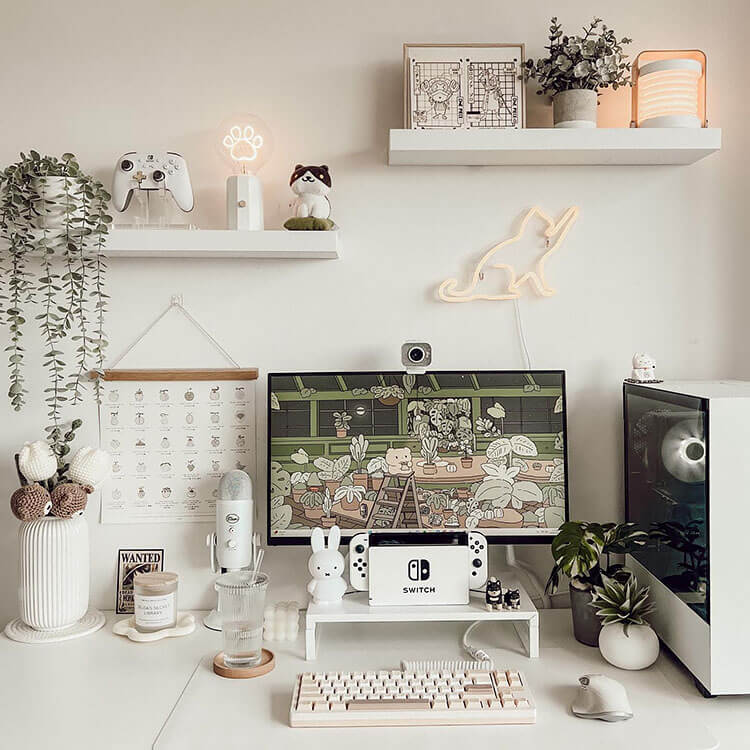
Image credit: @momsgotthestuff.com
6 Invest in a Spacious Adjustable Gaming Desk
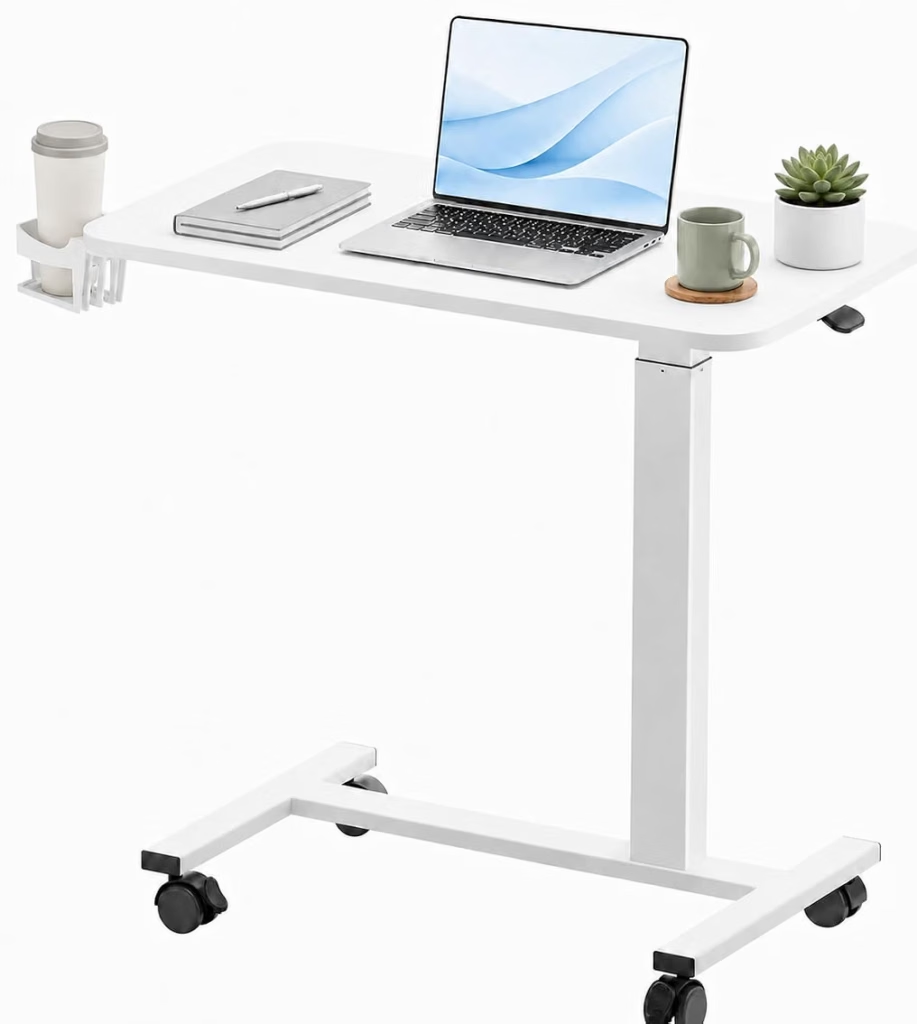
The desk is the foundation of a comfortable gaming space. An adjustable-height model can provide flexibility for switching between seated and standing positions throughout your workday or gaming sessions.
Choose a desktop that accommodates your monitor, keyboard, mouse, and frequently used accessories without leaving you cramped. A light oak finish creates a natural cottagecore look, while white and pale gray desks suit softer minimalist interiors. Use an under-desk cable tray to manage power and peripheral cables.
Practical tip: Check the desk’s height range and weight capacity. Leave enough cable slack for its full range of movement.
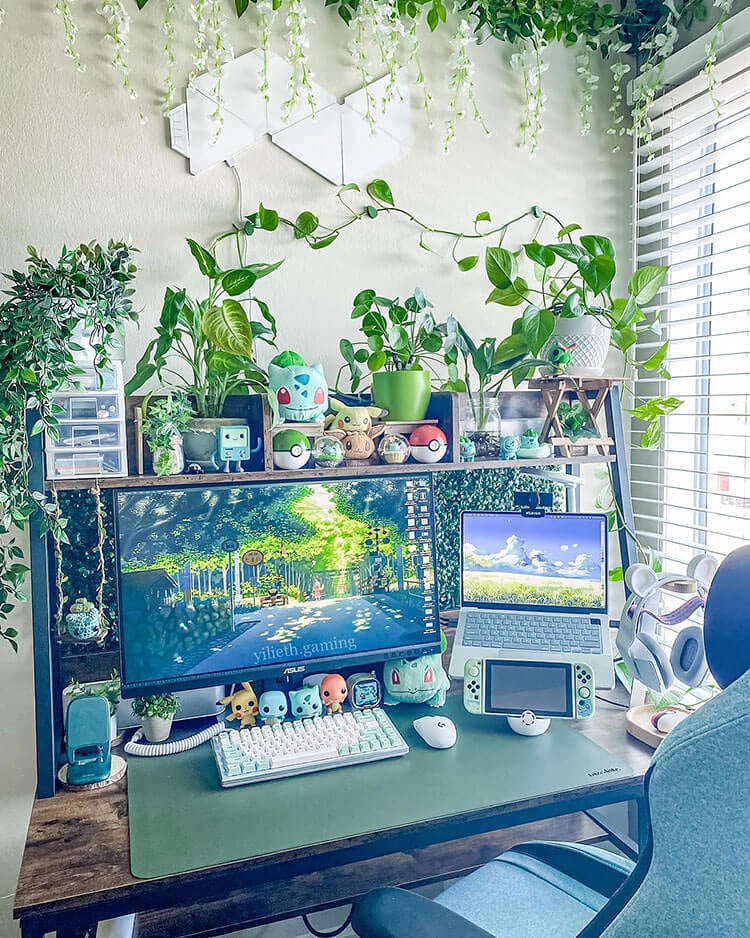
Image credit: @momsgotthestuff.com
Amazon Find: Electric Height-Adjustable Gaming Desk
An adjustable desk offers a flexible workstation for gaming, studying, and working from home.
7 Choose Comfortable Seating That Matches Your Aesthetic
Your gaming chair doesn’t need to have an aggressive racing-seat design. A supportive office chair with neutral upholstery, soft pink fabric, or understated mesh can feel more at home in a beautifully decorated gaming bedroom.
Look for adjustable seat height, suitable back support, and a seat depth that fits your body. Pair a cream chair with natural wood furniture for a relaxed appearance, or introduce a lavender chair as the main color accent in an otherwise white gaming station.
Comfort tip: Make sure your feet are supported, your shoulders remain relaxed, and your monitor is positioned at a comfortable viewing height. Take regular movement breaks during longer sessions.
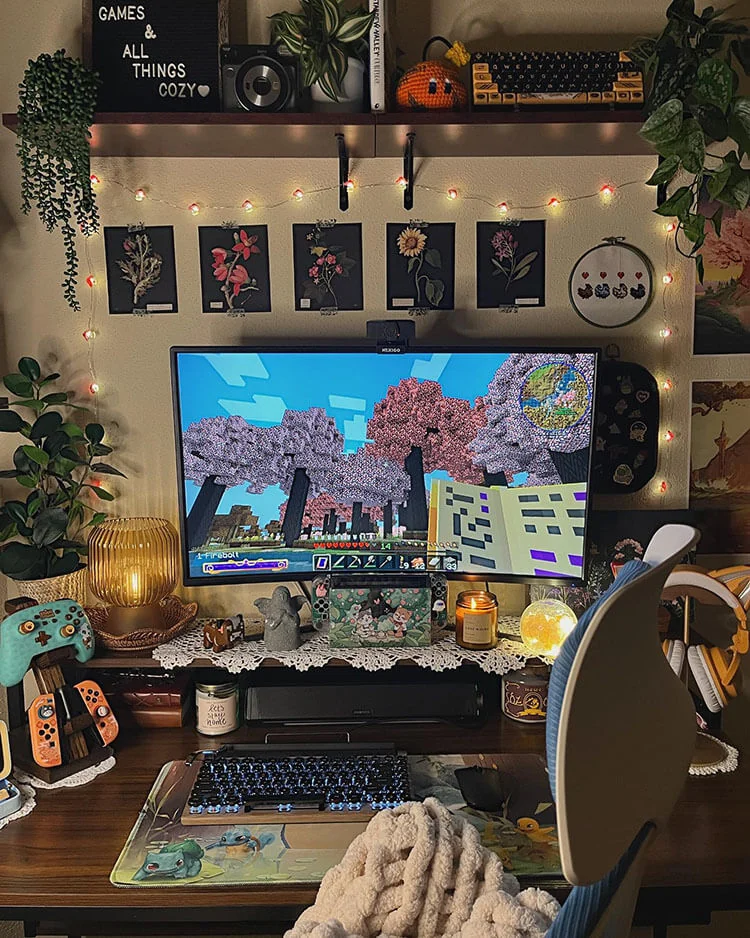
Image credit: @momsgotthestuff.com
8 Layer Plush Pillows, Soft Rugs, and Cozy Blankets
Soft textiles help balance the hard surfaces of computer monitors, keyboards, and gaming furniture. A textured rug, small decorative cushion, and fleece blanket can make the workstation feel like an extension of your bedroom rather than a separate technology-filled space.
Try an oatmeal-colored rug with a dusty pink throw and a small flower-shaped cushion. For a woodland aesthetic, choose moss-green textiles, cream upholstery, and a warm brown blanket. Store extra blankets in a woven basket beside the desk.
Practical tip: Use a low-pile rug that allows your chair to move easily. Keep blankets and loose fabrics away from computer ventilation openings and chair wheels.
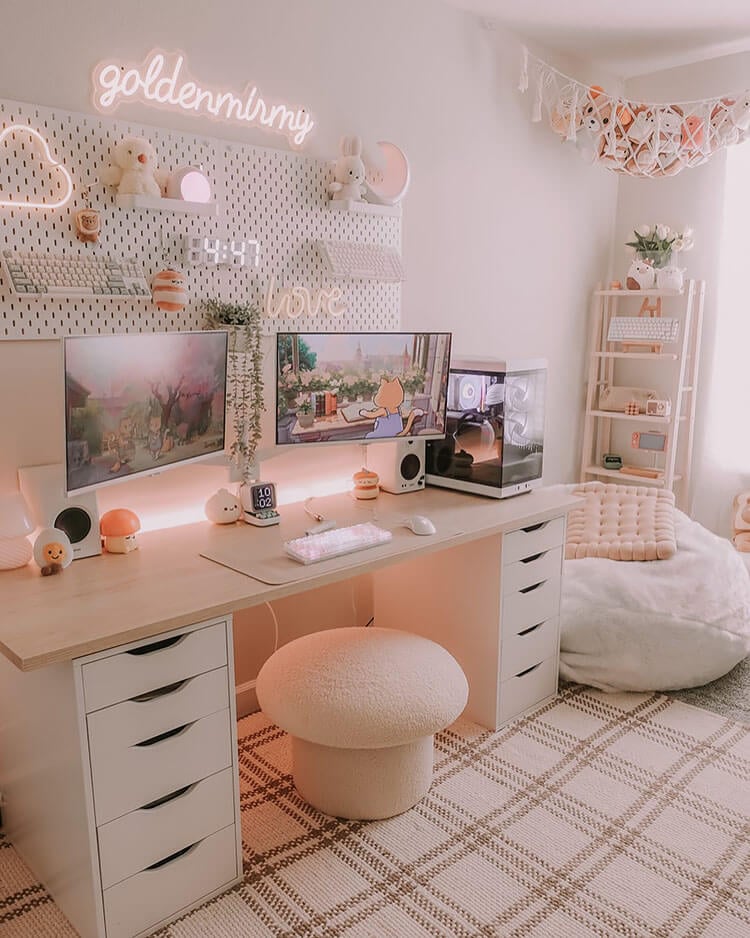
Image credit: @momsgotthestuff.com
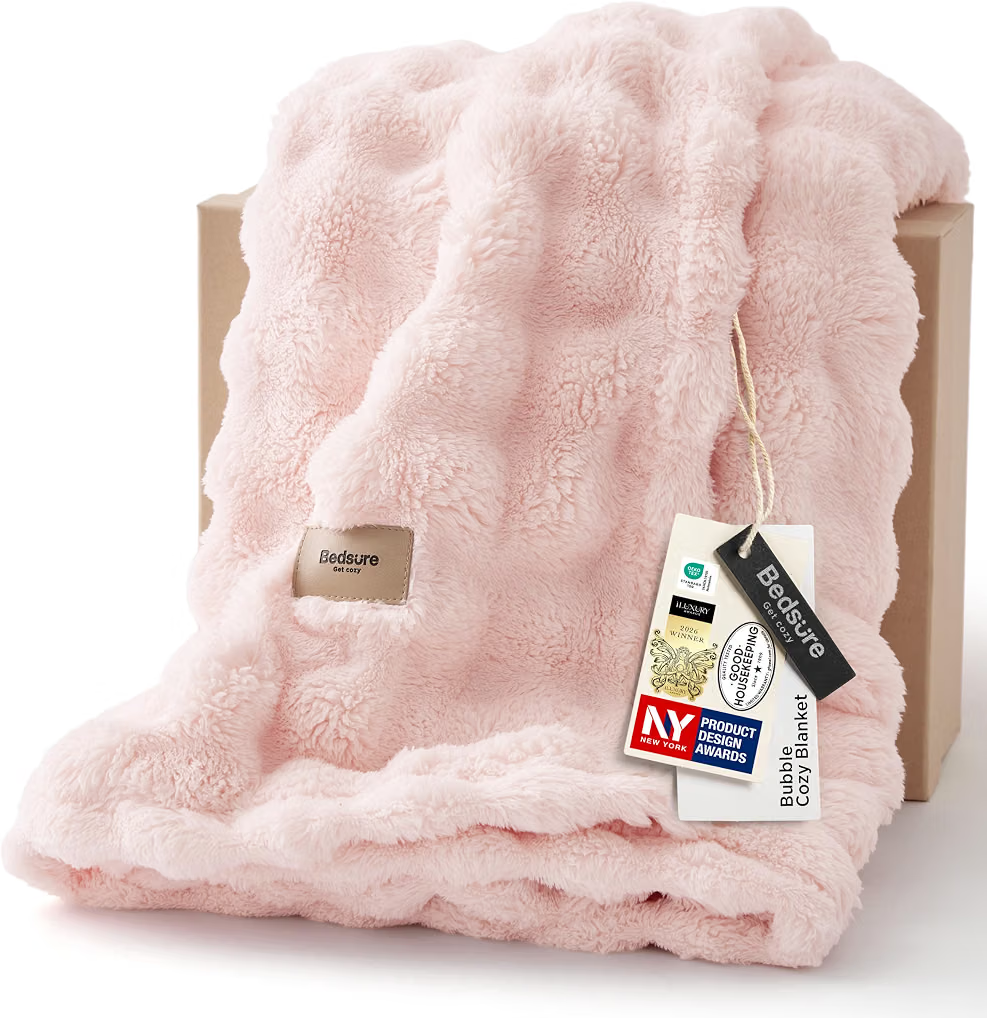
Amazon Find: Soft Aesthetic Gaming Throw Blanket
A lightweight fleece or knitted blanket adds a comforting layer to your gaming chair and bedroom decor.
9 Add a Textured Ottoman or Cute Footrest
A small upholstered ottoman beneath your gaming desk can introduce the relaxed atmosphere of a cozy living room. Boucle fabric, rounded shapes, and soft neutral colors work beautifully with feminine gaming furniture.
Choose a mushroom-shaped stool for a whimsical cottagecore theme, a blush pink velvet ottoman for a glamorous setup, or a simple adjustable footrest for everyday support. Make sure it fits comfortably beneath your desk without restricting leg movement.
Small-space tip: A compact storage ottoman can provide somewhere to keep spare accessories when it is not being used as a footrest.
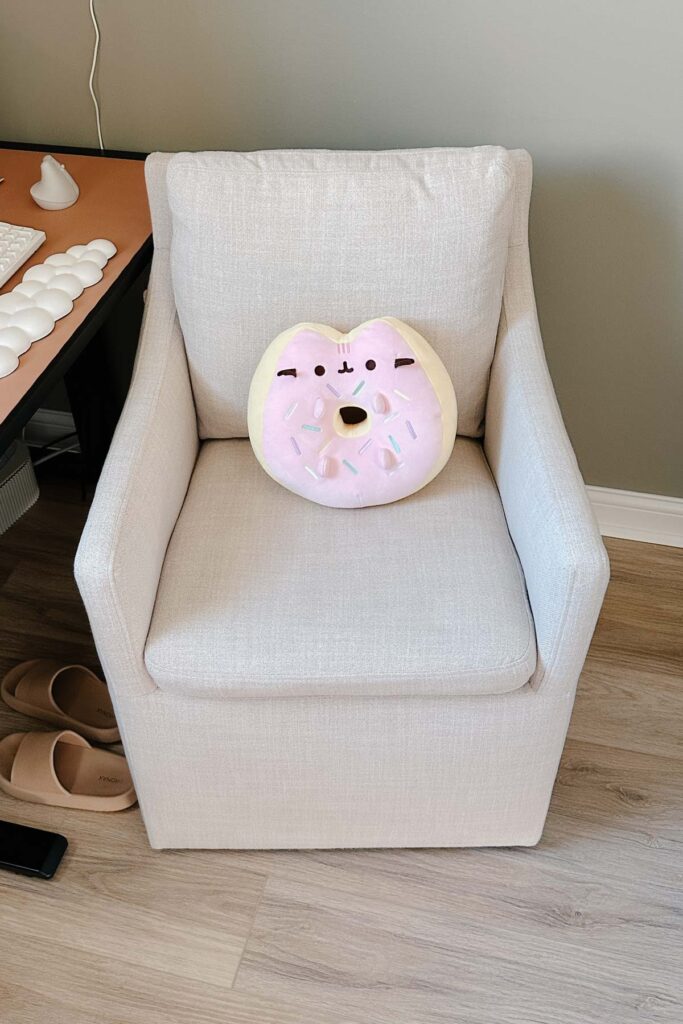
Image credit: @caitlinmariedesign.com
10 Upgrade Your Gaming Desk with a Stylish Monitor Riser
A monitor riser creates additional storage space while introducing another decorative layer to your gaming workstation. Natural wood stands are particularly attractive in cottagecore setups, while white metal designs suit minimalist and pastel interiors.
Select a stand with a small drawer for charging cables, spare keycaps, and stationery. The space beneath the platform can hold your keyboard or other slim accessories when they are not being used. Add a miniature figurine beside the monitor for a playful finishing touch.
Buying tip: Check the stand’s weight capacity and dimensions. Avoid raising your monitor so high that you need to tilt your head upward.
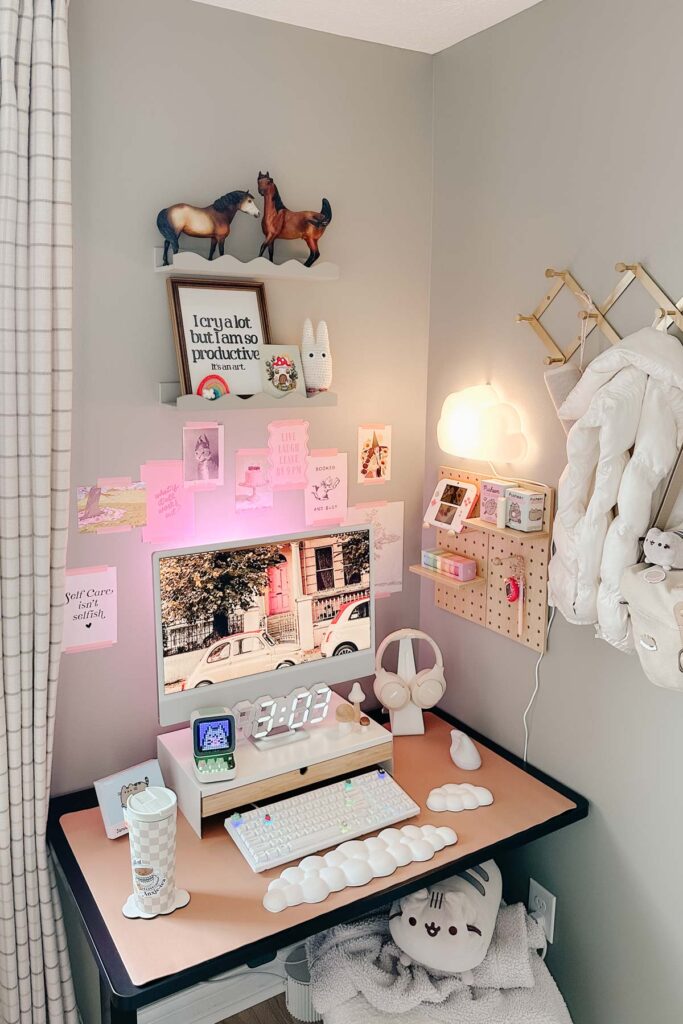
Amazon Find: Wooden Monitor Stand with Storage
A wooden monitor riser adds natural warmth to your gaming desk while providing convenient storage for smaller accessories.
11 Introduce Soft Ambient Wall Lighting
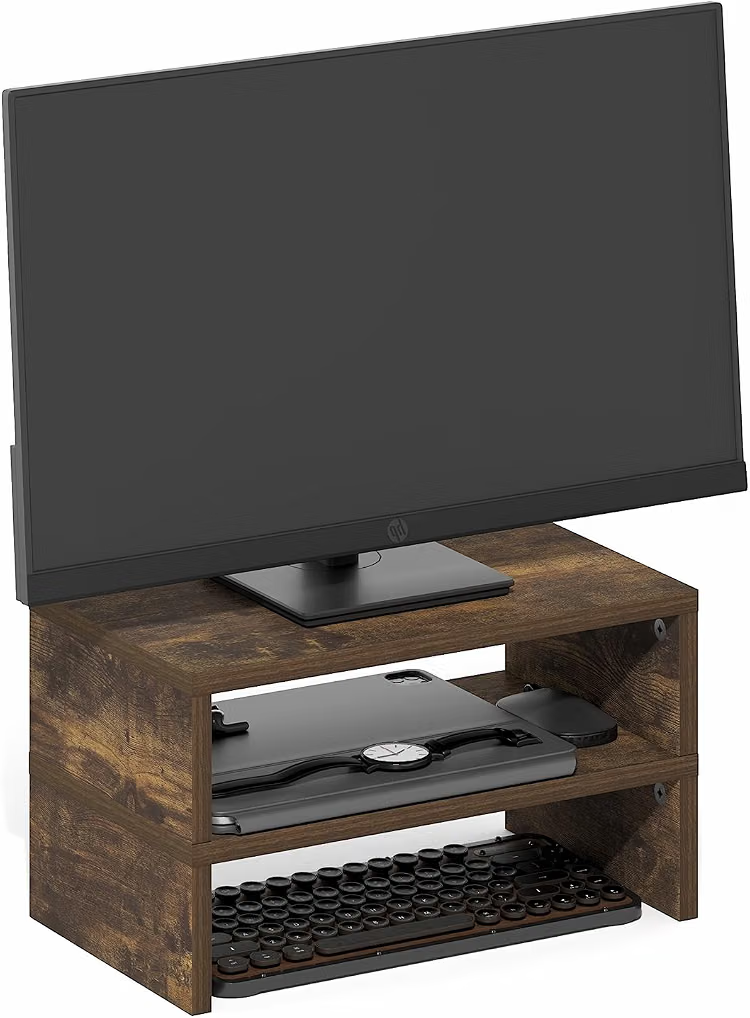
Decorative wall lighting is a wonderful option when your gaming desktop is too small for additional lamps. A cloud-shaped fixture, compact wall sconce, or softly illuminated moon decoration can introduce a comforting glow without occupying valuable surface space.
Install the light beside or above your gaming monitor and choose a finish that complements your existing furniture. A dimmable smart bulb can also help you switch between brighter daytime activities and relaxing evening gaming sessions.
Renter-friendly alternative: Consider lightweight plug-in wall lights with suitable removable mounting options. Follow the manufacturer’s mounting and electrical instructions.
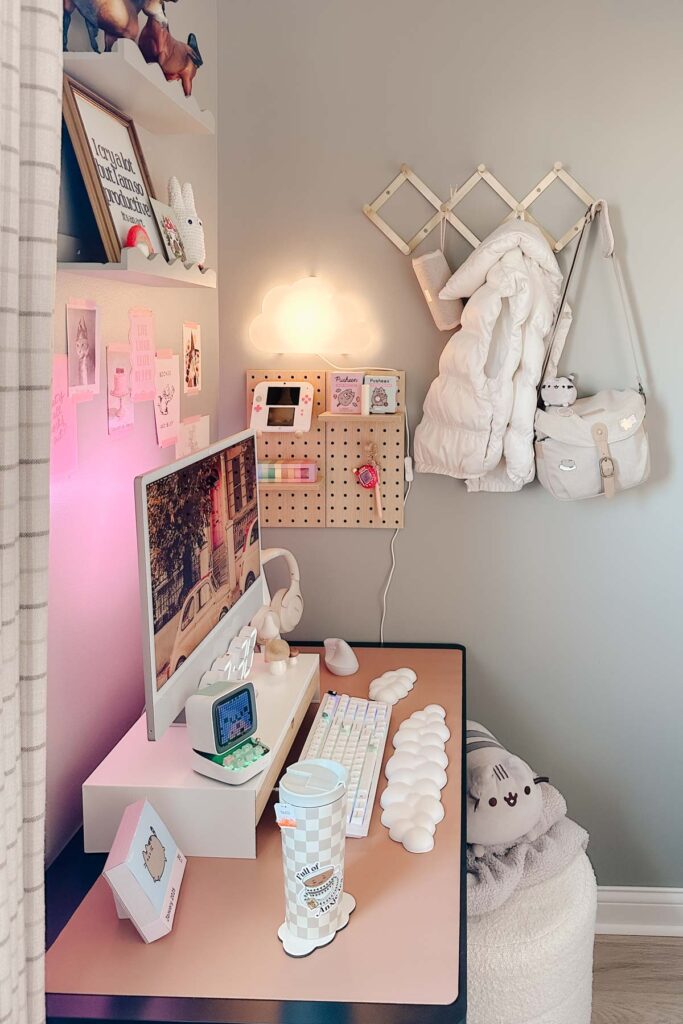
Image credit: @caitlinmariedesign.com
12 Create a Dreamy Colorful Monitor Backlight
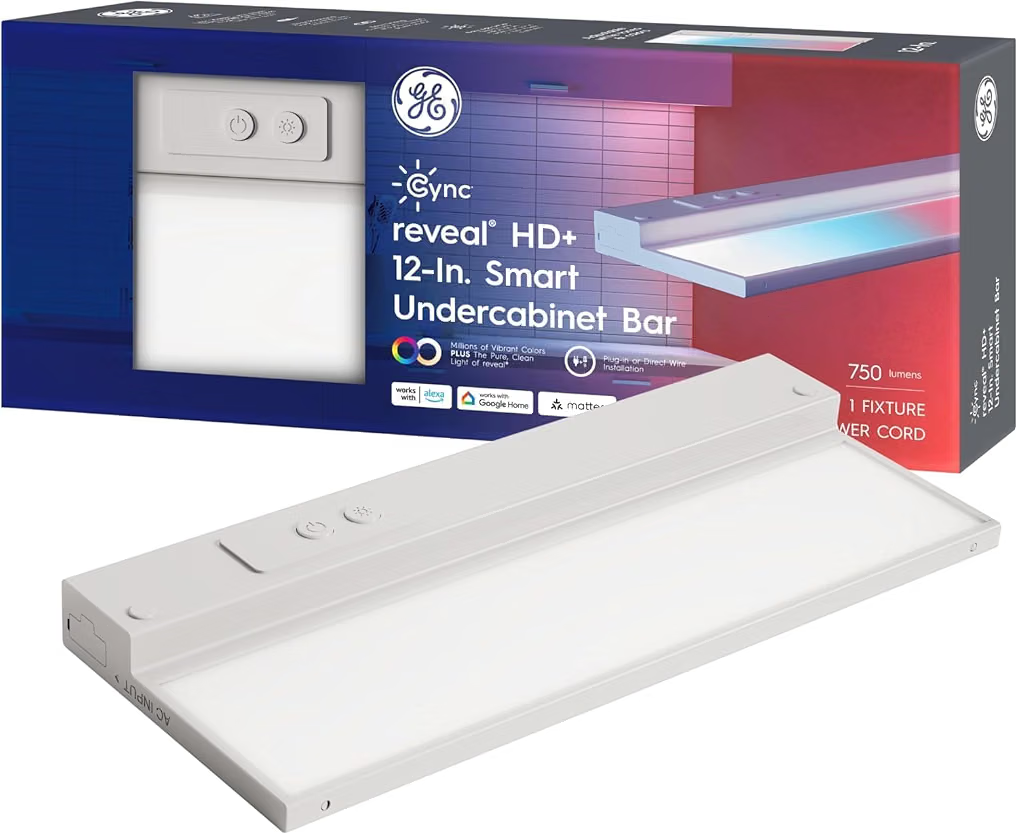
Transform the wall behind your monitor into a softly illuminated backdrop using adjustable LED lighting. Unlike bright overhead RGB fixtures, indirect monitor backlighting creates a more subtle wash of color that complements the surrounding room.
Position compatible light bars behind the monitor or install a suitable LED strip along its rear surface. Try peach and lavender for a sunset-inspired look, mint and pale blue for a refreshing atmosphere, or amber for a woodland-themed gaming corner.
Styling tip: Keep the surrounding wall relatively simple so the colored glow remains visible. Choose lower brightness settings when gaming at night.
Amazon Find: Adjustable RGB Monitor Light Bars
Color-changing light bars provide adjustable accent lighting behind your gaming monitor without taking up much desktop space.
13 Decorate with Playful Neon Lights
A decorative neon-style light can become the signature feature of your cozy gaming setup. Instead of covering the entire wall with colorful fixtures, choose one distinctive shape that reflects your interests.
A glowing crescent moon works beautifully in a celestial gaming bedroom, while a mushroom-shaped light complements cottagecore decorations. Heart, cloud, star, and cat-shaped designs are attractive additions to kawaii gaming spaces. Position the fixture slightly off-center for a relaxed, asymmetrical arrangement.
Decorating tip: Match the neon color to one or two existing accessories, such as your keyboard, desk mat, or chair cushion.
14 Install Charming Scalloped or Rattan Wall Shelves
Decorative shelving introduces personality without sacrificing the functional area of your gaming desk. Scalloped shelves offer a sweet vintage-inspired appearance, while rattan shelves bring natural texture into a neutral or cottagecore gaming room.
Arrange two narrow shelves above or beside your monitor and style them with miniature plants, framed illustrations, small plush toys, and favorite gaming collectibles. Painting wooden shelves to match the wall creates a subtle built-in appearance, while contrasting colors make them more prominent.
Safety tip: Mount shelves using appropriate hardware for your wall type, respect their load limits, and avoid storing heavy unsecured objects above electronic equipment.
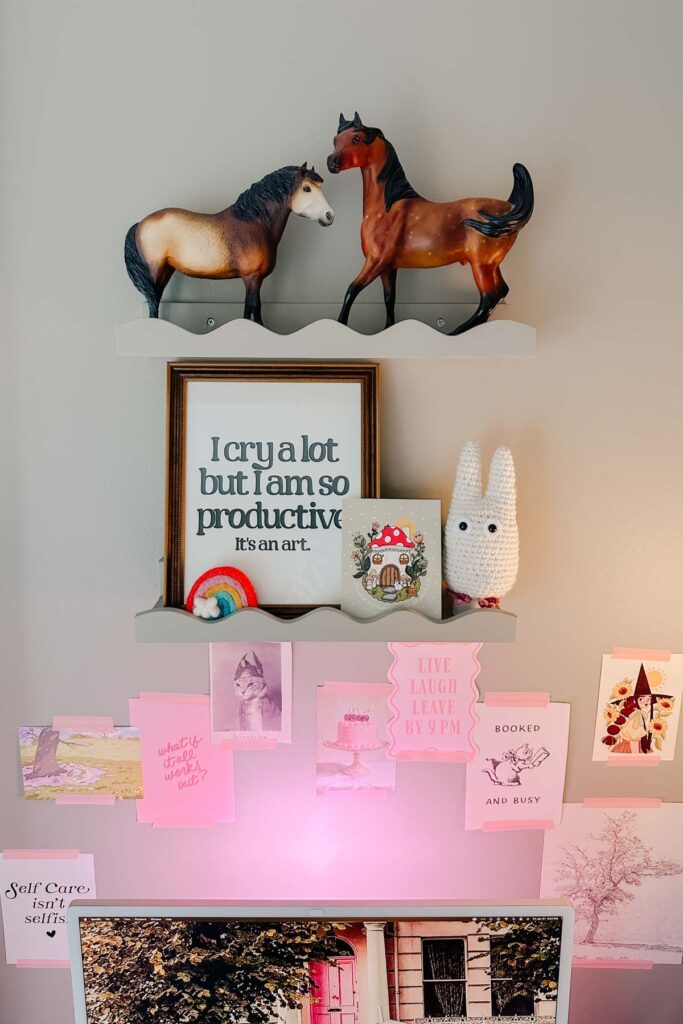
Image credit: @caitlinmariedesign.com
Amazon Find: Scalloped Decorative Floating Shelves
Scalloped wall shelves provide a charming display area for lightweight collectibles, miniature artwork, and small gaming accessories.

15 Organize Gaming Accessories with a Wooden Pegboard
A wooden pegboard combines practical organization with the warmth of natural materials. It is especially useful for small gaming setups where headphones, controllers, charging cables, and accessories compete for limited desktop space.
Install a pegboard on the wall beside your gaming monitor and arrange compatible hooks, small shelves, and storage containers. Hang your headset in an easily accessible position, display a handheld gaming device on an appropriate holder, and reserve a small shelf for decorative objects.
Organization tip: Group frequently used accessories together and leave several empty spaces so the pegboard looks attractive instead of overcrowded.
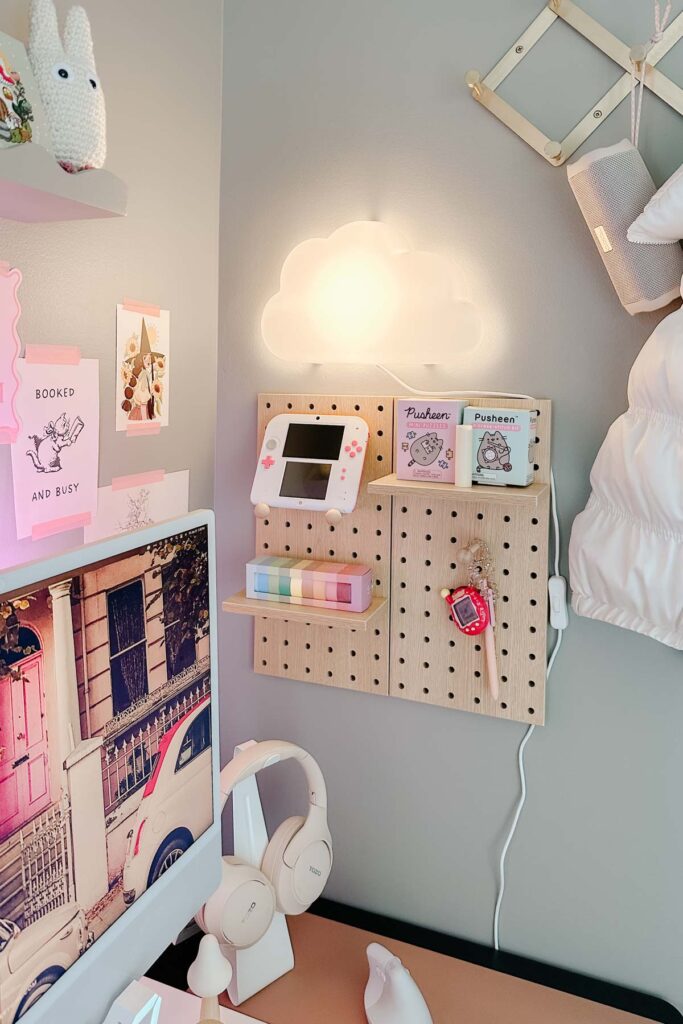
Image credit: @caitlinmariedesign.com
16 Create a Personalized Gaming Gallery Wall
Finish your cozy gaming corner with an artistic gallery wall that celebrates your favorite games, hobbies, and fictional worlds. A collection of small illustrations can make an ordinary gaming desk feel like a carefully decorated personal retreat.
Combine whimsical mushroom illustrations, pixel art, botanical prints, photographs, and artwork inspired by your favorite games. Arrange the prints on the floor before transferring the composition to the wall. Use lightweight frames for a polished appearance or decorative washi tape for a more casual, creative collage.
Budget tip: Purchase printable artwork from independent artists and print it at home. You can refresh your gaming wall seasonally without replacing the furniture or electronics.
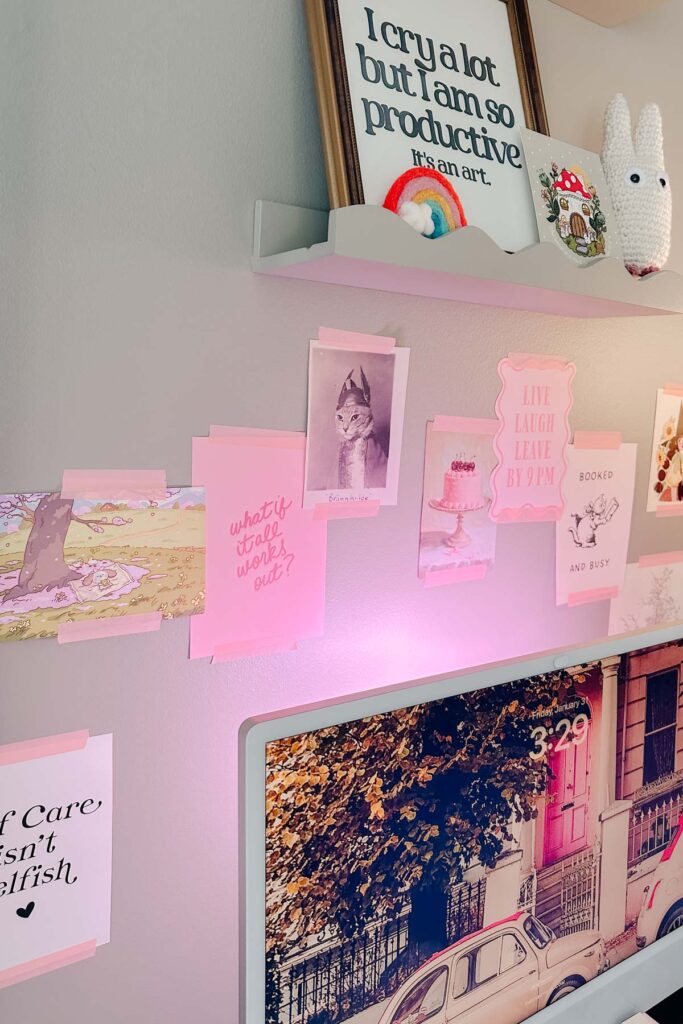
Image credit: @caitlinmariedesign.com
4 Beautiful Color Palettes for a Cozy Gaming Setup
A coordinated color palette helps your gaming furniture, electronics, and decorations feel connected. Try one of these combinations as a starting point for your room makeover.
Strawberry Milk Aesthetic
Blush pink, vanilla cream, soft lavender, and champagne beige. Combine floral accessories, pastel keyboards, and cozy textiles for a sweet and feminine gaming station.
Matcha Cottagecore Aesthetic
Sage green, oatmeal, natural oak, and moss green. Introduce wooden shelves, greenery, mushroom decorations, and gentle amber lighting.
Dreamy Pastel Sunset Aesthetic
Lilac, powder blue, peach, and white. Pair pastel computer accessories with cloud decorations and softly blended RGB backlighting.
Moody Forest Aesthetic
Forest green, walnut brown, amber, and warm beige. Choose darker furniture, woodland artwork, and warm decorative lamps for a sophisticated cozy gaming retreat.
Cozy Gaming Setup Shopping Checklist
Start with functional furniture and essential gaming equipment before purchasing decorative extras. Reuse suitable items you already own to keep your makeover affordable.
| Item | Best For | Amazon Finds |
|---|---|---|
| Supportive desk chair | Comfortable everyday gaming | Explore chairs |
| Pastel mechanical keyboard | Coordinated gaming accessories | Explore keyboards |
| Oversized desk mat | Protecting and decorating the desk | Explore desk mats |
| Cloud wrist rest | Playful desktop styling | Explore wrist rests |
| Wooden pegboard | Vertical accessory organization | Explore pegboards |
| Mushroom table lamp | Cozy cottagecore lighting | Explore lamps |
| Decorative artificial plants | Natural-looking accents | Explore plants |
| Cable management kit | Keeping the workstation tidy | Explore organizers |
| Boucle ottoman | Adding texture and foot support | Explore ottomans |
| Cute decorative plushies | Personalizing the gaming room | Explore plushies |
How to Create a Cozy Gaming Setup on a Budget
You don’t need a custom gaming PC, expensive furniture, or a complete collection of matching accessories to create a beautiful gaming room. Small decorating improvements can make your existing workstation feel considerably more inviting.
- Reuse your existing desk: Introduce a new desk mat and coordinated accessories instead of replacing functional furniture.
- Repurpose bedroom decorations: Move suitable lamps, cushions, artwork, and decorative objects into your gaming corner.
- Create a DIY gallery wall: Display affordable printable artwork using lightweight frames or suitable removable tape.
- Refresh your keyboard: Replace compatible keycaps instead of purchasing an entirely new keyboard.
- Shop secondhand furniture: Look for sturdy desks, shelves, and storage units that suit your preferred aesthetic.
- Make your own decorations: Try crocheted plushies, handmade artwork, or painted wooden accessories.
- Organize existing cables: Reusable cable ties and simple clips can make a noticeable visual difference.
- Upgrade lighting gradually: Start with a warm bedside lamp before investing in a complete smart lighting system.
Common Cozy Gaming Setup Mistakes to Avoid
- Prioritizing appearance over comfort: Choose supportive seating and practical desk dimensions before decorative accessories.
- Overcrowding the desktop: Keep sufficient space for comfortable keyboard and mouse movement.
- Using too many competing colors: Establish a limited palette and repeat selected shades throughout the gaming area.
- Relying exclusively on RGB lighting: Include suitable room or task lighting for everyday activities.
- Blocking computer ventilation: Keep plush toys, fabrics, decorative objects, and furniture clear of air intake and exhaust openings.
- Placing live plants directly above electronics: Water plants elsewhere and position them where accidental leaks cannot reach equipment.
- Ignoring cable management: Organize wires without pinching them or restricting the movement of adjustable furniture.
- Purchasing incompatible accessories: Verify keyboard, headset, lighting, and controller compatibility with your gaming platform.
- Using open flames beside gaming equipment: Choose flameless LED candles for a similar decorative effect without an exposed flame.
- Copying an aesthetic without considering your needs: Personalize your room according to the games you enjoy, your available space, and your everyday routine.
Frequently Asked Questions
1. How can I make my gaming setup look cozy and feminine?
Start with a coordinated color palette, comfortable seating, and gentle lighting. Introduce floral desk accessories, decorative pillows, plants, wall artwork, and personal collectibles. A feminine gaming setup doesn’t have to be pink; sage green, lavender, cream, and natural wood are equally attractive alternatives.
2. What colors are best for a cozy gaming room?
Soft pink, lavender, sage green, beige, and warm cream are popular choices for light and inviting gaming spaces. Darker shades such as forest green, walnut brown, and muted plum can also create a cozy atmosphere when combined with warm lighting and comfortable textiles.
3. How do I create a cozy gaming setup in a small bedroom?
Choose a compact desk, supportive chair, and appropriately sized monitor. Use floating shelves, wall-mounted lighting, and a pegboard to keep accessories off the desktop. A monitor riser with storage can provide additional organization without requiring another piece of furniture.
4. Do I need an expensive gaming PC for an aesthetic setup?
No. You can create an attractive gaming station around an existing computer, laptop, or compatible gaming console. Focus on coordinated accessories, comfortable furniture, lighting, and decorative details. Upgrade your computer hardware only when your preferred games or other activities require better performance.
5. What accessories make a gaming desk feel more personal?
Personal artwork, favorite character figures, customized keycaps, decorative desk mats, handmade crafts, and small collectibles are excellent options. Choose accessories connected to your hobbies and favorite games rather than purchasing decorations simply because they match a popular gaming room aesthetic.
Recommended Amazon Finds for a Cozy Gamer Girl Setup
These adorable finishing touches can help personalize your gaming station without requiring a complete room makeover.
Final Thoughts
The best cozy gaming setup ideas for women bring together personal style, everyday comfort, and practical organization. From floral gaming desks and pastel accessories to wooden pegboards and dreamy ambient lighting, even small decorative changes can make your gaming corner feel more welcoming.
Start by organizing your existing workstation, choosing a color palette you genuinely love, and improving your lighting and seating. Add meaningful decorations gradually until you have a comfortable gaming retreat where you can unwind, explore your favorite virtual worlds, and enjoy spending time.

Our guides are researched, fact-checked and updated as games change. How we research and verify our guides.