


Faction Defense Tycoon is not just about building droppers and buying troops. The real power comes from controlling your army properly.
If you do not know how to command, defend, or target enemies, even the strongest troops can feel useless.
This controls guide explains all Faction Defense Tycoon controls on PC and mobile, what each command actually does, and how to use them effectively.
Faction Defense Tycoon is a base building and army control game on Roblox where good troop management decides who survives and who gets wiped.
Why Controls Matter in Faction Defense Tycoon
Unlike normal tycoon games, your troops do not act intelligently on their own. You must
- Order them to attack
- Tell them to defend
- Make them follow you
- Assign specific targets
If you skip this step, enemies can walk into your base while your army does nothing. Mastering controls lets you protect your base, raid others, and dominate servers faster.
Faction Defense Tycoon Controls on PC
PC players have access to quick keyboard commands that make troop control much smoother.
PC Controls Table
| Action | Control |
|---|---|
| Move Character | WASD or Arrow Keys |
| Move Camera | Mouse |
| Select All Troops | Spacebar |
| Charge Attack | C |
| Defend Position | D |
| Follow Player | F |
| Target Enemy or Base | T |
| Interact Reclaim Buy | E |
| Open Chat | / |
PC Control Tips
Always press Spacebar first before issuing commands. Commands like Charge or Defend do nothing if troops are not selected. Use Target instead of Charge when attacking strong bases to avoid troops running into defenses blindly.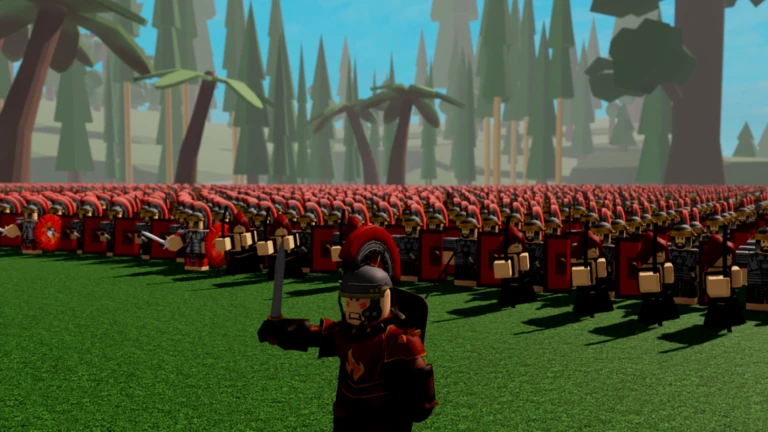
Faction Defense Tycoon Controls on Mobile
Mobile controls rely on on screen buttons and taps. Precision matters more than speed.
Mobile Controls Table
| Action | Control |
|---|---|
| Move Character | Virtual Joystick |
| Move Camera | Drag Right Side |
| Select Troops | Sword Icon Button |
| Charge Attack | Charge Button |
| Defend Position | Defend Button |
| Follow Player | Follow Button |
| Target Enemy or Base | Target Button then Tap |
| Interact Reclaim Buy | E Button or Screen Prompt |
| Open Chat | Chat Icon |
Mobile Control Tips
Always tap the troop selection button before giving commands. Zoom out slightly when targeting enemy bases to avoid mis taps. Using Target instead of Charge helps keep troops alive longer.
What Each Troop Command Does
Understanding commands is just as important as knowing the buttons.
Select Troops
Highlights all your active troops so they can receive commands.
Charge
Forces troops to rush forward and attack anything nearby. Best for quick raids but risky against strong defenses.
Defend
Orders troops to stay in place and protect the area. Perfect for base defense.
Follow
Makes troops stay close to your character. Useful when moving between locations.
Target
Lets you select a specific enemy, structure, or base to attack. This is the safest and most controlled attack option.
Common Control Mistakes Beginners Make
Forgetting to select troops before commanding
Using Charge instead of Target on strong bases
Leaving troops idle without Defend orders
Trying to attack without enough equipped gear
Not repositioning troops after prestige resets
Fixing these mistakes alone will improve your survival rate significantly.
Why Troops Sometimes Do Not Attack
This usually happens because
- Troops are not selected
- No command was issued
- They are stuck in Follow mode
- Target was not assigned correctly
Always re select troops and issue a clear command if they stop responding.
Using Controls for Base Defense
For defense, controls are everything.
- Select troops
- Use Defend inside your base
- Position them near entrances
- Re issue Defend after prestige or upgrades
Troops left on Charge mode may wander outside and leave your base exposed.
Final Thoughts
Faction Defense Tycoon rewards players who can command their army efficiently, not just those with the biggest base.
Once you memorize the controls and understand when to use each command, the game becomes far easier and more enjoyable.
Whether you are defending your faction or raiding others, proper control usage is the difference between winning and constantly restarting.

Nishant Singh is a gaming writer with a passion for Roblox and the Call of Duty franchise. He enjoys exploring new titles, sharing tips, and writing stories that bring the gaming world to life.