
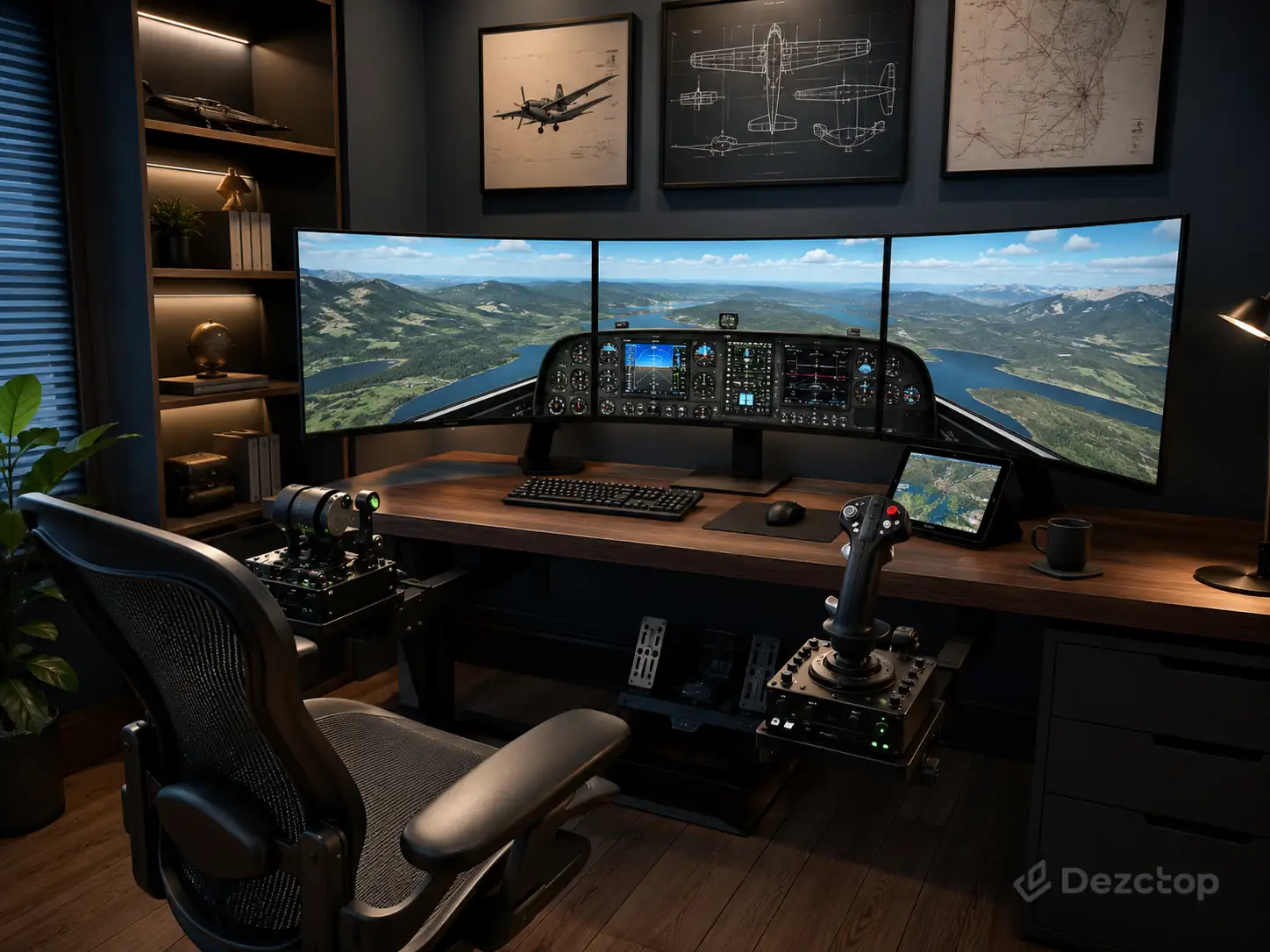

Your gaming desk is more than just a place to keep your computer and accessories. It’s where you escape into virtual worlds, connect with friends, enjoy your favorite games, and express your personality through creative lighting, furniture, and decorations.
These 16 gaming desk ideas include everything from futuristic RGB battlestations and minimalist wooden workstations to space-saving floating desks, cozy gaming corners, and stylish console setups. Whether you’re upgrading an existing gaming station or starting from scratch, you’ll find plenty of inspiration for creating a setup that looks impressive and feels comfortable.
You don’t necessarily need expensive equipment or a large gaming room. A thoughtful desk arrangement, effective cable management, and a few carefully chosen accessories can make a remarkable difference.
More Gaming Desk and Room Setup Ideas to Explore:
16 Amazing Gaming Desk Ideas at a Glance
- Modern black-and-white gaming desk.
- Spacious L-shaped gaming battlestation.
- Space-saving floating gaming desk.
- Immersive LED and RGB gaming station.
- Nature-inspired gaming desk with greenery.
- Warm wood minimalist gaming workstation.
- Clean and clutter-free PC gaming desk.
- Adjustable standing gaming desk.
- Futuristic ice-blue gaming command center.
- Nostalgic retro gaming desk with colorful lighting.
- Playful gaming desk with cute accessories.
- Compact gaming setup with natural textures.
- Premium ultrawide monitor gaming station.
- Relaxed personalized gaming desk.
- Sophisticated console-first gaming setup.
- Cozy neutral gaming desk sanctuary.
How to Plan the Perfect Gaming Desk Setup
Before purchasing a gaming desk, think about how you intend to use your workstation. Competitive PC gamers may need generous mouse movement space, while content creators might require additional monitors, microphone mounts, and camera equipment.
Measure the available wall space, monitor dimensions, desktop depth, and chair clearance. Decide where your PC tower, gaming console, speakers, and electrical connections will sit before introducing decorative accessories.
Once the practical layout is established, choose a color palette and lighting style that complement the surrounding room. A gaming desk should support your everyday activities rather than simply looking attractive in photographs.
The Ultimate Gaming Desk Setup Formula
Sturdy gaming desk + supportive chair + comfortable monitor placement + organized cables + practical accessories + controlled ambient lighting + personal decorations = an impressive and functional gaming workstation.
Which Gaming Desk Style Is Best for You?
| Gaming Desk Style | Best For | Main Advantage |
|---|---|---|
| L-shaped desk | Dual-monitor and streaming setups | Separate activity zones |
| Floating gaming desk | Small bedrooms and apartments | Open floor space |
| Standing gaming desk | Multipurpose work and gaming stations | Adjustable working height |
| RGB gaming desk | Immersive gaming environments | Customizable lighting |
| Minimalist wooden desk | Home offices and cozy gaming rooms | Timeless appearance |
| Compact gaming desk | Dorm rooms and small spaces | Efficient use of space |
| Ultrawide monitor desk | Simulation and immersive PC gaming | Continuous display area |
| Console gaming desk | PlayStation, Xbox, and Nintendo gaming | Streamlined accessory arrangement |
16 Gaming Desk Ideas Every Gamer Will Want to Copy
1 Create a Modern Black-and-White Gaming Desk Setup
A black-and-white gaming desk offers a timeless, sophisticated appearance that works beautifully in both dedicated gaming rooms and multipurpose bedrooms. The contrasting colors make individual accessories stand out without requiring an elaborate decorative scheme.
Start with a white desktop, matte black monitor arms, and a comfortable black gaming chair. Add a monochrome mechanical keyboard, a matching desk mat, and a few black-and-white gaming prints. Introduce soft white monitor backlighting to give the workstation additional depth after dark.
Styling tip: Conceal black cables against dark equipment or underneath the desk. Keep additional accent colors limited if you want a clean monochrome appearance.
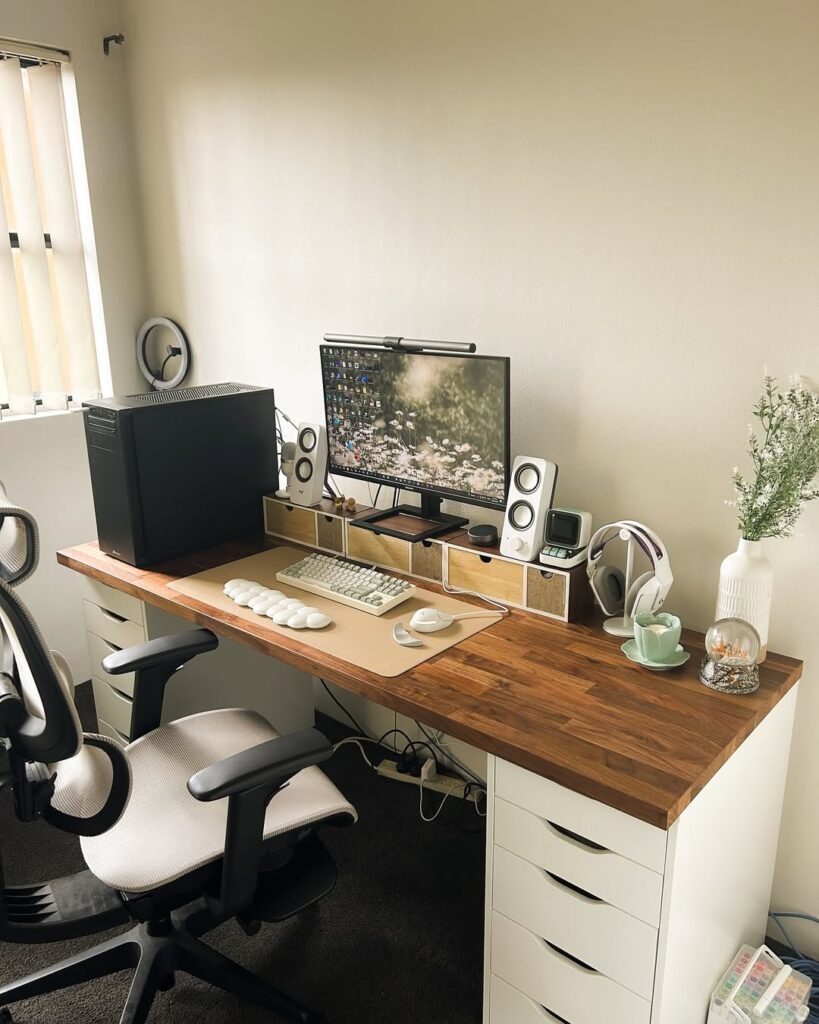
Image credit: @refreshtheroom.com
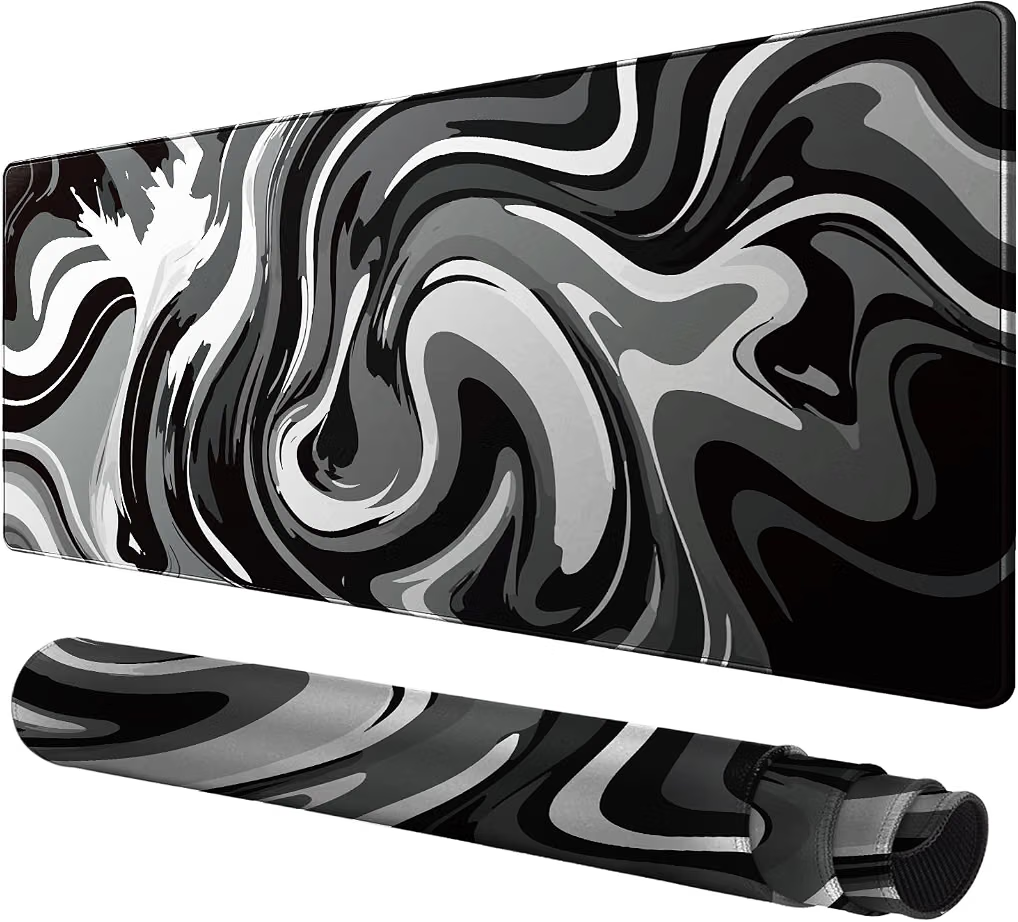
Amazon Find: Black-and-White Extended Gaming Desk Mat
An oversized monochrome desk mat creates a coordinated foundation for your keyboard, mouse, and everyday gaming accessories.
2 Build a Spacious L-Shaped Gaming Battlestation
An L-shaped desk is an excellent choice for gamers who need additional space for multiple monitors, streaming equipment, consoles, and everyday accessories. Its angled design allows you to create separate work zones while making practical use of a room’s corner.
Dedicate the longer section to your primary gaming monitor, keyboard, and mouse. Use the adjoining surface for a secondary display, microphone, notebooks, or console accessories. Install an under-desk cable tray and introduce a narrow storage cabinet for equipment that isn’t used regularly.
Space-saving tip: Measure both walls before purchasing an L-shaped desk. Check whether the return section can be installed on your preferred side and leave enough room for your chair to move comfortably.
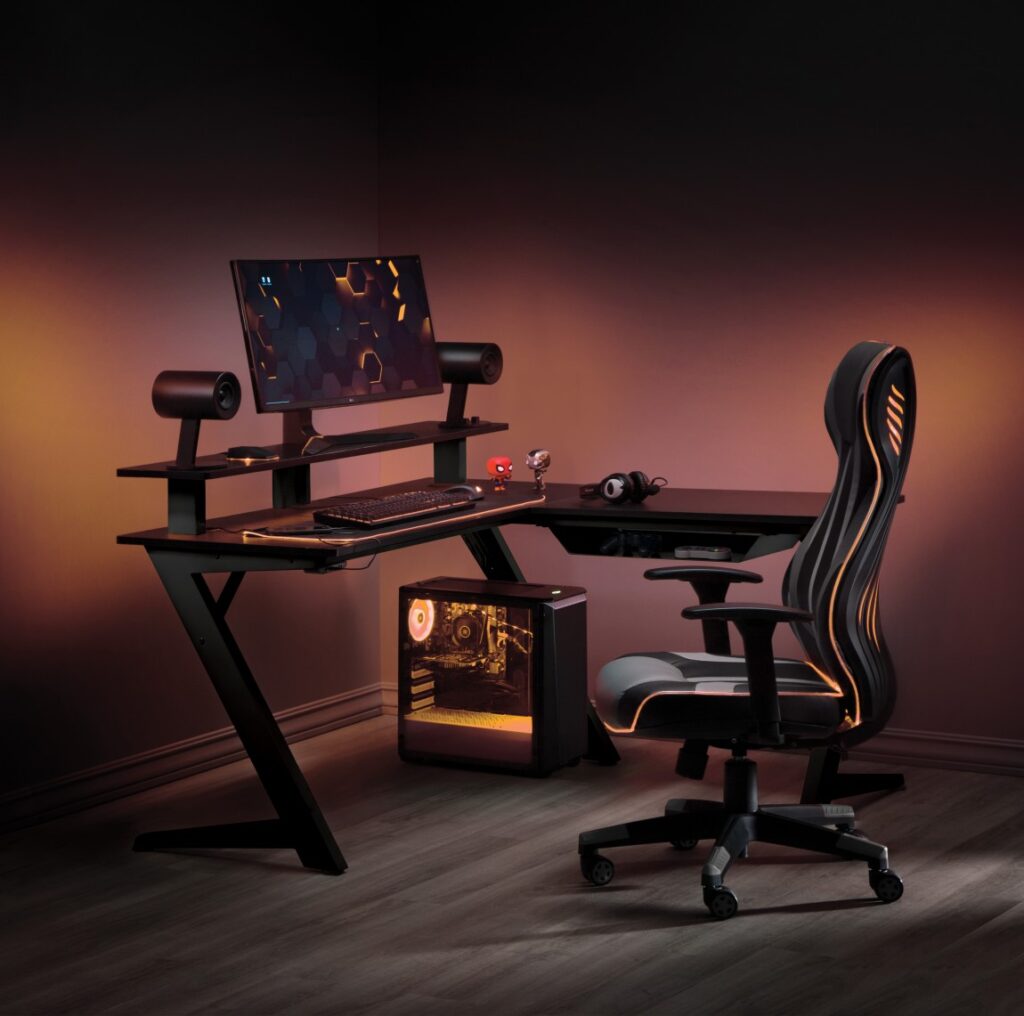
Image credit: @refreshtheroom.com
Amazon Find: L-Shaped Corner Gaming Desk
An L-shaped workstation provides additional surface space for gaming equipment, dual monitors, streaming accessories, and everyday home office activities.
3 Install a Space-Saving Floating Gaming Desk
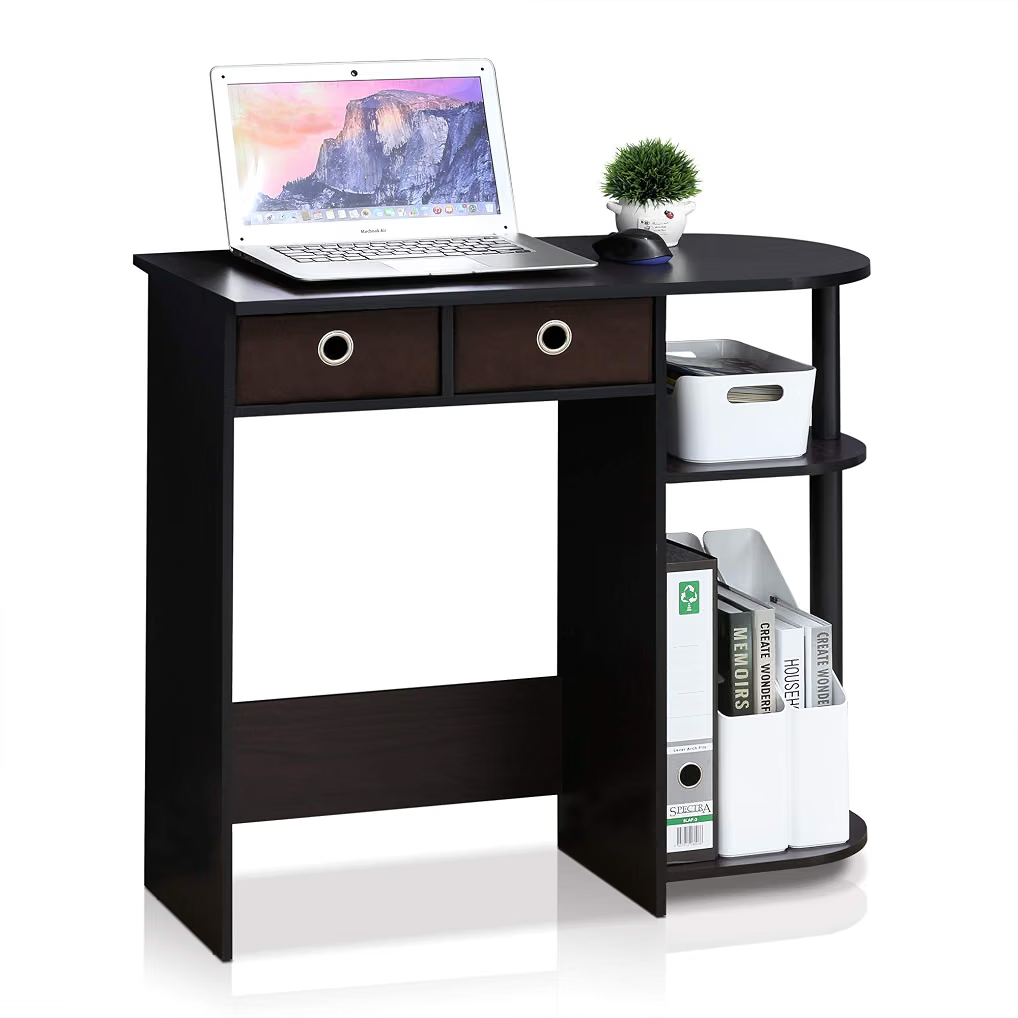
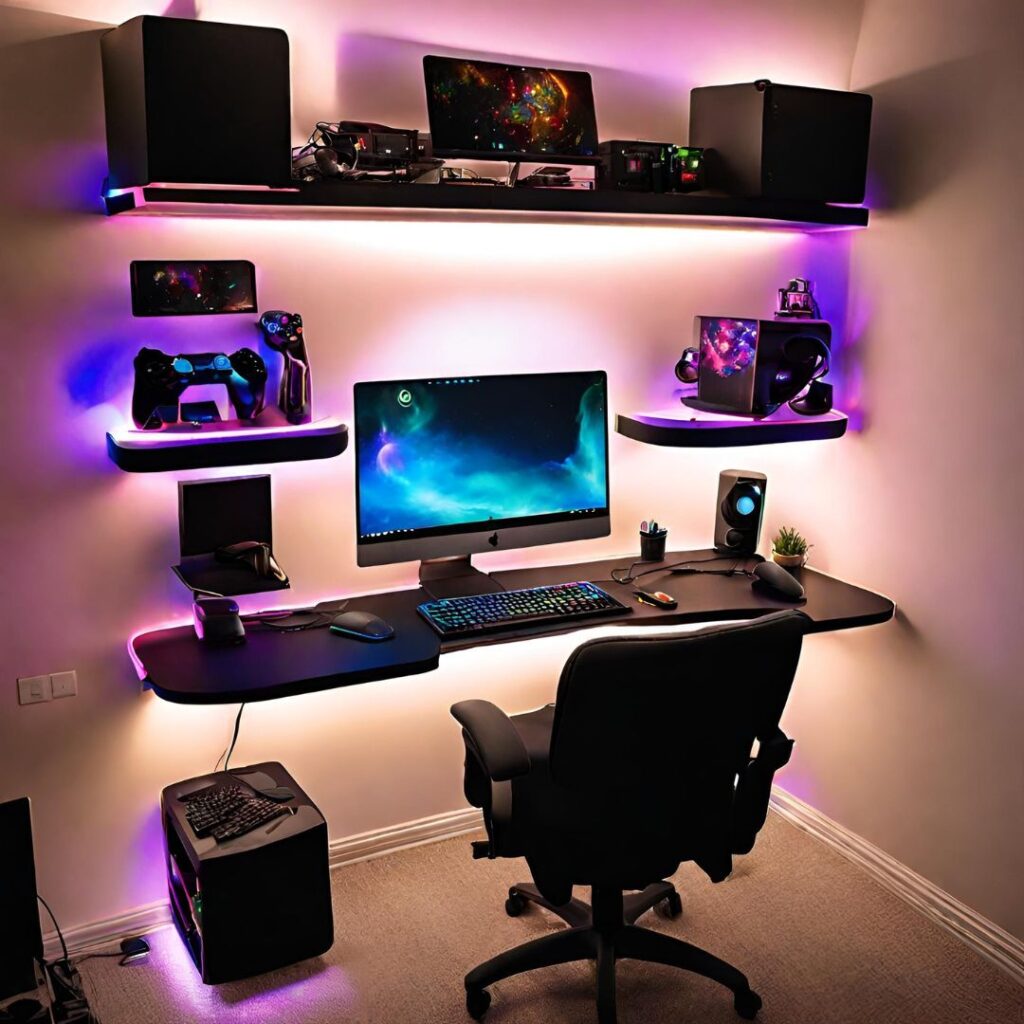
A floating gaming desk creates a streamlined workstation without traditional furniture legs occupying the floor. This wall-mounted arrangement is particularly attractive in small bedrooms, studio apartments, and contemporary interiors.
Choose a sturdy wall-mounted desktop in natural oak or matte white and pair it with a single monitor and compact peripherals. Install compatible wall storage above the workstation for controllers, headphones, and decorative accessories. Conceal cables using suitable cable channels to maintain the floating appearance.
Installation tip: Use a desk system specifically rated for the combined weight of your equipment. Consult a qualified installer if you are uncertain about the wall structure, mounting hardware, or load capacity. Check for concealed wiring and plumbing before drilling.
Image credit: @refreshtheroom.com
xr:d:DAFxsnNGyMc:23,j:1483216780281812458,t:23102013
4 Design an Immersive RGB Gaming Desk with LED Lights
RGB lighting remains one of the easiest ways to introduce personality into a gaming workstation. Carefully positioned colored lights can create an immersive atmosphere without requiring a completely new desk or expensive room makeover.
Install suitable LED strips along the rear edge of your desk and behind your monitor. Combine deep purple with electric blue for a futuristic appearance, or experiment with red and amber for a warmer gaming environment. Coordinate your keyboard lighting with the surrounding desk accents for a unified look.
Lighting tip: Hide individual LED bulbs where possible and use adjustable brightness settings. Avoid intense flashing effects and reflections that compete with your monitor.
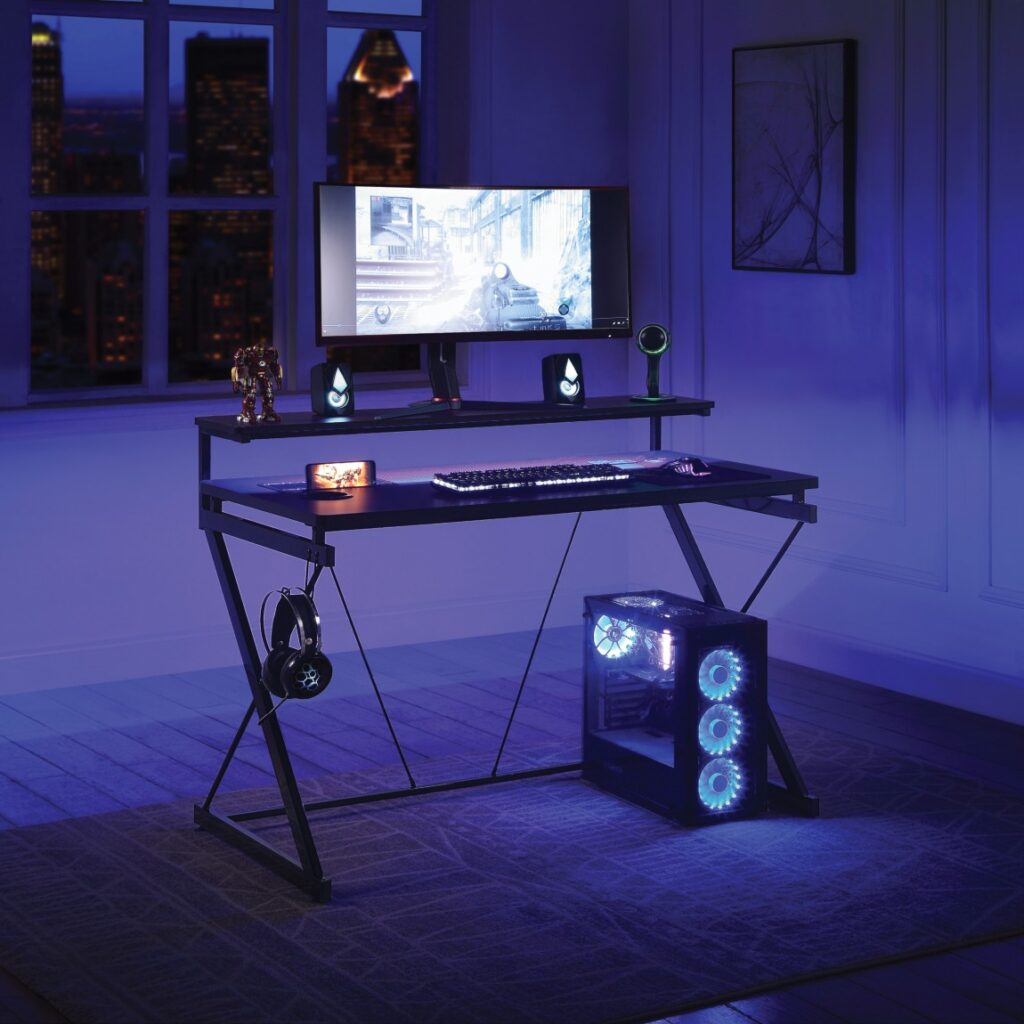
Image credit: @refreshtheroom.com
Amazon Find: Smart RGB Gaming Desk LED Strip Lights
Customizable LED strips provide colorful ambient illumination behind monitors, underneath desktops, and around gaming room shelving.

5 Bring Nature into Your Gaming Setup with Greenery
A nature-inspired gaming desk offers a refreshing alternative to technology-heavy battlestations. Greenery softens the appearance of computer equipment and helps connect your workstation with the surrounding bedroom or home office decor.
Pair a natural wooden desktop with sage-green accessories, warm white lighting, and several carefully positioned plants. Place a larger plant beside the desk and use small artificial trailing plants on nearby shelves. A forest-inspired desktop wallpaper can reinforce the botanical theme without taking up additional space.
Practical tip: Choose live plants according to your room’s lighting conditions and water them away from electrical equipment. Artificial greenery is a convenient alternative near monitors and computer towers.
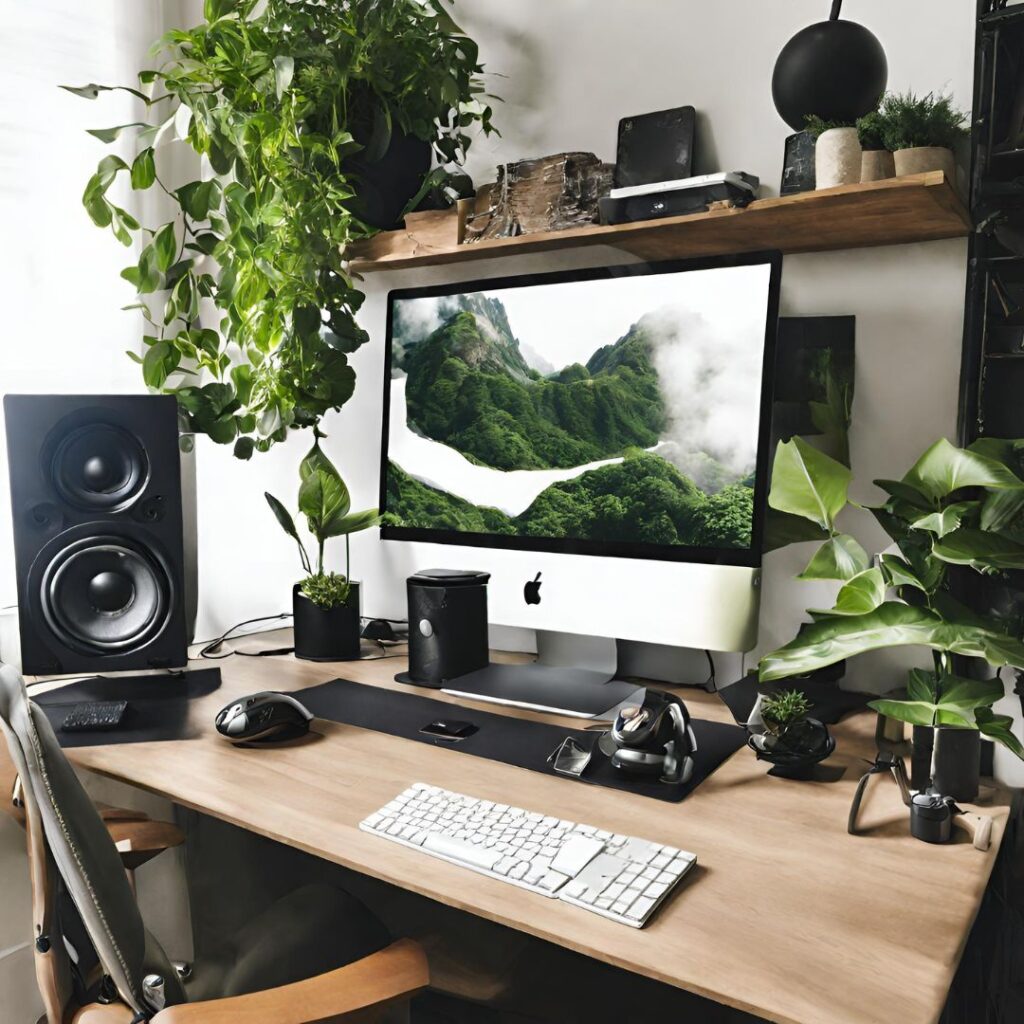
Image credit: @refreshtheroom.com
6 Style a Warm Wood Minimalist Gaming Workstation
A warm wooden gaming desk introduces a sophisticated furniture-like appearance that blends naturally into a home office or living space. Walnut, oak, and warm cherry finishes provide an attractive contrast against modern computer equipment.
Choose a walnut desktop with simple black legs and pair it with a charcoal desk mat, compact mechanical keyboard, and matching wooden monitor riser. Add a warm task lamp and a small framed print. Keep accessories understated so the natural wood grain remains a prominent feature.
Multipurpose tip: Use closed drawers for gaming controllers and accessories when you need the desk to function as a professional daytime workspace.
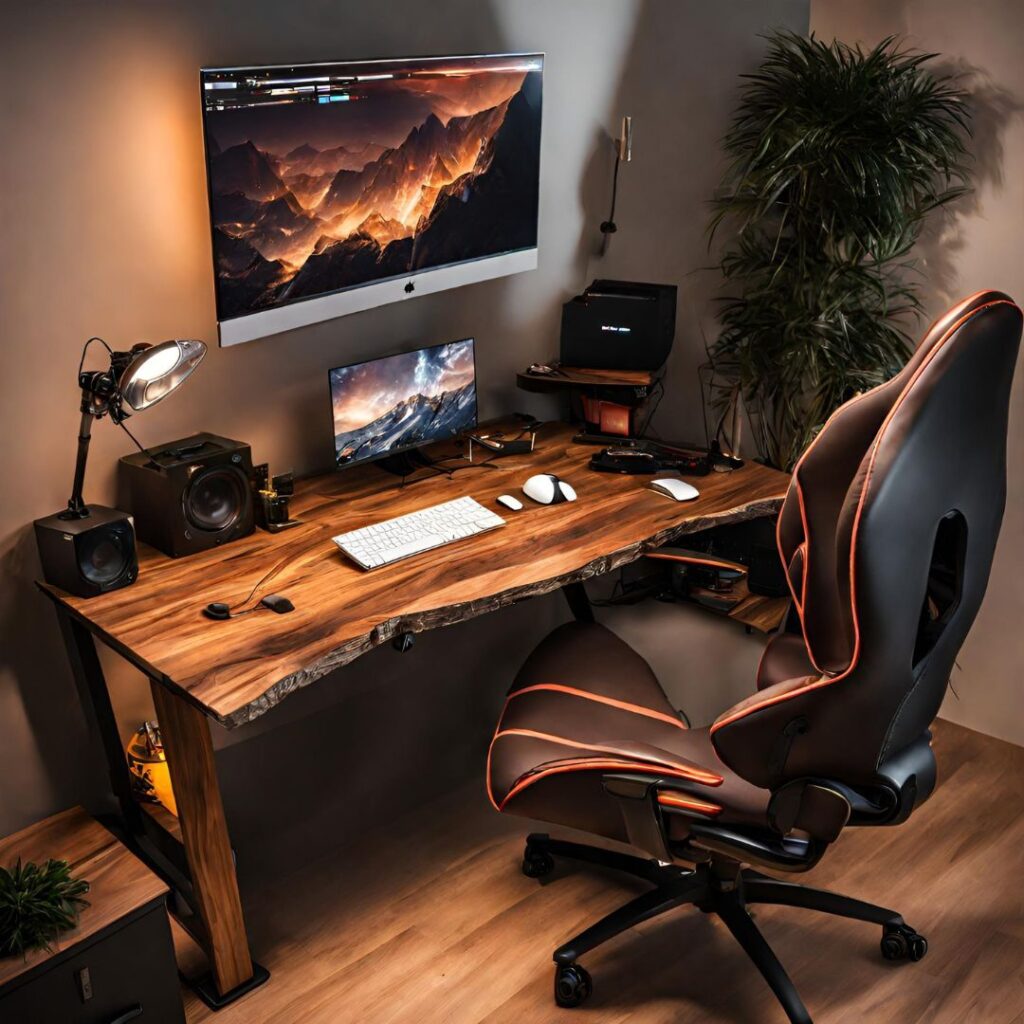
Image credit: @refreshtheroom.com
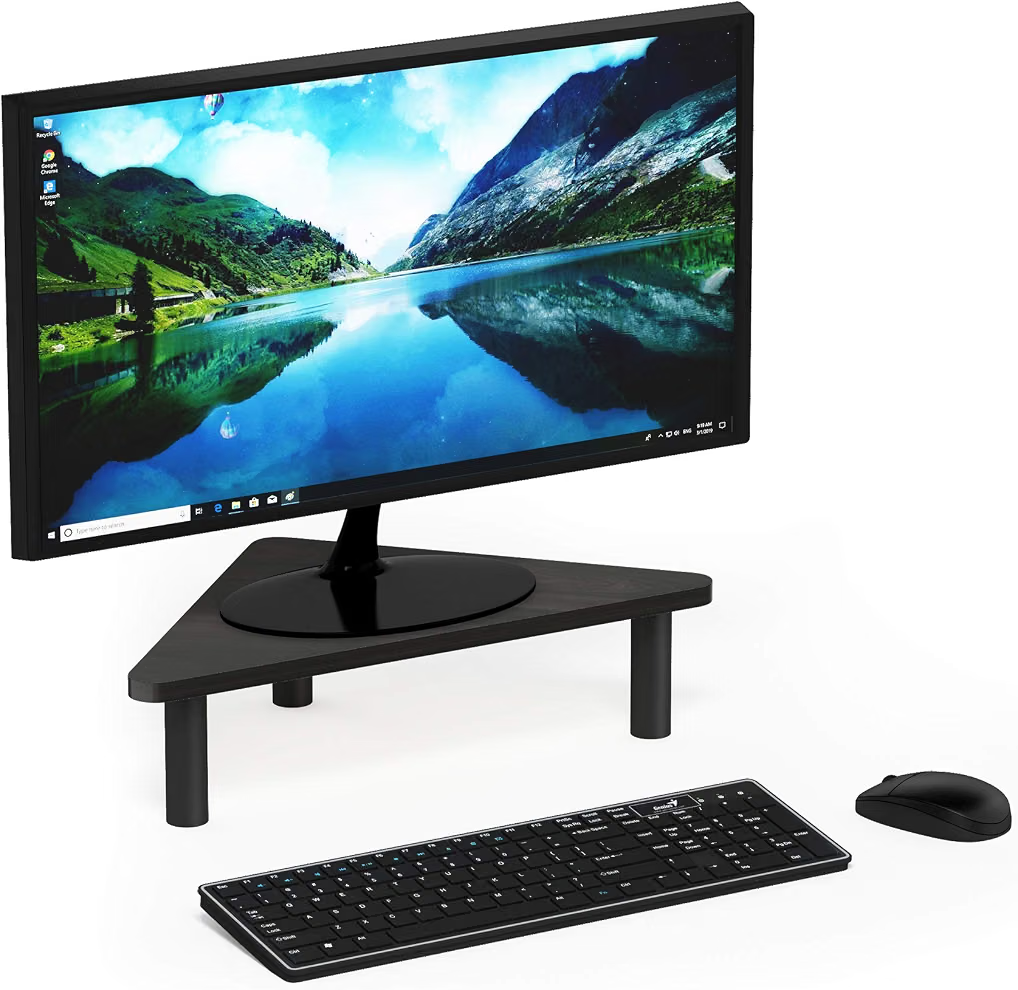
Amazon Find: Walnut Wooden Monitor Stand
A wooden monitor riser introduces natural texture while creating useful storage space underneath a suitably positioned monitor.
7 Keep Your PC Gaming Desk Clean and Clutter-Free
A minimalist gaming desk focuses on the equipment you actually need rather than filling every available surface with decorative accessories. This approach is especially useful if you prefer an uncluttered environment for competitive gaming, studying, or everyday computer work.
Begin with a simple gray or white desk, a single monitor, a compact keyboard, and a generous mouse movement area. Move occasional-use accessories into drawers and use an under-desk headphone hook. Route cables behind the monitor and secure them with reusable straps.
Organization tip: Wireless peripherals can reduce visible cables, but they aren’t essential. Thoughtfully routed wired equipment can create an equally attractive workstation.
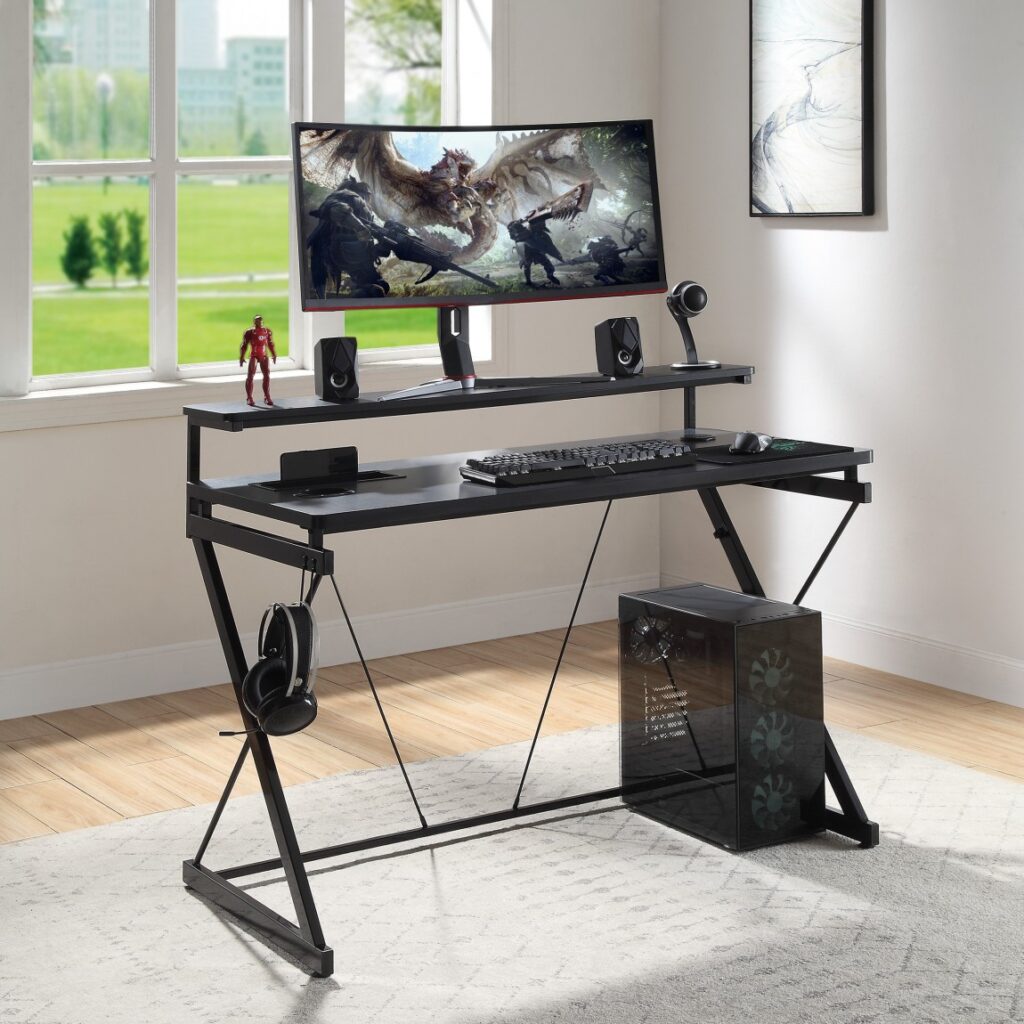
Image credit: @refreshtheroom.com
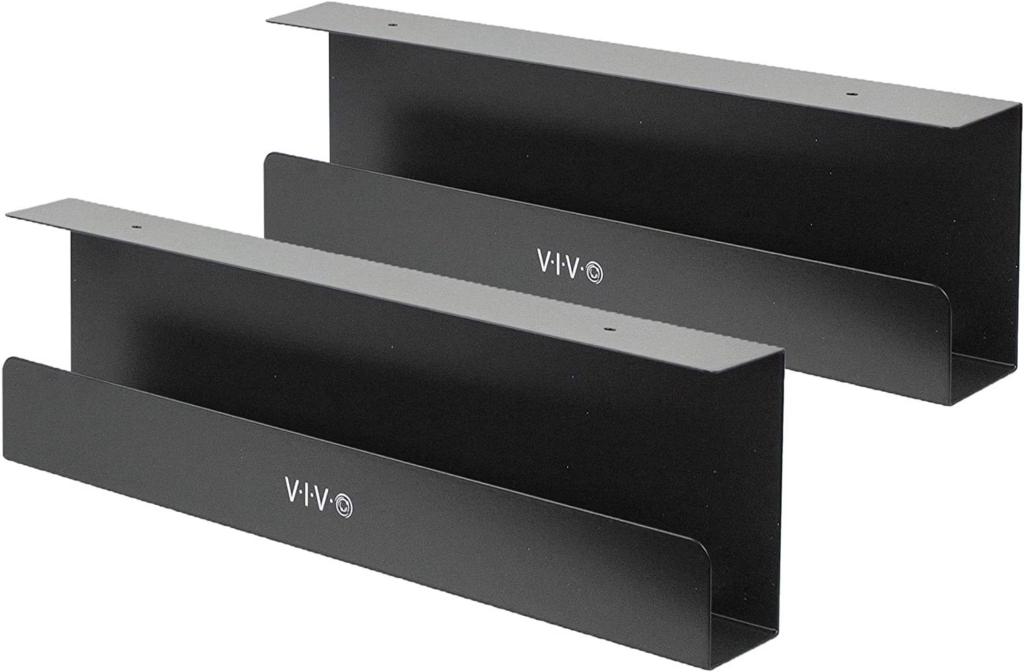
Amazon Find: Under-Desk Cable Management Kit
Cable trays, reusable ties, and cord clips help keep your gaming accessories organized without filling the desktop with loose wires.
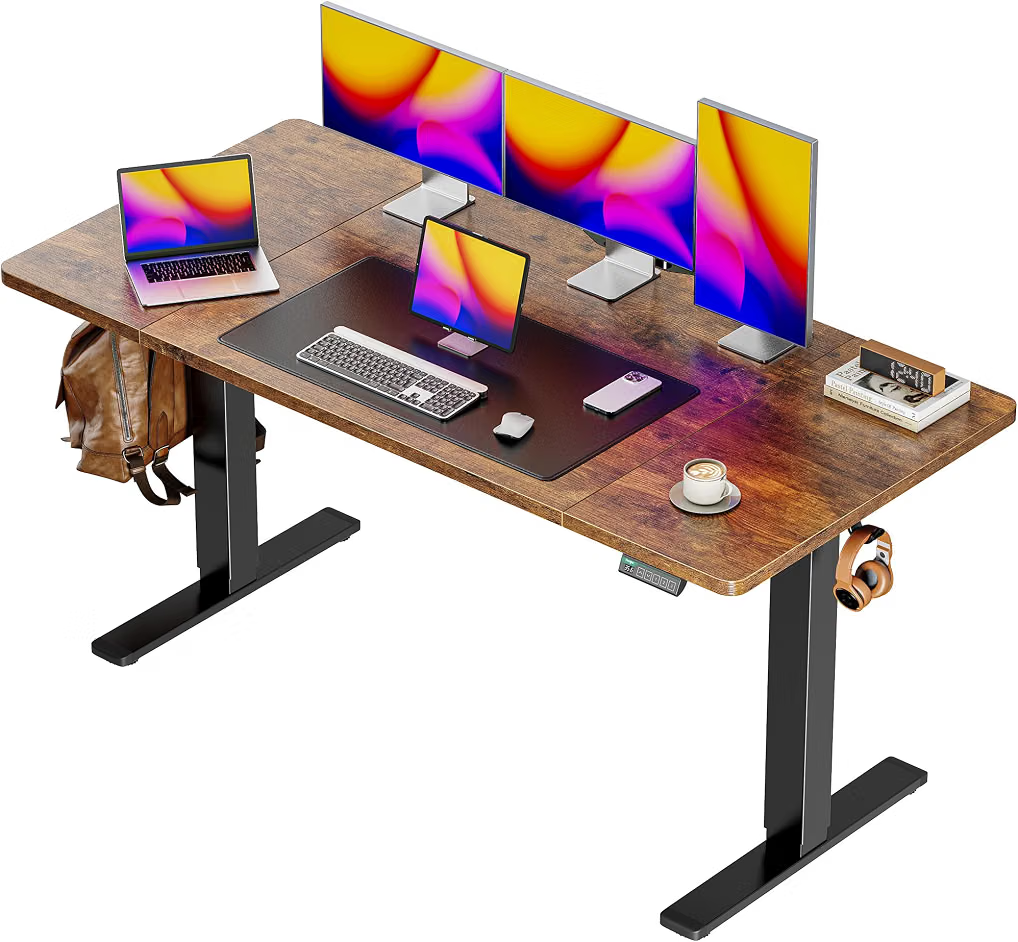
8 Upgrade to an Adjustable Standing Gaming Desk
A height-adjustable gaming desk offers flexibility for people who use their workstation for both entertainment and productivity. Instead of remaining in the same seated position for extended periods, you can alternate between sitting and standing whenever appropriate.
Choose a suitably rated electric sit-stand desk with enough surface area for your monitors and peripherals. Install compatible monitor arms and organize electrical cables with sufficient slack to accommodate the full height adjustment range. A supportive chair remains useful whenever you prefer seated gaming.
Ergonomic tip: Adjust the desk so your shoulders remain relaxed and your wrists are comfortably positioned. Alternate postures and take movement breaks rather than standing continuously for long periods.
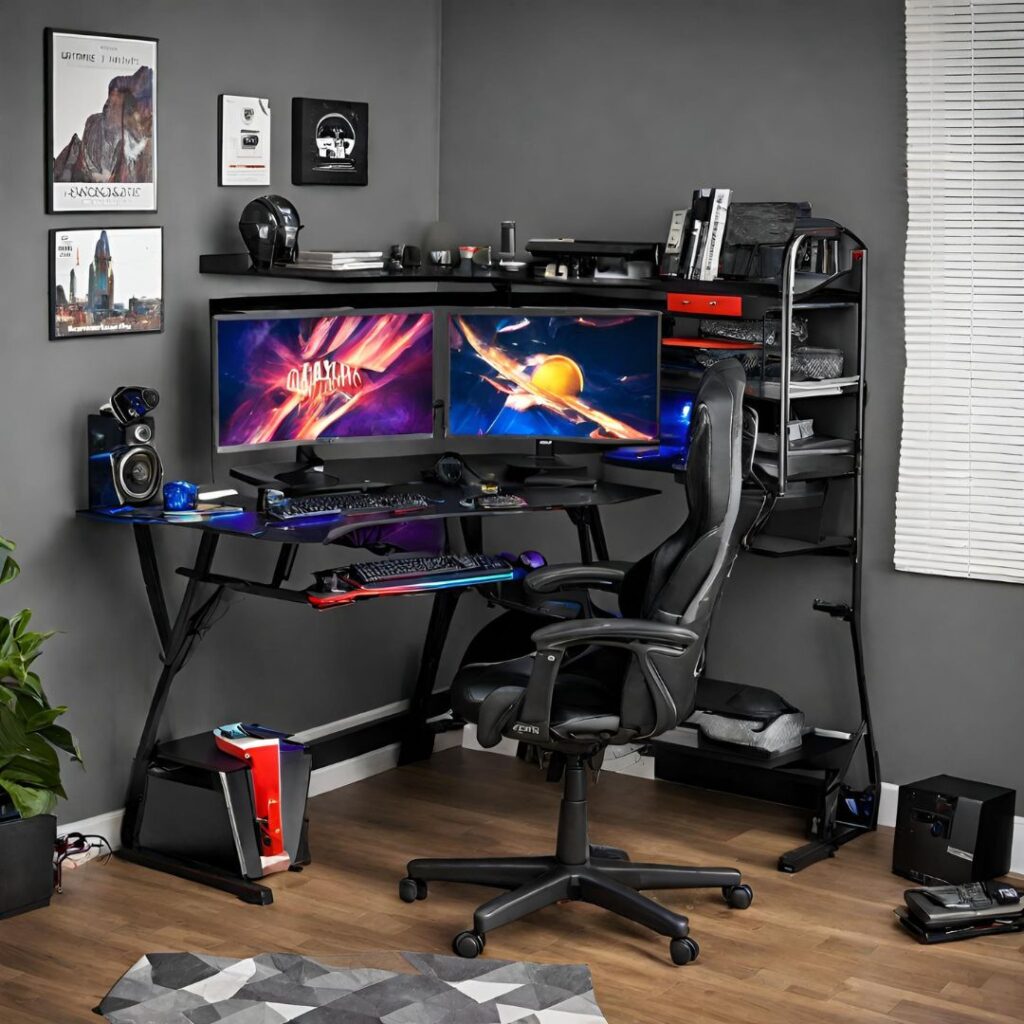
Image credit: @refreshtheroom.com
Amazon Find: Electric Height-Adjustable Gaming Desk
An adjustable sit-stand desk provides flexible workstation positioning for gaming, studying, streaming, and everyday computer activities.
9 Create a Futuristic Ice-Blue Gaming Command Center
Give your gaming desk a futuristic appearance by combining cool blue lighting with crisp white surfaces and streamlined technology. This color combination creates the impression of a sophisticated command station without relying on excessive decorations.
Use a white or light gray desk with matching monitor supports and a clean keyboard arrangement. Introduce ice-blue backlighting behind the screens and cool white accent lighting near the computer tower. Add a dark navy or futuristic cityscape wallpaper to establish a coordinated visual theme.
Design tip: Keep decorative lighting indirect and maintain comfortable general room illumination. A combination of two closely related colors often looks more sophisticated than several unrelated RGB effects.
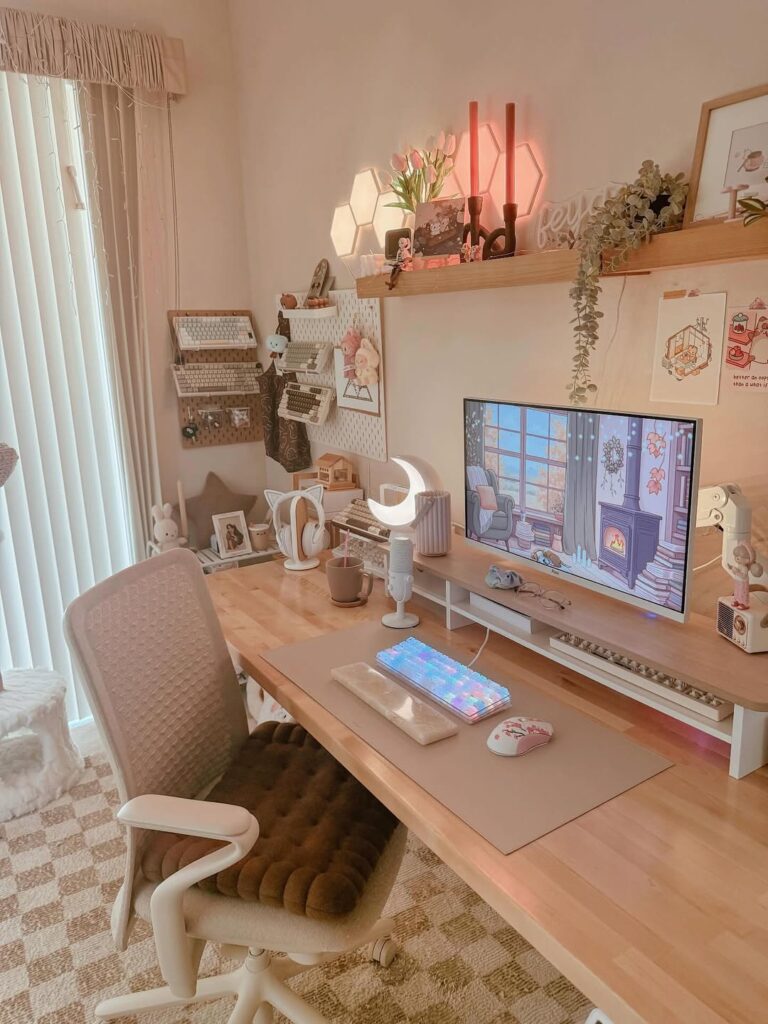
Image credit: @refreshtheroom.com
10 Build a Nostalgic Retro Gaming Desk with Colorful Lighting
Bring back the charm of classic arcade games and vintage computer rooms with a retro-inspired gaming workstation. Soft orange, pink, violet, and teal lighting can introduce a nostalgic atmosphere while modern computer equipment keeps the setup practical.
Choose a warm wood desk or cream-colored workstation and introduce a retro-style mechanical keyboard. Display a few miniature arcade collectibles, vintage-inspired gaming posters, or classic controller designs. Add a small ambient lamp that creates a gentle orange or pink glow behind the monitor.
Styling tip: Choose a particular retro theme, such as 1980s arcade culture or 1990s console gaming, to help your accessories feel connected rather than randomly assembled.
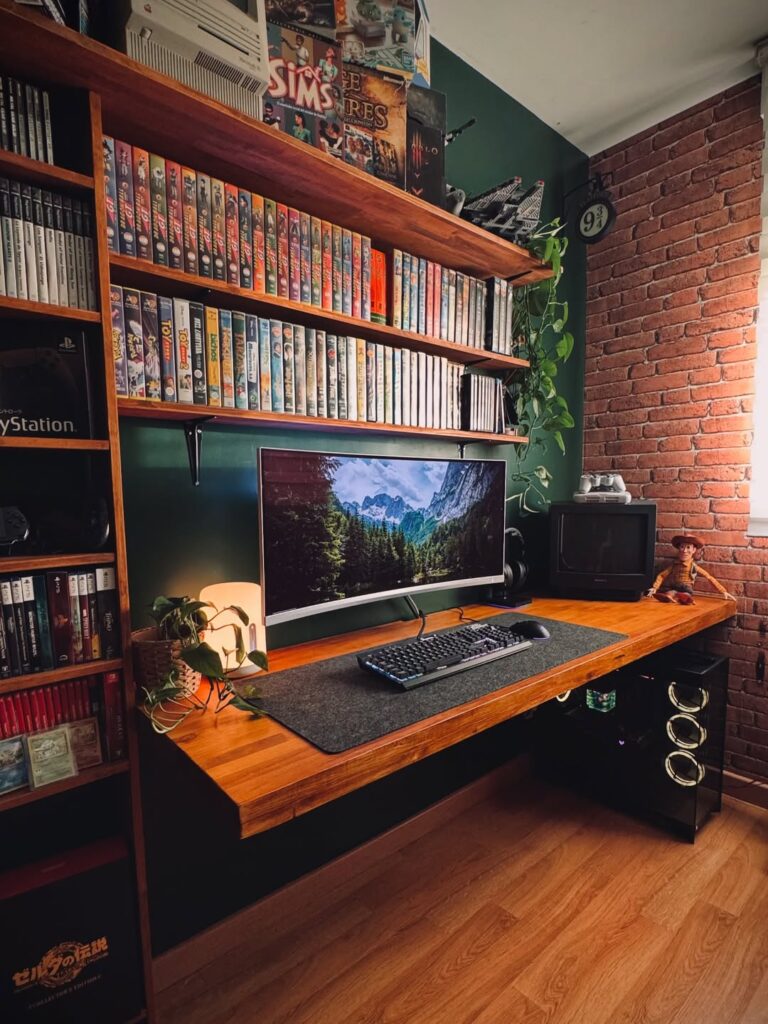
Image credit: @refreshtheroom.com
11 Personalize a Playful Gaming Desk with Cute Accessories
A playful gaming desk proves that serious gaming equipment can coexist with colorful, cheerful decorations. Pastel accessories, adorable character figures, customized keycaps, and small decorative lights introduce personality without compromising everyday functionality.
Start with a white desk and choose lavender, blush pink, mint green, or butter yellow as your main accent colors. Add a themed desk mat, decorative keyboard keycaps, and a small collection of favorite character figures. Use a wall-mounted pegboard or shelf for decorations so your primary gaming surface remains open.
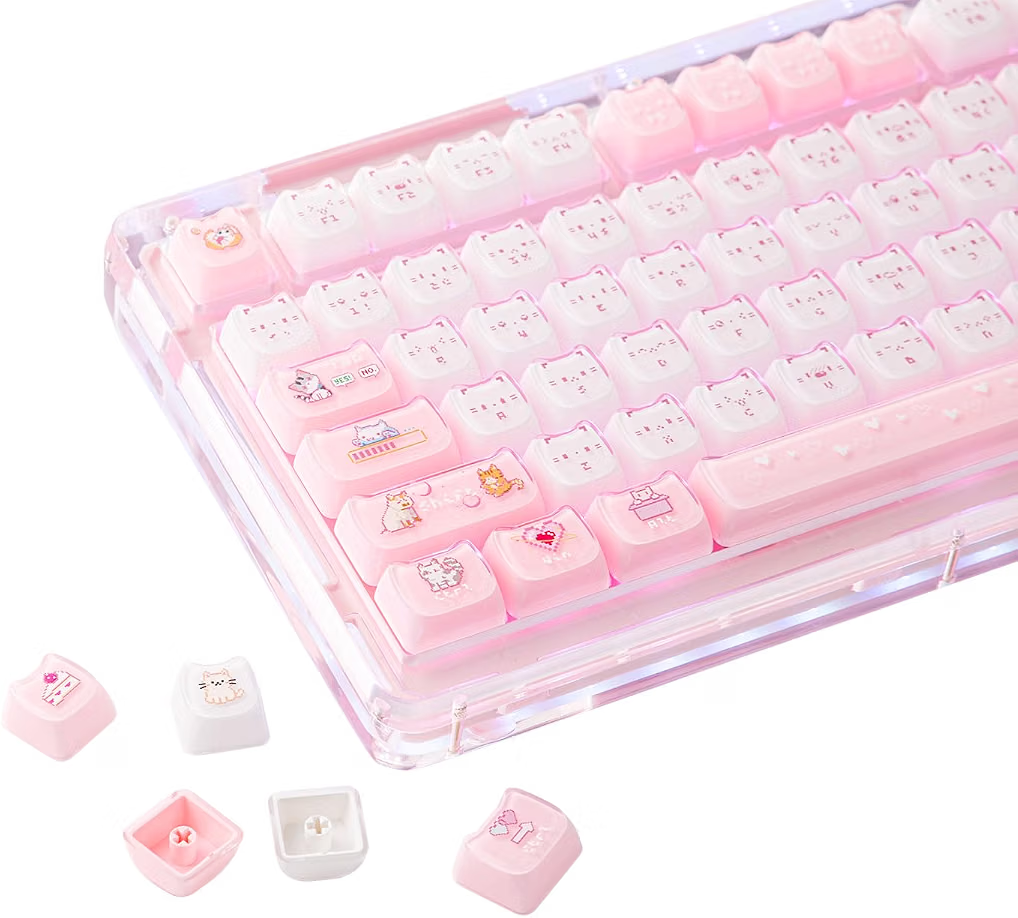
Budget tip: Refresh your existing keyboard with compatible keycaps or introduce a new desk mat rather than replacing perfectly functional gaming equipment.
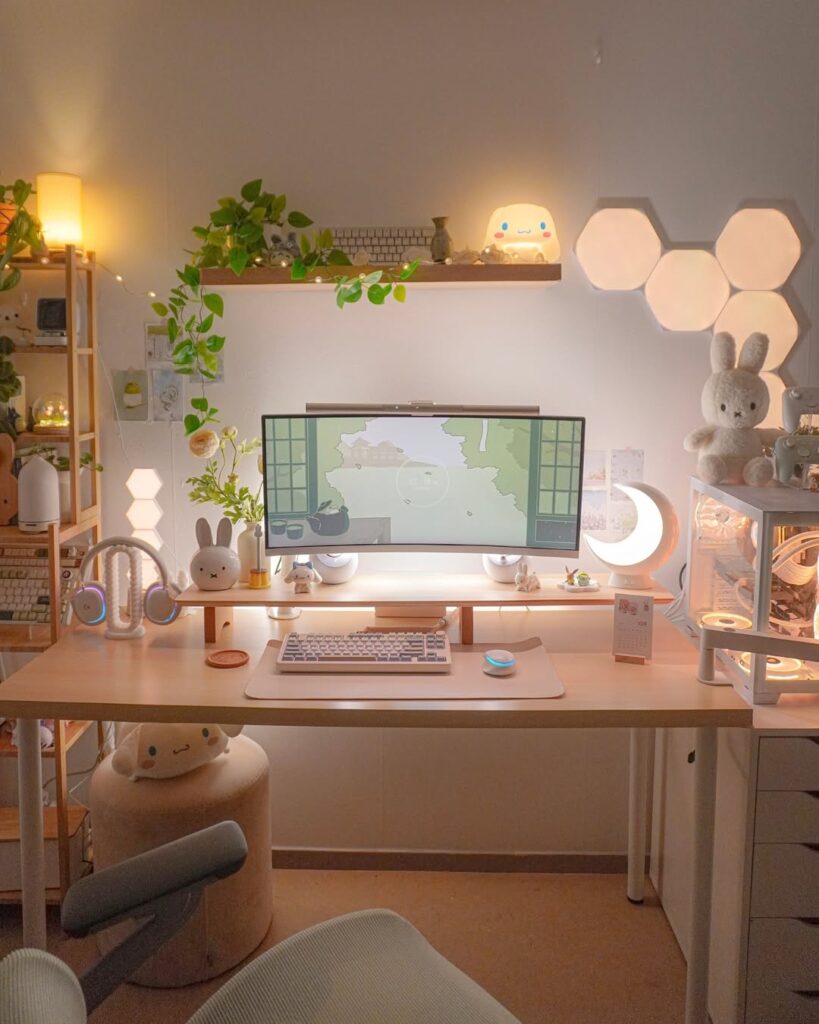
Image credit: @refreshtheroom.com
Amazon Find: Cute Pastel Gaming Keyboard Keycaps
Pastel keycap sets offer a playful way to customize a compatible mechanical keyboard and coordinate it with your gaming room aesthetic.
12 Design a Compact Gaming Desk with Natural Textures
A small gaming workstation can feel beautifully designed when natural materials and carefully selected equipment work together. Instead of trying to squeeze an oversized battlestation into a compact bedroom, create an arrangement that feels intentional and comfortable.
Choose a narrow oak desk with adequate depth for your monitor and peripherals. Introduce a linen-look desk mat, a small wooden accessory tray, and a wall-mounted shelf for lightweight decorations. A compact task lamp with adjustable brightness provides useful illumination without dominating the work surface.
Small-room tip: Prioritize desktop depth, legroom, and mouse movement space over decorative accessories. Add vertical storage whenever the work surface becomes crowded.
For additional inspiration, explore these PC gaming setup ideas for small rooms.
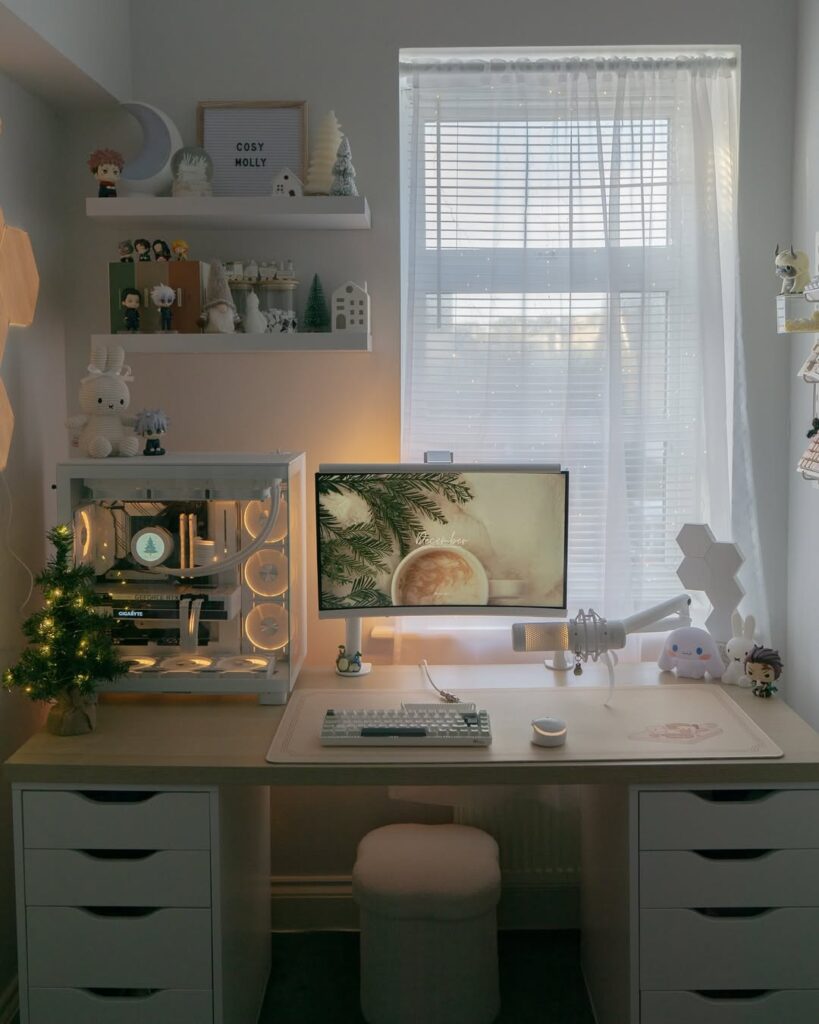
Image credit: @refreshtheroom.com
13 Build a Premium Ultrawide Monitor Gaming Station
An ultrawide monitor can become the centerpiece of a sophisticated gaming desk. Its continuous display area creates an immersive appearance and can be especially appealing for supported racing games, simulations, open-world adventures, and multitasking.
Position the monitor centrally on a spacious walnut or dark wood desktop. Pair it with compact speakers, a streamlined mechanical keyboard, and an extended charcoal desk mat. Use restrained warm backlighting to emphasize the display rather than surrounding it with numerous competing light sources.
Equipment tip: Check monitor dimensions, graphics hardware requirements, game support, and the capacity of any monitor mount before purchasing. Some games may not fully support ultrawide aspect ratios.
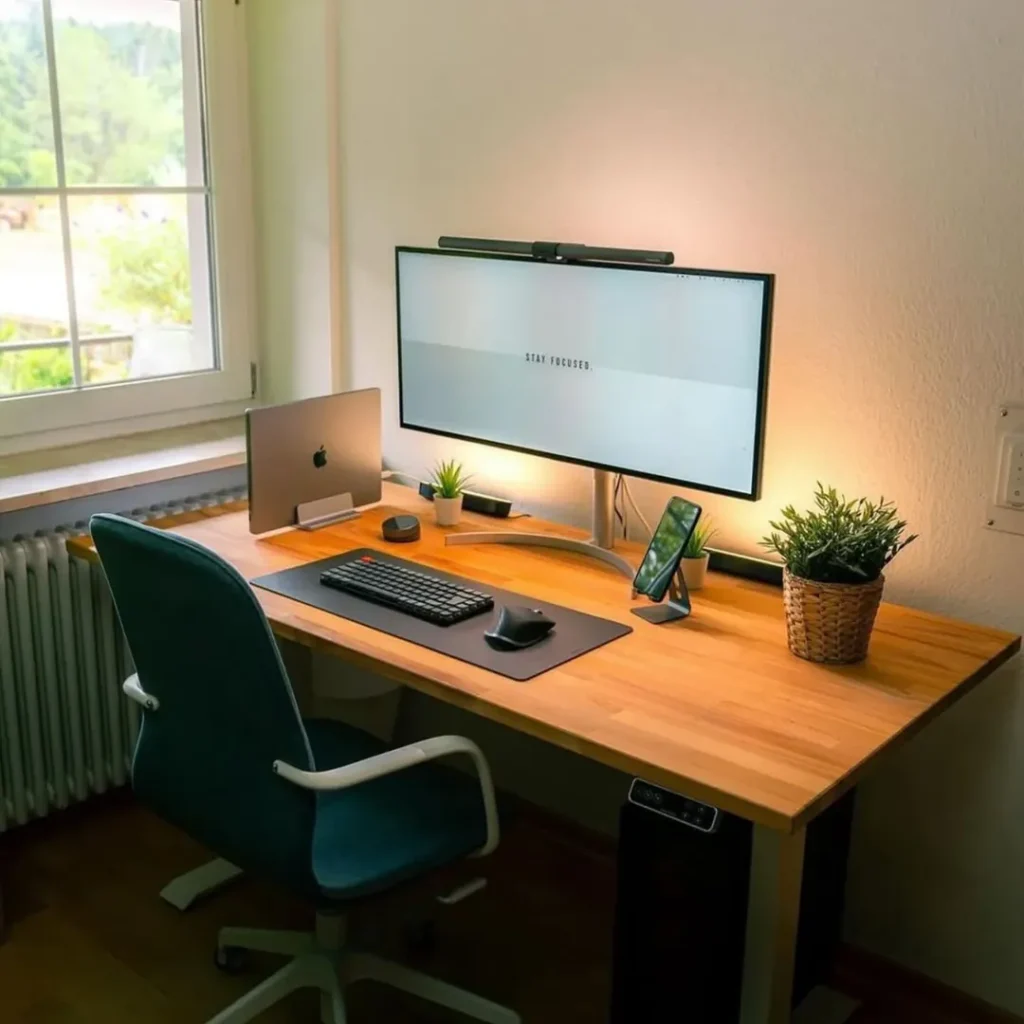
Image credit: @refreshtheroom.com
14 Create a Relaxed Gaming Desk Filled with Personal Details
Not every gaming desk needs to look like a professionally photographed showroom. A relaxed and personal workstation can be equally attractive when it reflects your interests, hobbies, favorite games, and everyday activities.
Combine your existing desk with a collection of favorite photographs, gaming memorabilia, books, and handmade decorations. Introduce a small corkboard or pegboard for postcards and personal artwork. A familiar desk lamp and comfortable chair make the station feel welcoming rather than overly staged.
Decorating tip: Rotate personal accessories as your interests change. Keep enough clear workspace for gaming and allow your decorative collection to develop gradually.
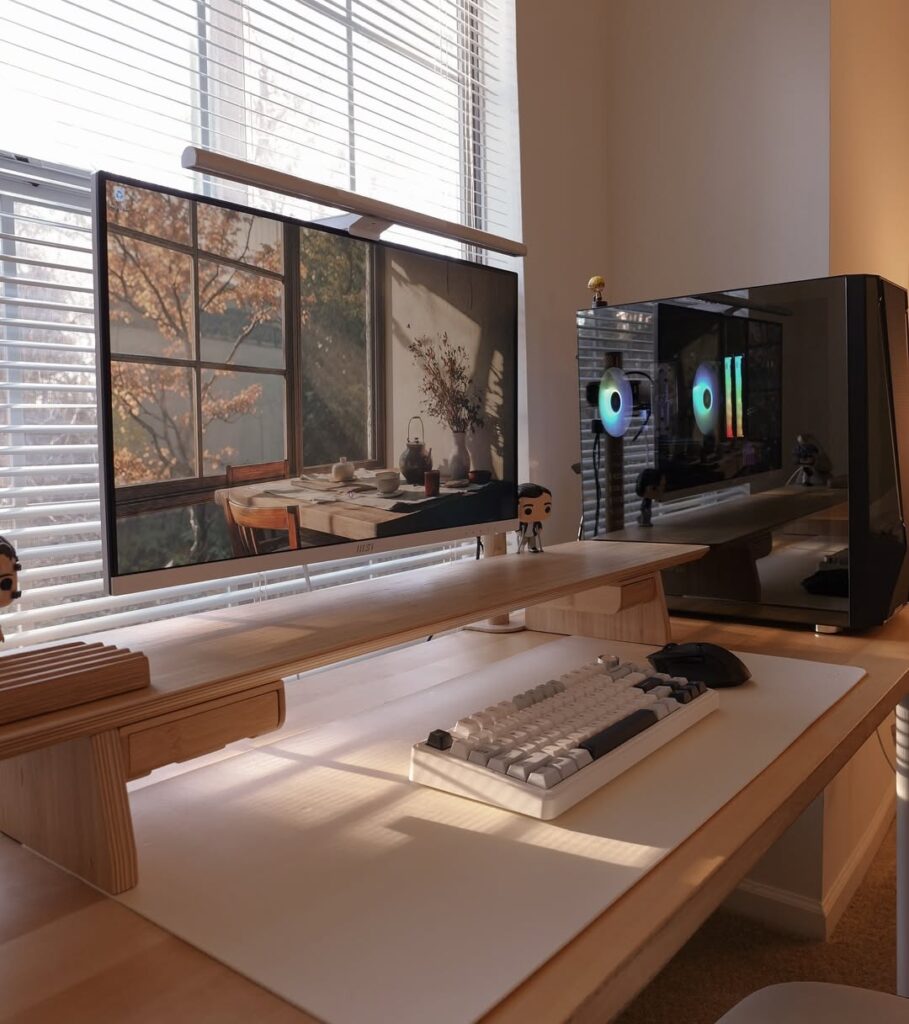
Image credit: @refreshtheroom.com
15 Design a Sophisticated Console-First Gaming Desk
A console-first gaming desk offers a streamlined alternative to a traditional PC battlestation. By prioritizing your display, gaming console, controllers, and audio equipment, you can create an attractive setup without filling the desktop with unnecessary peripherals.
Choose a spacious desk with a centrally positioned monitor or appropriately mounted television. Place your console on an open, stable surface with adequate ventilation. Introduce a compatible controller charging station, headset holder, and small storage compartment for physical games.
Console tip: Follow the manufacturer’s clearance and positioning requirements. Avoid placing your console inside an enclosed cabinet that could restrict airflow.
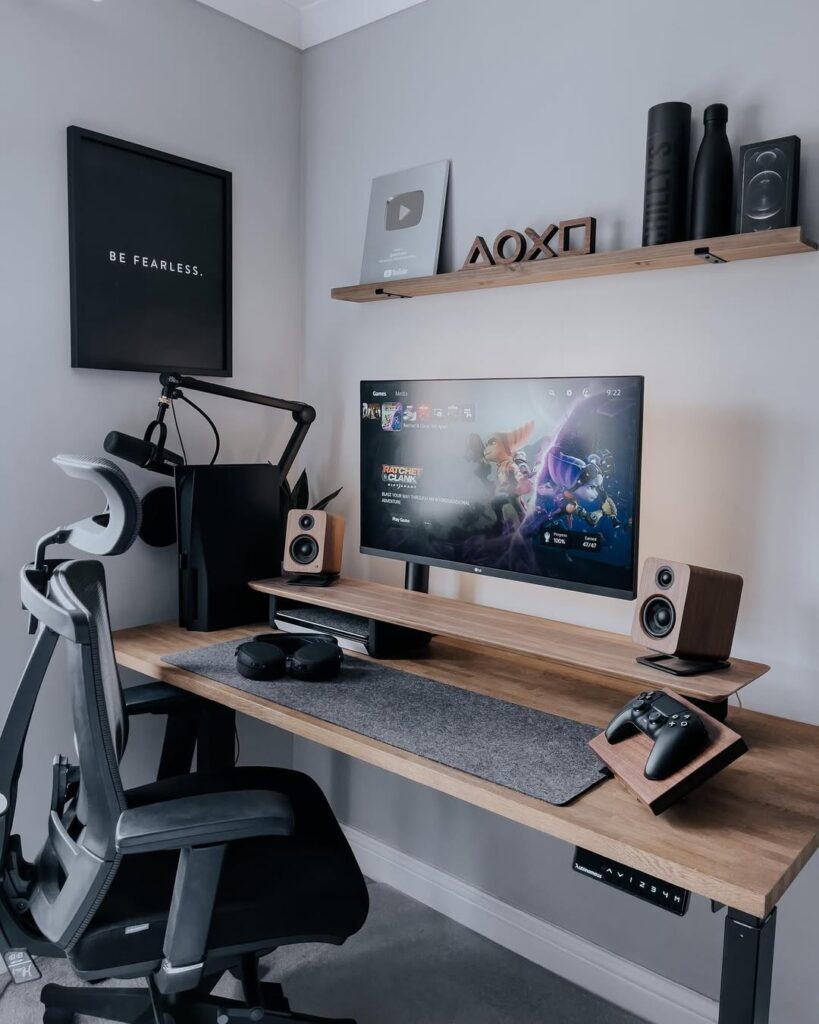
Image credit: @refreshtheroom.com
16 Turn Your Gaming Desk into a Cozy Neutral Sanctuary
Create a peaceful gaming retreat with warm neutral colors, soft textures, and gentle lighting. This cozy approach works particularly well for gamers who enjoy relaxing simulation games, story-driven adventures, and quiet evenings at home.
Pair a light wood desk with an oatmeal-colored chair, a cream desk mat, and soft amber lighting. Add a decorative cushion if it doesn’t interfere with your seating posture, a textured rug, and a few miniature artificial plants. A soft throw blanket nearby provides additional comfort during colder evenings.
Cozy styling tip: Keep blankets, curtains, and other fabrics away from computer ventilation openings. Place beverages on a stable side table or another surface away from electrical equipment.
Discover more warm and inviting battlestations in these 16 cozy gaming setup ideas for women.
Image credit: @refreshtheroom.com
5 Gorgeous Gaming Desk Color Palettes
A consistent color palette can make even an affordable gaming workstation appear carefully designed. Choose your main furniture colors first, then introduce complementary lighting, accessories, and decorations.
Modern Monochrome Battlestation
Matte black, crisp white, silver gray, and graphite. Combine streamlined gaming equipment, monochrome accessories, and neutral monitor backlighting.
Futuristic Ice-Blue Command Center
Midnight navy, electric blue, icy cyan, and cool white. An attractive combination for futuristic computer setups and clean RGB lighting arrangements.
Cozy Woodland Gaming Desk
Walnut brown, warm cream, sage green, and charcoal. Pair natural wood furniture with greenery, earthy accessories, and gentle amber illumination.
Dreamy Pastel Gaming Corner
Blush pink, lavender, mint green, and ivory. Perfect for cute gaming accessories, pastel keyboards, white furniture, and playful decorations.
Nostalgic Retro Arcade
Sunset orange, dusty pink, muted teal, and deep violet. Combine retro-style peripherals, arcade artwork, nostalgic collectibles, and colorful ambient lighting.
What Size Gaming Desk Should You Buy?
The ideal gaming desk dimensions depend on your room, monitor arrangement, equipment, and personal comfort. Use the following approximate dimensions as a starting point rather than fixed purchasing requirements.
| Setup Type | Suggested Width | Suggested Depth |
|---|---|---|
| Compact single-monitor setup | 40–48 inches | 24–28 inches |
| Standard PC gaming setup | 48–55 inches | 24–30 inches |
| Dual-monitor gaming setup | 55–72 inches | 28–30 inches |
| Ultrawide monitor setup | 55–72 inches | 28–32 inches |
| Streaming workstation | 60–72 inches or more | 28–32 inches |
| Console gaming desk | 40–60 inches | 24–30 inches |
Measurement tip: Check the actual footprint of your monitor stands, computer tower, speakers, and accessories. Allow additional space for comfortable viewing distance, unrestricted mouse movement, and safe equipment ventilation.
Gaming Desk Setup Shopping Checklist
Start with essential furniture and equipment before purchasing decorative accessories. Many of the following items may already be part of your existing gaming station.
| Item | Best For | Amazon Finds |
|---|---|---|
| Sturdy gaming desk | Creating a reliable workstation | Explore desks |
| Adjustable ergonomic chair | Comfortable seated gaming | Explore chairs |
| Monitor arm | Adjustable display placement | Explore monitor arms |
| Extended desk mat | Creating a coordinated gaming surface | Explore desk mats |
| Mechanical keyboard | Customizable typing and gaming | Explore keyboards |
| Cable management tray | Organizing cables beneath the desk | Explore cable trays |
| Gaming headset holder | Accessible headset storage | Explore headset holders |
| Controller charging dock | Compatible console controller storage | Explore charging docks |
| LED monitor backlight | Optional ambient illumination | Explore backlights |
| Desktop monitor shelf | Additional organization space | Explore monitor shelves |
| Gaming pegboard organizer | Vertical accessory storage | Explore pegboards |
| Artificial desk plants | Optional nature-inspired decor | Explore plants |
How to Make Your Gaming Desk Look Expensive on a Budget
An impressive gaming desk doesn’t necessarily require premium furniture or the latest computer accessories. Small improvements to organization, lighting, and color coordination can make an existing workstation feel considerably more polished.
- Hide visible cables: Use reusable cable ties, cord clips, and a suitable under-desk tray to organize loose wires.
- Introduce a large desk mat: A coordinated mat can visually connect your keyboard, mouse, and monitor arrangement.
- Reuse existing furniture: Refresh a sturdy desk with a suitable finish or new accessories rather than immediately replacing it.
- Coordinate your equipment colors: Choose accessories that complement the computer equipment you already own.
- Add indirect lighting: Position affordable LED strips behind the monitor instead of covering the entire room with lights.
- Use simple wall decorations: Display original artwork, licensed gaming prints, or a few meaningful collectibles.
- Remove unnecessary accessories: A clear desktop often looks more refined than a crowded collection of expensive equipment.
- Shop secondhand furniture: Look for sturdy desks, cabinets, and shelves that can be incorporated into your gaming station.
- Upgrade gradually: Prioritize equipment that solves a genuine problem before purchasing decorative extras.
How to Create a Comfortable and Ergonomic Gaming Desk Setup
A visually impressive gaming desk should also support comfortable everyday use. Monitor height, seating position, lighting, and peripheral placement are important considerations, especially if you spend considerable time at your workstation.
- Adjust your chair: Choose a seating position that supports your back and allows your feet to rest comfortably on the floor or a suitable footrest.
- Position your main monitor centrally: Avoid repeatedly turning your neck toward an off-center primary display.
- Check monitor height: Position the screen so its upper portion is generally around or slightly below eye level, adjusting for your individual needs.
- Maintain comfortable viewing distance: Keep the monitor far enough away to view content without leaning forward or straining.
- Keep your shoulders relaxed: Arrange your keyboard and mouse so your elbows remain comfortably positioned.
- Allow sufficient mouse movement: Avoid placing decorations, speakers, or other equipment directly within your usual mouse movement area.
- Reduce screen reflections: Position the desk and room lighting to minimize distracting glare.
- Take regular movement breaks: Change your posture, stand up, and move around rather than remaining seated for extended periods.
Comfort Comes Before Aesthetics
Choose furniture and equipment that accommodate your body, available space, and gaming habits. An expensive racing-style gaming chair or oversized monitor isn’t automatically better than a comfortable office chair or appropriately sized display.
How to Hide Cables on a Gaming Desk
Effective cable management can make the difference between an overcrowded workstation and a clean, sophisticated gaming desk. Organizing electrical connections also makes cleaning and equipment maintenance considerably easier.
- Turn off and disconnect equipment safely: Prepare the workstation before rearranging electrical connections.
- Identify individual cables: Separate monitor, power, audio, network, and peripheral connections.
- Choose a suitable power connection location: Keep power strips accessible and adequately ventilated.
- Install an under-desk cable tray: Select a mounting system appropriate for your desktop material.
- Route cables toward the rear: Use the back of the workstation to conceal unnecessary visible cable lengths.
- Secure loose connections: Use reusable cable straps without excessively tightening them.
- Allow movement: Leave sufficient cable slack for adjustable monitors and height-adjustable desks.
- Label connections: Identify important cables to simplify future equipment changes.
Electrical safety tip: Avoid overloaded power strips, daisy-chained extension cords, damaged cables, and cords placed underneath rugs. Follow the electrical equipment manufacturer’s instructions and keep liquids away from power connections.
Common Gaming Desk Setup Mistakes to Avoid
- Buying a desk without measuring: Check the available room dimensions, monitor footprint, and chair clearance before making purchases.
- Using an excessively shallow desktop: Allow enough room for comfortable monitor placement and unrestricted peripheral movement.
- Overcrowding the desk with decorations: Move collectibles, spare controllers, and decorative accessories onto nearby shelves.
- Ignoring computer ventilation: Maintain appropriate clearance around computer towers, consoles, and other electronic equipment.
- Choosing incompatible monitor arms: Verify mounting patterns, display weight, screen dimensions, and desktop strength.
- Using excessive RGB lighting: Choose coordinated colors and maintain suitable brightness levels.
- Neglecting cable organization: Secure loose wires and prevent them from interfering with chair movement or walking paths.
- Placing drinks beside electrical equipment: Use a separate stable surface whenever possible.
- Buying an uncomfortable chair for its appearance: Prioritize adjustable features and suitable dimensions.
- Blocking room access: Arrange your gaming furniture so doors, windows, and important walkways remain accessible.
- Overloading wall-mounted furniture: Follow the weight limits of desks, shelves, wall fixings, and individual accessories.
- Purchasing equipment you don’t need: Build a setup around your actual gaming habits instead of trying to copy every elaborate battlestation you see online.
Frequently Asked Questions About Gaming Desk Setups
1. What is the best desk shape for gaming?
A rectangular desk is a versatile choice for most single-monitor gaming stations. L-shaped desks provide additional workspace for streaming, multiple monitors, and separate activities. Floating desks can be useful in smaller rooms when properly installed. The best shape depends on your equipment, room layout, and preferred gaming position.
2. How can I make my gaming desk look aesthetic?
Choose a consistent color palette, conceal unnecessary cables, and arrange your equipment neatly. Add a coordinated desk mat, indirect lighting, personal artwork, or a few decorative accessories. Keep the main gaming surface clear and use nearby shelves or pegboards for additional decorations.
3. Is a standing desk good for PC gaming?
A height-adjustable desk can be a useful choice because it allows you to alternate between sitting and standing. Choose a stable model with adequate equipment capacity and an appropriate height range. Make sure cables accommodate desk movement and take regular movement breaks rather than relying on standing alone.
4. What accessories should every gaming desk have?
Useful accessories include an appropriately sized desk mat, suitable cable organizers, a headset holder, and adequate task lighting. A compatible monitor arm may provide additional placement flexibility. RGB lights, decorative shelves, plants, and customized keycaps are optional additions that depend on your preferred aesthetic.
5. How do I create a gaming desk setup in a small bedroom?
Choose a compact desk with sufficient depth and position it against an unused wall or corner. Use compatible monitor mounts, vertical storage, and under-desk cable management to preserve desktop space. Keep your computer adequately ventilated and ensure the desk and chair do not obstruct nearby furniture or room exits.
Recommended Amazon Finds for Your Gaming Desk Setup
These additional accessories can help you improve the organization, flexibility, and appearance of your gaming workstation without replacing your existing furniture.
- Adjustable Dual-Monitor Desk Mount: Reclaim valuable desktop space and adjust compatible monitors to suit your preferred gaming arrangement.
- Adjustable Monitor Light Bar: Introduce focused desktop illumination without taking up the space required by a traditional desk lamp.
- Gaming Headset and Controller Organizer: Give frequently used gaming accessories a dedicated storage location and keep the primary work surface organized.
Final Thoughts
These 16 gaming desk ideas demonstrate how creative furniture arrangements, thoughtful lighting, organized accessories, and personal decorations can make a workstation feel both impressive and practical. From futuristic ice-blue command centers and spacious L-shaped battlestations to warm wooden desks and cozy gaming sanctuaries, there’s a style for nearly every type of gamer.
Start by measuring your available space and organizing your existing equipment. Prioritize comfortable seating, practical monitor placement, and reliable cable management before introducing decorative upgrades.
Most importantly, create a gaming desk that reflects your interests and supports the way you actually play. An organized, personalized workstation can be just as enjoyable as an elaborate gaming room filled with expensive equipment.

Our guides are researched, fact-checked and updated as games change. How we research and verify our guides.