

If you’ve been playing The Sims 4 for a while, you’ve probably encountered a few gameplay limitations you wish you could change. From repeatedly entering cheat commands and dealing with unwanted social interactions to navigating crowded Build Mode catalogs, even small inconveniences can interrupt your storytelling experience.
These Sims 4 script mods introduce useful shortcuts, realistic social interactions, expanded customization options, improved building tools, and exciting new storytelling opportunities. They can help you spend less time navigating menus and more time creating the virtual lives you’ve imagined.
This collection features 14 script mods from talented Sims community creators, plus a bonus mod for players who love decorating and building. Always check the creator’s latest compatibility information before installing a mod.
Best Sims 4 Script Mods at a Glance
- Always CAS Full Edit Mode by TwistedMexi.
- Easel Art Catalog Pie Menu by Peco28.
- Preferences Plus by Helaene.
- ModGuard Malware Protection by TwistedMexi.
- Skip CAS Stories by MizoreYukii.
- Exchange Store by Vicky Sims.
- Expandable BuildBuy Catalog by TwistedMexi.
- Always Testing by TwistedMexi.
- Brawling Mod by UTOPYA_cc.
- Say Thank You Interactions by MizoreYukii.
- Less Intrusive Sims by TURBODRIVER.
- Full House by TwistedMexi.
- Immersive Social Bunny by Plumlace.
- Drama Mod by MizoreYukii.
- Bonus: Live Drag Move Objects by TwistedMexi.
What Are Script Mods in The Sims 4?
Script mods are player-created modifications that use custom code to introduce or alter game functionality. They can change how Sims behave, automate existing commands, introduce new interactions, and modify certain gameplay systems.
Unlike ordinary custom content such as hairstyles, clothing, furniture, and decorative objects, script mods often work behind the scenes to change how the game operates.
Script-based modifications commonly include files ending in .ts4script. Some also contain accompanying .package files or require additional framework mods such as XML Injector. Follow the installation instructions supplied by each creator.
Important Before Installing Script Mods
Script mods are available for the PC and Mac versions of The Sims 4, not PlayStation or Xbox. Game updates can break previously functional mods, so check compatibility, required expansion packs, dependencies, and installation instructions before adding anything to your game.
Sims 4 Script Mods vs. Regular Custom Content
| Feature | Script Mods | Regular CC |
|---|---|---|
| Main purpose | Modify game functionality | Add visual content and objects |
| Common file types | .ts4script and sometimes .package | .package |
| Examples | Gameplay shortcuts and social interactions | Hair, clothing, furniture, and makeup |
| Script Mods setting | Required for script files | Usually not required |
| Game update compatibility | Requires regular checking | Can also be affected by updates |
| Console compatibility | Not supported | Traditional third-party CC is not supported |
More Sims 4 and Gaming Inspiration:
14+ Best Sims 4 Script Mods to Download
1 Always CAS Full Edit Mode by TwistedMexi
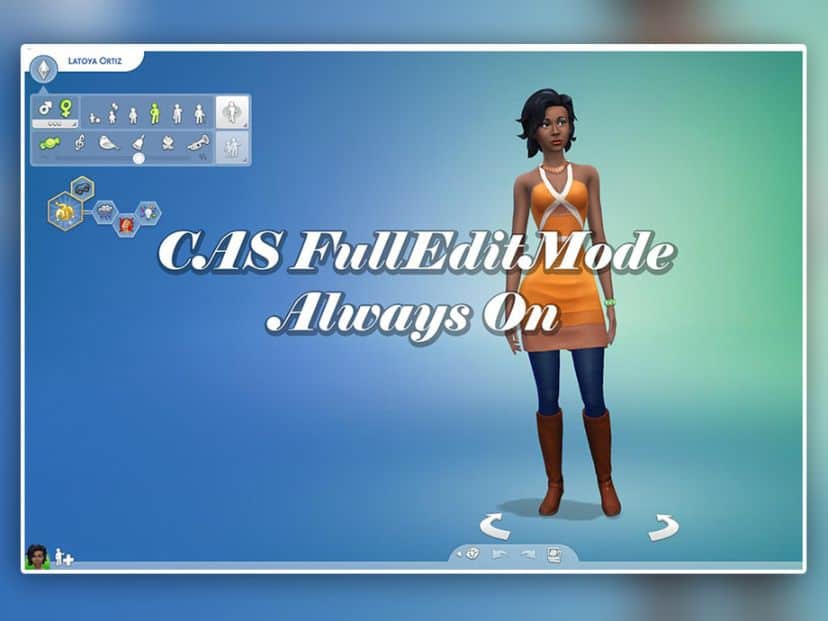
Always CAS Full Edit Mode is a convenient script mod for players who regularly customize their Sims. Instead of manually activating the full editing cheat whenever you want to make significant changes to a character, this mod keeps the functionality enabled.
This is particularly useful for legacy players who want to update household members as they age, redesign existing townies, or experiment with different character appearances. When testing cheats are enabled, Shift-click a Sim and select Modify in CAS to access expanded editing options.
- Automatically enables full CAS editing.
- Reduces repetitive cheat entry.
- Useful for household makeovers and storytelling.
- Pairs well with the Always Testing mod.
Best for: Character creators, legacy players, and Sims 4 makeover challenges.
Download Always CAS Full Edit Mode
2 Easel Art Catalog Pie Menu by Peco28
Give your artistic Sims greater creative control with the Easel Art Catalog mod. Rather than repeatedly starting paintings and hoping for a particular design, you can select artwork through an additional easel interaction.
This modification is especially enjoyable if you’re decorating a Sim’s home with matching artwork or creating a dedicated art gallery. It also makes storytelling more intentional when you want your painter Sim to specialize in particular artistic styles.
- Adds an artwork selection menu.
- Provides greater control over painting choices.
- Useful for decorating homes and galleries.
- Reduces repetitive painting attempts.
Best for: Artistic Sims, interior decorators, and creative gameplay challenges.

3 Preferences Plus Script Mod by Helaene
Preferences Plus was designed to give Sims more individualized personalities by expanding their Likes and Dislikes system. Its additional preference categories allow characters to develop more specific interests and reactions to everyday experiences.
The concept is particularly appealing for realistic family gameplay. Two Sims living in the same household can have contrasting interests, food preferences, and recreational habits, helping each character develop a more distinctive personality.
- Expands personality-related preferences.
- Introduces additional likes and dislikes.
- Supports more detailed character development.
- Requires attention to additional dependencies.

Compatibility warning: Helaene currently labels Preferences Plus as no longer supported. It is included here as a legacy mod for reference, not as a confirmed working download for the latest game version. Avoid installing it unless compatibility with your specific game version has been established.
View Preferences Plus Creator Page
4 ModGuard Malware Protection by TwistedMexi
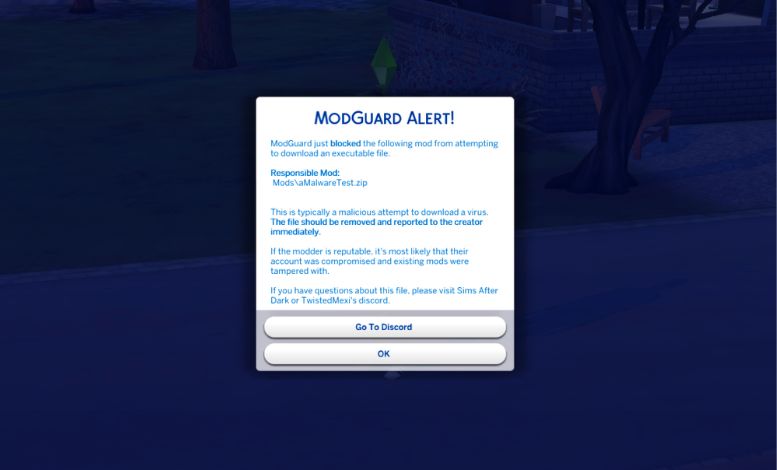
Players who maintain large collections of Sims 4 mods should pay particular attention to download security. TwistedMexi’s ModGuard is designed to identify and interrupt certain suspicious behaviors associated with malicious script mods.
The utility can help provide information about potentially dangerous mod activity. However, it should be considered an additional precaution rather than a replacement for reputable computer security software, careful downloading habits, and regular backups.
- Designed to detect certain suspicious script behaviors.
- Can alert players to potentially dangerous activity.
- Useful for players managing extensive mod collections.
- Does not guarantee complete malware protection.
Security tip: Download mods directly from reputable creators and never disable your computer’s security protections simply to install custom content.
5 Skip CAS Stories Mod by MizoreYukii
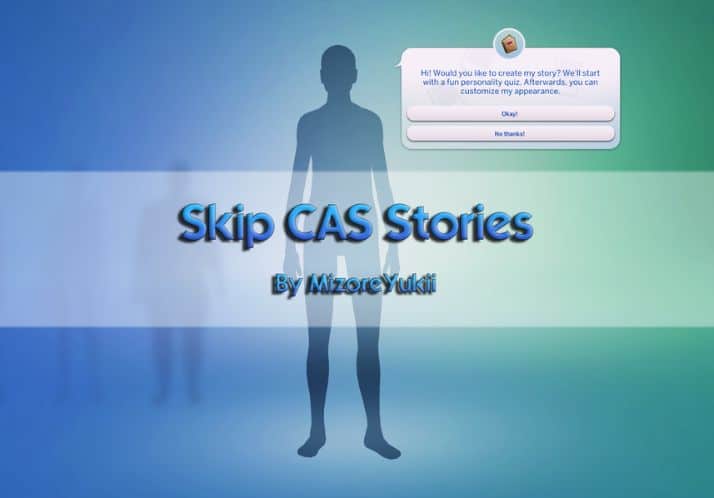
Creating a new household is an exciting part of starting a Sims 4 save. However, the introductory personality questionnaire can become repetitive when you prefer selecting your character’s appearance, traits, and background yourself.
The Skip CAS Stories mod removes that introductory interruption so you can move directly into character creation. It is especially convenient for players who frequently create test households, participate in CAS challenges, or design entire neighborhoods from scratch.
- Skips the introductory CAS Stories prompt.
- Provides quicker access to character creation.
- Reduces interruptions when starting new saves.
- Useful for frequent CAS users.
6 Exchange Store Script Mod by Vicky Sims
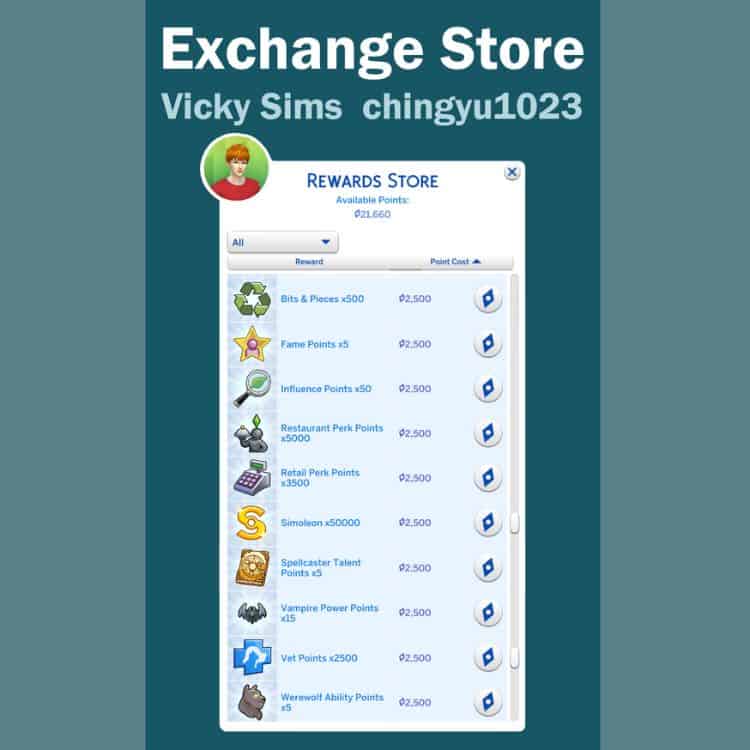
The Exchange Store mod introduces alternative ways to spend your Sims’ accumulated satisfaction points. Instead of using them exclusively for conventional satisfaction rewards, players can exchange them for other compatible in-game currencies and resources.
Depending on the installed packs and mod version, these exchanges can support activities such as running a retail business, managing a restaurant, developing an occult character, or pursuing a celebrity storyline.
- Introduces additional satisfaction reward options.
- Supports various pack-related progression systems.
- Provides alternative uses for accumulated points.
- May require specific expansion or game packs for certain exchanges.
Important: Check the requirements of each exchange option. Purchasing a pack-specific reward without the corresponding pack may waste your satisfaction points.
7 Expandable BuildBuy Catalog by TwistedMexi
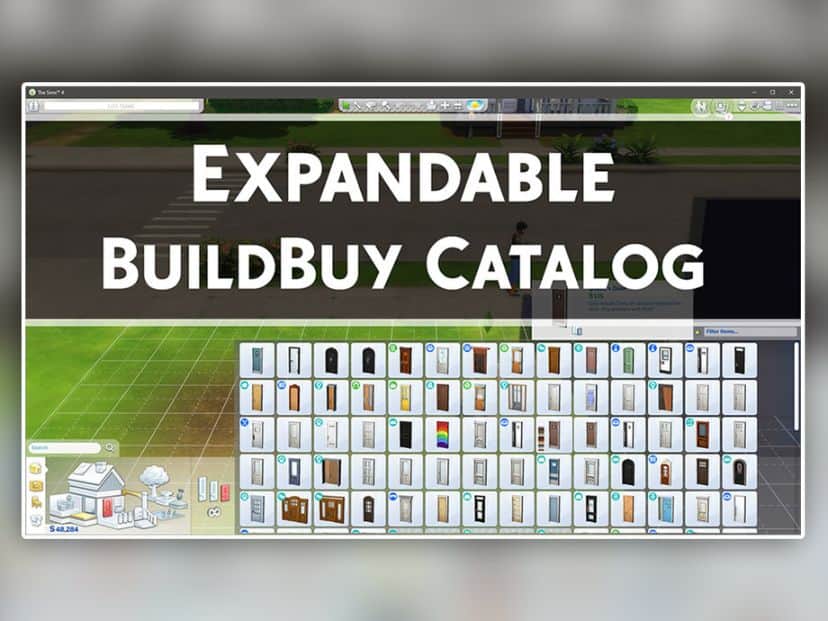
If you enjoy downloading furniture CC and designing elaborate houses, browsing the BuildBuy catalog can become time-consuming. TwistedMexi’s Expandable BuildBuy Catalog provides additional visible catalog rows, making it easier to browse larger collections of objects.
This is particularly helpful when comparing furniture, searching through decorative accessories, or coordinating objects from multiple custom content collections. The expanded catalog can be toggled using the tilde key in supported versions.
- Displays additional BuildBuy catalog rows.
- Makes browsing large furniture collections easier.
- Reduces repetitive scrolling.
- Useful for dedicated Sims 4 builders.
Planning a virtual gaming bedroom? Explore these Sims 4 gaming room ideas for additional custom content and decorating inspiration.
Download Expandable BuildBuy Catalog
8 Always Testing Script Mod by TwistedMexi
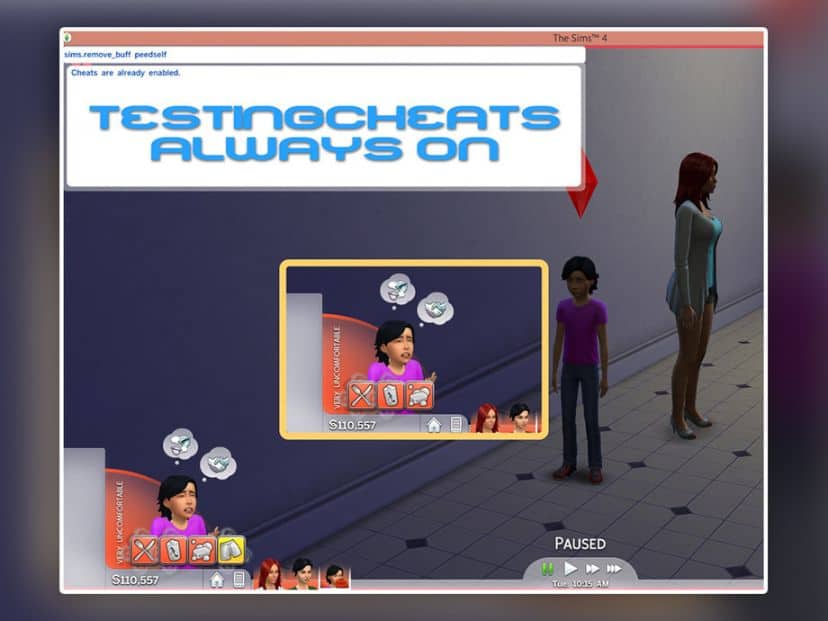
Always Testing is a straightforward quality-of-life modification that automatically enables testing cheats. Players who frequently use cheats no longer need to enter the initial testingcheats command every time they begin a gaming session.
This utility is helpful when managing large households, preparing storytelling scenes, testing custom content, or accessing additional Sim interactions. It can also complement the Always CAS Full Edit Mode script for players who regularly customize characters.
- Automatically enables testing cheats.
- Simplifies access to cheat-related interactions.
- Reduces repetitive command entry.
- Complements other TwistedMexi utility mods.
9 Sims 4 Brawling Mod by UTOPYA_cc
For players who enjoy dramatic fictional storylines, UTOPYA_cc’s Brawling Mod introduces additional confrontational interactions between Sims. These animated interactions can add conflict to rivalries, arguments, and other dramatic moments.
The mod also introduces associated gameplay buffs, allowing fictional confrontations to influence characters beyond the initial animation. It is an optional addition for players who prefer more chaotic storytelling rather than peaceful everyday gameplay.
- Adds animated fighting interactions.
- Introduces additional emotional buffs.
- Supports rivalry-based storytelling.
- Contains fictional violence.
Best for: Dramatic storytelling, fictional rivalries, and chaotic Sims challenges.

10 Say Thank You Interactions by MizoreYukii
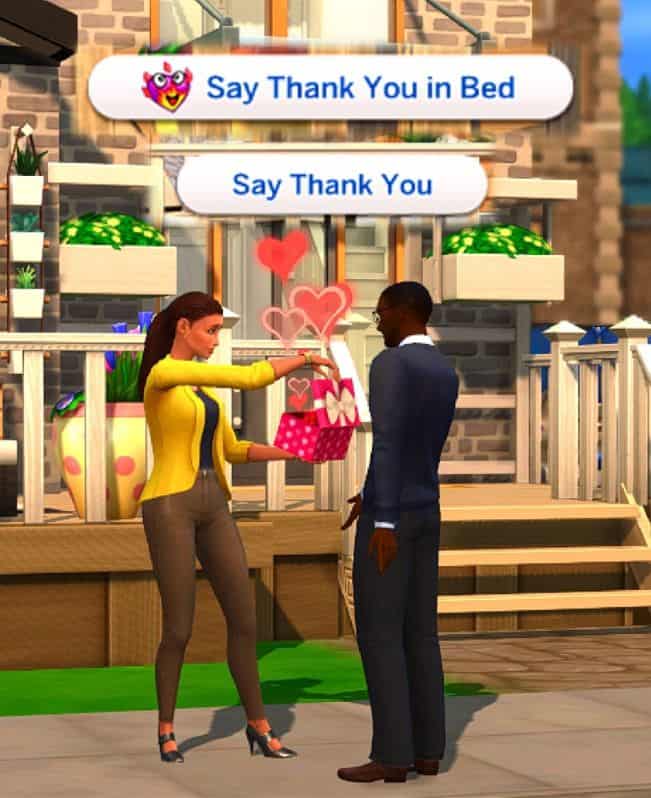
Sometimes the smallest social interactions make the biggest difference to realistic gameplay. MizoreYukii’s Say Thank You mod gives Sims additional opportunities to express appreciation toward other characters.
Use the friendly gratitude interaction after a birthday celebration, a thoughtful gift, or a meaningful moment between household members. The mod also includes an optional adult-oriented romantic interaction, so review the creator’s description before installing it.
- Adds gratitude-related social interactions.
- Supports more expressive character relationships.
- Useful for gift-giving and friendship storylines.
- Includes optional romantic content.
View Say Thank You Interactions
11 Less Intrusive Sims Mod by TURBODRIVER
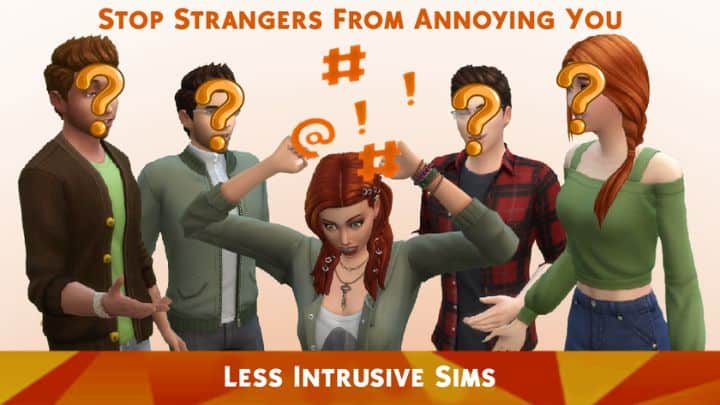
Uninvited Sims joining conversations and overly familiar relationship requests can occasionally interrupt carefully planned gameplay. Less Intrusive Sims aims to make certain autonomous social behaviors feel more natural.
This modification is particularly useful when playing realistic dates, private family gatherings, or friendship-focused storylines. Its behavioral changes are intended to reduce some unwanted social interruptions and premature relationship interactions.
- Reduces certain unwanted conversation interruptions.
- Adjusts selected autonomous relationship requests.
- Supports more natural social storytelling.
- Useful for realistic everyday gameplay.
Compatibility tip: Check for conflicts with other mods that alter social autonomy or relationship behavior.
12 Full House Script Mod by TwistedMexi
The Full House mod is designed for players who want to experiment with households larger than the game’s conventional eight-member limit. It introduces a command-based method of manually adding additional Sims to an existing household.
This can provide interesting opportunities for multigenerational family stories, large roommate households, and unusual gameplay challenges. Larger households may also require more careful management of sleeping arrangements, bathrooms, meals, and character autonomy.
Full House Command:
tm.fullhouse FirstName LastName
Important warning: Standard CAS and household management tools may not safely handle households exceeding eight members. Back up your saves, review the creator’s limitations, and avoid using unsupported editing methods that could remove household members.

13 Immersive Social Bunny by Plumlace
Immersive Social Bunny expands the social media experience available through the High School Years expansion. Plumlace introduces additional posting possibilities, social interactions, and responses that make the fictional platform more expressive.
This is a fun addition for players creating high school stories, young adult households, influencer characters, and friendship-focused saves. The expanded content also provides opportunities for different age groups and compatible occult characters to express their personalities online.
- Expands Social Bunny content.
- Introduces additional posting and tagging possibilities.
- Supports personality-driven social storytelling.
- Requires the High School Years expansion pack.

Download Immersive Social Bunny
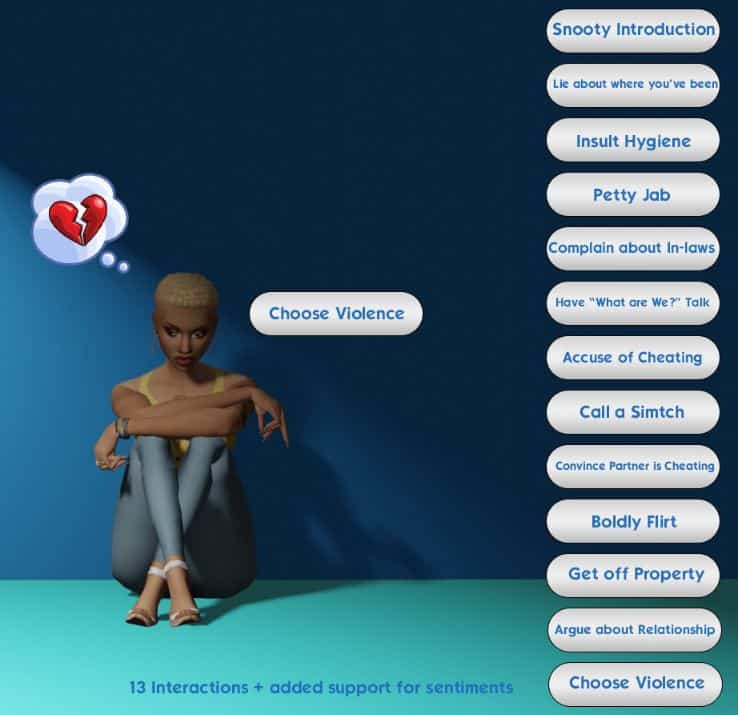
14 Drama Script Mod by MizoreYukii
If your Sims’ relationships feel a little too predictable, MizoreYukii’s Drama Mod introduces additional conversational possibilities for more complicated fictional storylines. These interactions can help develop disagreements, romantic tension, rivalries, and relationship conflicts.
Certain interactions depend on the existing relationship between characters, while associated moodlets help reflect their emotional experiences. Use the mod to develop a dramatic neighborhood storyline, a complicated friendship, or a household filled with unexpected conflicts.
- Introduces additional dramatic social interactions.
- Adds emotional consequences through moodlets.
- Supports relationship-focused storytelling.
- Includes interactions influenced by existing relationships.
15 Bonus: Live Drag Move Objects Mod by TwistedMexi
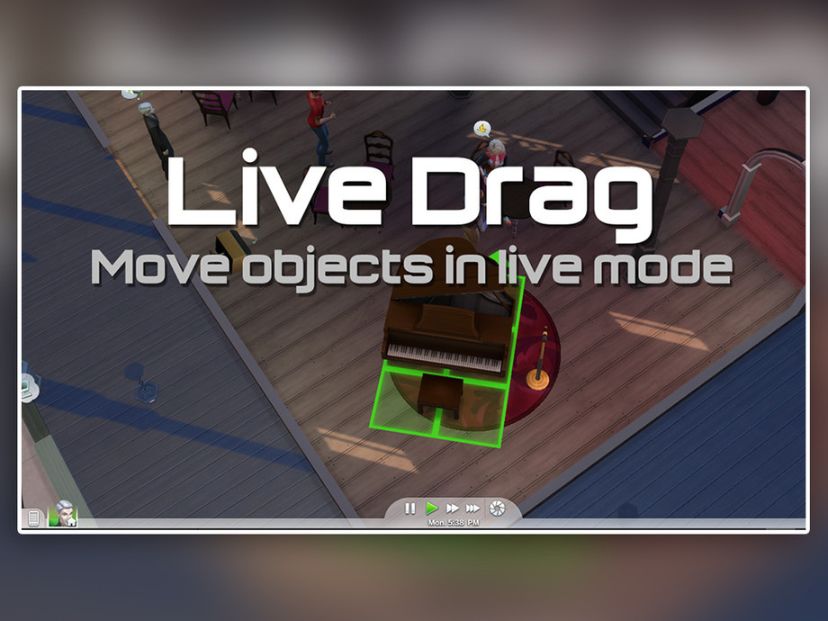
Live Drag is a convenient utility for players who frequently rearrange objects while actively playing their households. Rather than repeatedly switching between Live Mode and Build Mode, the mod introduces additional object-moving functionality during gameplay.
This is particularly useful when preparing screenshots, adjusting room arrangements, or setting up storytelling scenes. Check the creator’s instructions for the supported command and any object-placement limitations.
- Introduces expanded object dragging in Live Mode.
- Reduces unnecessary switching between game modes.
- Useful for screenshots and creative storytelling.
- Complements decorating and building utilities.
Best Sims 4 Script Mods for Different Gameplay Styles
You don’t need to install every available script mod to improve your gaming experience. Choose modifications that complement your preferred gameplay style and introduce features you genuinely want to use.
| Gameplay Style | Mods to Consider | Main Benefit |
|---|---|---|
| Realistic gameplay | Less Intrusive Sims and Say Thank You | More expressive social experiences |
| CAS challenges | Always CAS Full Edit Mode and Skip CAS Stories | Quicker character creation |
| Building and decorating | Expandable BuildBuy Catalog and Live Drag | Improved creative workflow |
| Family and legacy gameplay | Say Thank You and Full House | Expanded household storytelling |
| Teen gameplay | Immersive Social Bunny | Additional social media interactions |
| Dramatic storytelling | Drama Mod and Brawling Mod | Additional fictional conflicts |
| Creative careers | Easel Art Catalog | Greater control over artwork |
| Reward management | Exchange Store | Additional progression options |
| Mod security | ModGuard | Additional protection against certain suspicious behaviors |
How to Download and Install Sims 4 Script Mods
Installing script mods is relatively straightforward once you understand the correct folder structure and game settings. Always follow individual creator instructions when they specify additional requirements.
Step 1: Back Up Your Sims 4 Files
Close your game and create a backup of your existing saves, Tray folder, and important custom content. Store the backup in a separate location so you can restore your files if a newly installed modification causes problems.
Step 2: Download Mods from Trusted Creators
Visit the creator’s official Patreon page, website, or established mod hosting page. Check the latest update information, expansion requirements, dependency instructions, and any known incompatibilities before downloading.
Step 3: Extract the Downloaded Archive
If the mod arrives inside a ZIP, RAR, or 7Z archive, extract the outer archive using suitable software. Locate the .ts4script and any accompanying .package files. Do not extract the internal contents of a .ts4script file unless the creator specifically instructs you to do so.
Step 4: Locate Your Sims 4 Mods Folder
On most Windows and Mac installations, the game’s user files are located inside the Documents folder. Cloud-synced Documents folders may use a different location.
Mods folder:
Documents/Electronic Arts/The Sims 4/Mods
Step 5: Place Script Files in the Correct Location
Place your script mods directly inside the Mods folder or no more than one subfolder below it. Keep related package files and script files together unless the creator provides different instructions.
| Example Folder Structure | Status |
|---|---|
| Mods/Example.ts4script | Correct |
| Mods/CreatorName/Example.ts4script | Correct |
| Mods/Gameplay/CreatorName/Example.ts4script | Too deeply nested |
Step 6: Enable Script Mods in Game Options
Launch The Sims 4 and open the Game Options menu. Navigate to the Other section and enable the following settings:
- Enable Custom Content and Mods.
- Script Mods Allowed.
Apply your changes, close the game completely, and restart it.
Step 7: Test Your Mods Before Returning to Your Main Save
Create a temporary test household and check whether the newly installed functionality appears. Testing new mods separately can make troubleshooting easier and reduce the risk of introducing problems into a long-running family or legacy save.
You can also refer to the official EA guide to installing Sims 4 mods for additional installation information.
What Is XML Injector in The Sims 4?
XML Injector is a shared framework used by certain Sims 4 modifications to introduce gameplay interactions and other functionality without requiring every creator to develop a separate script implementation.
Some gameplay mods will not function correctly without this dependency. Other modifications operate independently or require different supporting libraries.
Read each creator’s requirements carefully and install the appropriate version of any necessary dependency. Avoid keeping multiple outdated copies of the same framework in different Mods subfolders.
Dependency Tip
You generally need only one compatible installation of a shared framework. Installing duplicate copies for every dependent mod is unnecessary and may introduce conflicts.
How to Organize Your Sims 4 Script Mods Folder
As your Sims 4 mod collection grows, maintaining an organized folder structure becomes increasingly important. A thoughtful arrangement makes it easier to locate outdated modifications, remove conflicting files, and install creator updates.
Example Organized Mods Folder
Mods/
  Resource.cfg
  TwistedMexi/
    Script and package files
  MizoreYukii/
    Script and package files
  VickySims/
    Script and package files
  Plumlace/
    Script and package files
  UTOPYA_cc/
    Script and package files
  RequiredLibraries/
    Compatible framework files
  FurnitureCC/
    Package files
  HairCC/
    Package files
  ClothingCC/
    Package files
This is an illustrative folder structure. Certain creators require their files to remain in specific locations, so prioritize the individual installation instructions over your preferred organization method.
- Organize script mods by creator: This makes identifying individual updates easier.
- Keep scripts and related packages together: Avoid accidentally separating required files.
- Maintain a mod tracking list: Record the creator, download page, installed version, and update date.
- Remove outdated versions: Do not leave older copies alongside newly downloaded replacements.
- Separate decorative CC: Keep furniture, hairstyles, clothing, and other cosmetic content organized by category.
- Preserve Resource.cfg: This configuration file is important for the game’s custom content folder structure.
Why Are My Sims 4 Script Mods Not Working?
If a newly installed script mod doesn’t appear in your game, the problem may be related to installation, disabled settings, outdated files, or missing requirements. Use this troubleshooting guide to identify common causes.
| Problem | Possible Cause | Solution |
|---|---|---|
| Script mods are missing | Script Mods setting is disabled | Enable scripts and restart the game |
| New interactions do not appear | Missing dependency | Check the creator’s required libraries |
| Mod is not recognized | Incorrect folder depth | Move the script closer to the main Mods folder |
| Game fails to load correctly | Outdated or conflicting modification | Remove suspect mods and test separately |
| Mod stopped working after an update | Game patch incompatibility | Check the creator’s latest update status |
| Specific features are unavailable | Missing expansion pack | Verify the mod’s pack requirements |
| Unexpected duplicate interactions | Multiple installed versions | Remove outdated duplicate files |
| Mods are in the folder but unavailable | Wrong user Documents location | Locate the active Sims 4 user folder |
How to Fix Broken Sims 4 Script Mods After an Update
Major Sims 4 updates can change gameplay systems that script mods rely on. Even a modification that previously worked without problems may need an update from its creator before it can safely be used again.
- Back up your game: Preserve your important saves and custom content before troubleshooting.
- Check the patch information: Identify the game version currently installed on your computer.
- Temporarily disable mods: Test whether the unmodified game launches and operates correctly.
- Check creator announcements: Look for confirmed compatibility reports and updated downloads.
- Remove broken modifications: Move incompatible files outside the active Mods folder.
- Install updated versions: Replace obsolete files according to the creator’s instructions.
- Clear the appropriate cache: With the game closed, remove localthumbcache.package from the Sims 4 user folder after changing mods.
- Re-enable compatible mods: Check both custom content and script mod settings.
- Restart and test: Use a temporary save before continuing your main household.
Important: Avoid saving over your main household while essential mods or custom content are temporarily disabled. Missing custom furniture, clothing, or gameplay functionality may affect the saved household. Test using a backup or temporary save instead.
For additional troubleshooting information, visit EA’s official guide to mods and game updates.
How to Find Conflicting Script Mods Using the 50/50 Method
When you have a large custom content collection, removing every modification individually can take considerable time. The 50/50 method helps narrow down a problematic collection of files by testing smaller groups.
- Back up your saves and close The Sims 4.
- Move approximately half of your mod groups outside the Mods folder.
- Keep required dependencies and related script and package files together.
- Clear localthumbcache.package and launch a temporary test save.
- Determine whether the original problem remains.
- Narrow down the suspected group by repeating the process with smaller batches.
- Identify and remove or update the incompatible modification.
- Restore the remaining compatible mods and test again.
This method is helpful for isolating individual problems, but conflicts involving multiple mods may require additional testing. Review the compatibility instructions of modifications that affect the same gameplay system.
Useful Gaming Accessories for Sims 4 Players
Script mods can improve your virtual gameplay experience, while a comfortable real-life gaming setup can make longer building, decorating, and character creation sessions more enjoyable. These optional accessories are separate from the digital mods featured above.
Amazon Find: External Backup Drive for Sims 4 Saves
Keep separate backups of your Sims 4 households, saves, custom content, and personal gaming files using a compatible external storage device.

Amazon Find: Comfortable Wireless Gaming Mouse
A comfortable mouse with responsive controls can be useful when browsing BuildBuy catalogs, arranging furniture, and customizing Sims.

Amazon Find: Aesthetic Extended Gaming Desk Mat
Create a coordinated gaming station with a floral, pastel, botanical, or minimalist desk mat that accommodates your keyboard and mouse.

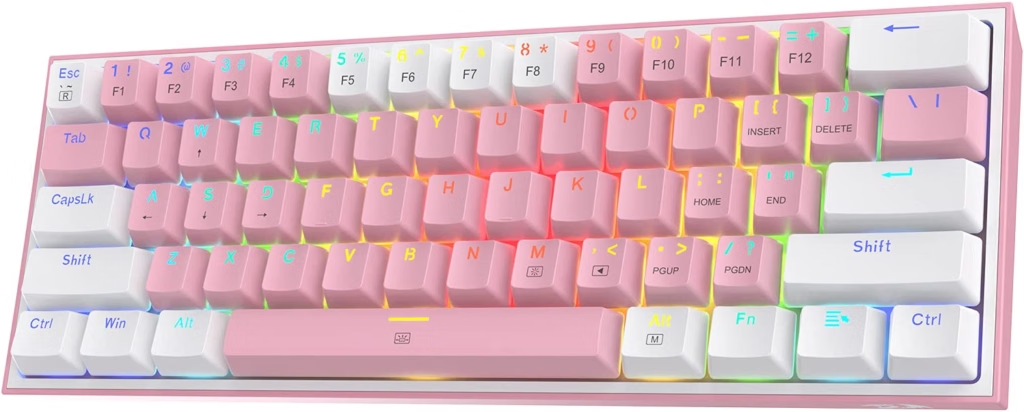
Amazon Find: Compact Mechanical Gaming Keyboard
A compact keyboard with your preferred layout can provide comfortable access to shortcuts while preserving additional desk space.
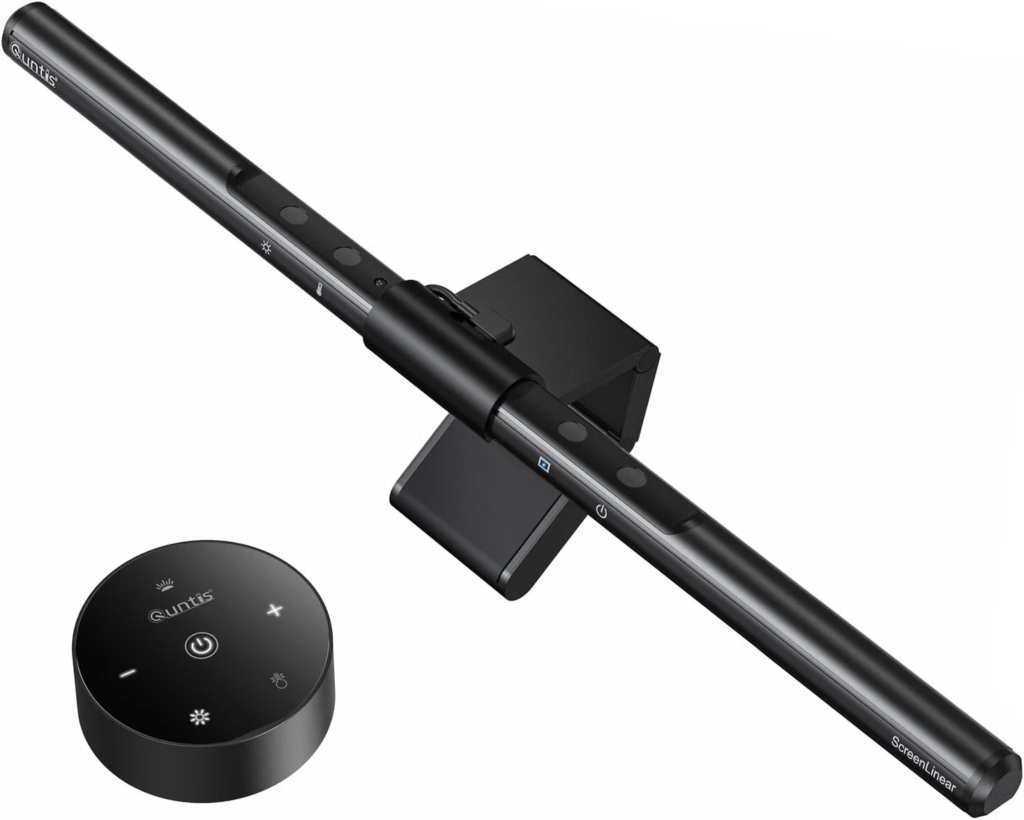
Amazon Find: Adjustable Gaming Monitor Light Bar
Introduce adjustable desktop illumination for evening gaming and creative computer activities without occupying much additional desk space.
For more ideas for your real-life gaming space, explore these 11 gamer girl setup essentials and cozy desk accessories.
Common Sims 4 Script Mod Mistakes to Avoid
- Downloading mods from unknown websites: Prioritize reputable creators and established hosting platforms.
- Installing unsupported modifications: Check whether the creator still maintains the mod.
- Forgetting to enable script mods: Enable the required settings and restart the game.
- Extracting .ts4script files: Keep the script archive intact unless instructed otherwise.
- Creating too many nested folders: Script files generally cannot be placed more than one subfolder below Mods.
- Ignoring required dependencies: Install compatible framework files when necessary.
- Keeping multiple mod versions: Remove old files before installing replacements.
- Ignoring expansion requirements: Check whether you own the packs required for specific features.
- Installing too many mods simultaneously: Add modifications in manageable batches so problems are easier to identify.
- Neglecting backups: Preserve important saves before changing major gameplay systems.
- Re-enabling outdated mods immediately after patches: Check compatibility information first.
- Saving important households during troubleshooting: Use a temporary save to avoid unnecessary changes to your main household.
Frequently Asked Questions About Sims 4 Script Mods
1. What are the best Sims 4 script mods for beginners?
Simple utility mods such as Always CAS Full Edit Mode, Always Testing, and Skip CAS Stories are worth exploring because their purposes are relatively straightforward. Choose versions compatible with your current game and introduce them individually before experimenting with more complicated gameplay modifications.
2. Are Sims 4 script mods safe to download?
Script mods contain executable gameplay code and are not individually approved or screened by EA. Download from reputable creators, keep your computer security software active, check compatibility, and back up important game files. No third-party modification can be guaranteed completely safe.
3. Can I use Sims 4 script mods on PS5 or Xbox?
No. Traditional third-party Sims 4 script mods require the PC or Mac version of the game. PlayStation and Xbox players cannot install these .ts4script modifications through the game’s normal console features.
4. Do all Sims 4 script mods require XML Injector?
No. Some gameplay modifications depend on XML Injector, while others use their own scripts or different frameworks. Read the individual creator’s installation instructions to determine which dependencies are necessary. Avoid installing unnecessary duplicate libraries.
5. Can Sims 4 script mods make my game slower?
Some modifications can introduce additional processing requirements, particularly those that alter complex gameplay systems or autonomy. Performance also depends on your computer, household size, and installed content. Introduce mods gradually and test whether they noticeably affect your gaming experience.
6. How many script mods can I install in The Sims 4?
There is no universal recommended number that guarantees stable gameplay. A smaller collection of compatible, maintained script mods may be more reliable than a large collection of outdated or conflicting modifications. Focus on compatibility, useful features, and your computer’s performance rather than a particular quantity.
7. Do Sims 4 script mods need to be updated after every patch?
Not necessarily. Some modifications remain compatible after an update, while others require substantial changes. Check the creator’s compatibility announcements after each game patch rather than assuming all mods are broken or automatically safe to use.
Recommended Amazon Finds for Cozy Sims 4 Gaming Sessions
- Adjustable Ergonomic Gaming Chair: Choose supportive seating with dimensions and adjustable features suitable for your everyday computer activities.
- Wooden Monitor Riser: Create additional organization space beneath a suitably positioned gaming monitor.
- Adjustable Ambient Gaming Lights: Introduce a cozy atmosphere to your gaming corner with gentle, indirect illumination.
Final Thoughts
These 15 Sims 4 script mod ideas demonstrate how community-created modifications can introduce useful shortcuts, additional social experiences, improved creative tools, and exciting storytelling possibilities. From expanded BuildBuy catalogs and character editing utilities to immersive social media and dramatic relationships, there are plenty of ways to personalize your game.
Start with a few maintained modifications that suit your preferred gameplay style. Check their compatibility, install any necessary dependencies, organize your Mods folder, and preserve backups of your favorite households.
The best Sims 4 mod collection isn’t necessarily the largest. It’s the collection that works reliably with your game and helps you create the characters, homes, relationships, and stories you enjoy most.

Our guides are researched, fact-checked and updated as games change. How we research and verify our guides.