
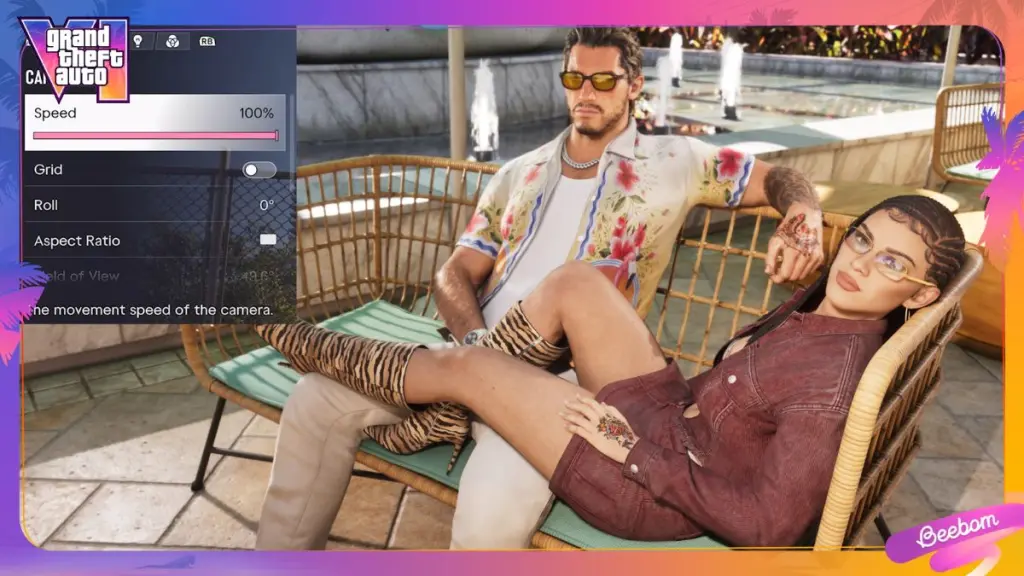

Quick answer: Yes, GTA 6 has a photo mode. It’s called Photo Studio: press Options on PS5 or Menu on Xbox Series X|S and select Photo Studio from the pause menu. It’s available from the very start of the game, and lets you change the camera, depth of field, filters and up to five light sources, but not the weather or time of day. For selfies, use the Camera app on Jason’s or Lucia’s phone instead.
Last updated: November 19, 2026
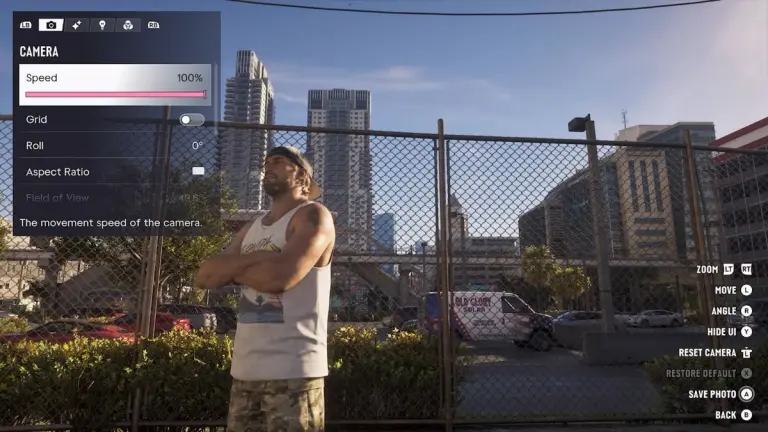
How to open Photo Studio in GTA 6
- Press Options (PS5) or Menu (Xbox Series X|S) to pause the game.
- Select Photo Studio. Some players report a shortcut from the pause screen: Square on PS5 or X on Xbox.
- Frame your shot and adjust the settings below.
- Choose Save Photo, or hide the interface and use your console’s own screenshot button.
There’s nothing to unlock: Photo Studio works from the start of Lucia’s prologue, with no missions required. You can even open it during cutscenes, although some options show as “Currently Unavailable” in certain scenes.
Every Photo Studio setting
| Setting | What it does |
|---|---|
| Camera | Move and angle the free camera around the scene. |
| Depth of field | Control focus and background blur for a cinematic look. |
| Filters and colour palette | Apply colour grades and change the overall tone. |
| Vignette | Darken the edges of the frame. |
| Lighting | Add up to five light sources and set each one’s colour and brightness separately. |
| Character | Hide your character for clean scenery shots. |
| Weather and time of day | Not adjustable: shoot at the right hour or wait for the weather you want. |
Tips for better GTA 6 photos
- Chase golden hour. Since you can’t change the time in Photo Studio, sunrise and sunset in Vice City are when the lighting does most of the work.
- Use one or two lights, not five. A single coloured light at the side of a face looks more natural than lighting a scene from every angle.
- Turn off motion blur first. It makes driving shots look smeared. Our best GTA 6 settings guide shows where it is.
- Get up high. A plane or helicopter opens up aerial shots of the coast; see how to get a plane early.
How to take selfies with the phone camera
The in-game phone has its own camera, which is the only way to take selfies. It becomes available once you take control of Jason in the prologue.
- Press up on the D-pad to bring out the phone.
- Open the Camera app (third icon on the first row).
- Flip to the front camera for a selfie, or use the rear camera for normal shots.
- View your pictures later in the Gallery app.
| Phone camera mode | Options (as reported) |
|---|---|
| Selfie | Six poses and seven facial expressions; in a joint selfie you can also choose your partner’s pose. |
| Rear camera | Up to 5x zoom, grid lines and 17 filters. |
Joint selfies with your partner fit nicely with the couple’s story; read more in our Jason and Lucia relationship guide.
What is Snapmatic in GTA 6?
Snapmatic is back as an in-game social media app on both protagonists’ phones. In the story mode it works mostly as a feed of other people’s posts:
- Scroll posts, read comments and leave likes.
- Mark a post’s location on your map as a waypoint, which is handy for finding photogenic spots and points of interest.
- You can’t post your Photo Studio pictures to Snapmatic. To share shots, use your console’s screenshot and share features.
For the other apps on the phone, see all GTA 6 phone apps.
FAQ
Does GTA 6 have a photo mode?
Yes. It’s called Photo Studio and it’s in the pause menu on PS5 and Xbox Series X|S.
Can you change the time or weather in GTA 6 photo mode?
No. Photo Studio can’t change the time of day or weather, so you’ll need to wait in-game for the conditions you want.
Can you use photo mode in cutscenes?
Yes, but some settings are locked in certain scenes and show as “Currently Unavailable”.
How do you take a selfie in GTA 6?
Press up on the D-pad, open the Camera app and switch to the front camera. You can pick a pose and facial expression before taking the shot.
More GTA 6 guides: phone apps · best settings · pause menu explained · Easter eggs · GTA 6 map
Grand Theft Auto VI is developed and published by Rockstar Games. Stealthy Gaming is not affiliated with Rockstar Games or Take-Two Interactive.

Hi, I’m Ankit Kumar, the founder of StealthyGaming. I handle everything from SEO to researching and writing gaming articles. I’m passionate about helping fellow gamers stay updated with the latest tips, guides, and news. When I’m not optimizing content, I’m probably testing out new games or digging into strategies to make my articles as helpful and engaging as possible.
We label leaks and unconfirmed details and update this guide as Rockstar confirms more. How we research and verify our guides.