
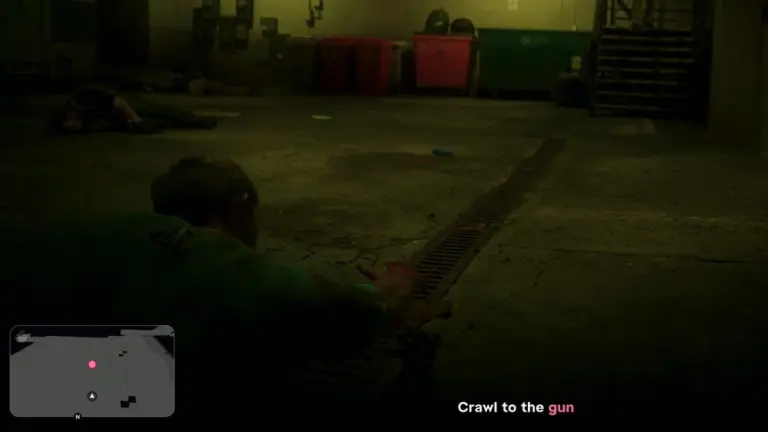

Quick answer: To restart a mission in GTA 6, press Options (PS5) or Menu (Xbox) during the mission, move to the mission panel on the right of the pause menu and choose Retry Checkpoint, Restart Mission or, where offered, Quit Mission. After failing, the WASTED/FAILED screen gives you Retry Checkpoint (Cross/A), Skip Checkpoint (Square/X) and Restart Mission (Triangle/Y). To skip a cutscene, hold Cross on PS5 or A on Xbox. Finished story missions can’t be replayed from a menu, so keep manual saves.
Last updated: November 28, 2026
How to restart or retry a mission from the pause menu
- During the mission, press Options (PS5) or Menu (Xbox) to pause.
- Move the cursor to the mission panel on the right side of the menu.
- Pick an option: Retry Checkpoint reloads the start of the current section, Restart Mission starts again from the beginning, and Quit Mission drops you back into free roam.
Beebom and AllThings.How both document this menu. One difference: Beebom presents Quit Mission as always available, while AllThings.How found it missing on some missions (Gone Fishing, for example, only shows Retry Checkpoint and Restart Mission). If you can’t quit, finish the current section or use the workaround below. Our pause menu guide explains the other tabs.
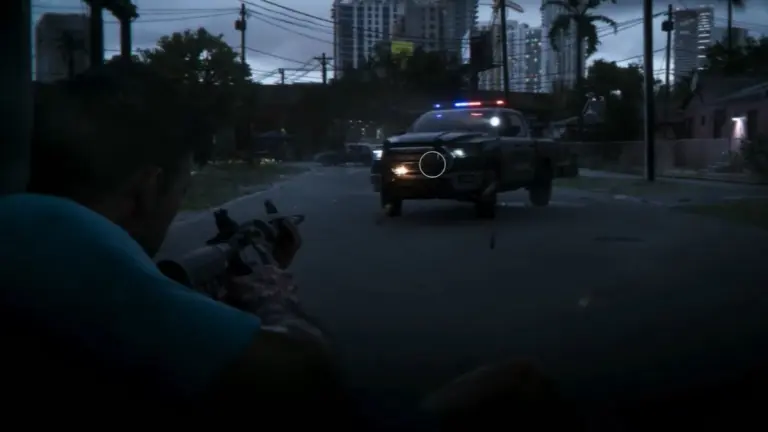
Fail screen options: retry, skip or restart
| Option | PS5 | Xbox | What it does |
|---|---|---|---|
| Retry Checkpoint | Cross | A | Reloads the last checkpoint |
| Skip Checkpoint | Square | X | Jumps past the section you keep failing |
| Restart Mission | Triangle | Y | Starts the whole mission again |
| Quit Mission (some missions only) | Circle | TBC | Leaves the mission |
The first three are confirmed by Beebom and AllThings.How. Skip Checkpoint only appears on the fail screen, and you may need to fail more than once before it’s offered. AllThings.How alone reports Quit Mission on Circle for some fail screens, such as Down to Earth; the Xbox button isn’t documented yet.
How to cancel a mission you can’t quit
Beebom’s workaround: close the game completely and load back in. You return to free roam with the mission ready to start again. You’ll lose progress since your last save, so save manually before starting anything long.
How to skip cutscenes in GTA 6
- PS5 and PS5 Pro: hold Cross.
- Xbox Series X|S: hold A.
- A tap does nothing; you have to hold the button (Beebom, BeatCopGame, Gamewave).
No setting is needed (Beebom), and Beebom says cutscenes can be skipped even the first time you see them, though it recommends watching them. BeatCopGame notes some scenes are locked and show no skip prompt. There’s no theatre or rewatch menu, and Retry Checkpoint doesn’t reliably bring an earlier cutscene back, so the only way to see one again is to load a manual save from before it.
Can you replay missions in GTA 6?
No, not story missions. Engadget, Dexerto and Beebom all confirm GTA 6 has no mission replay menu, unlike GTA 5, and no mission medals. The workaround is loading an older save from one of the 15 manual save slots. Engadget says side content such as races, stunts, minigames, store robberies and bank jobs can be repeated. This makes the missables and story choices like Halifax or Arnold more important: save before you decide. One exception after the credits is covered in our ending guide.
FAQ
Why is there no Quit Mission option?
Some missions don’t offer it in the pause menu. Restart from a checkpoint, finish the section, or close and reload the game to return to free roam.
Does restarting a mission lose my money or items?
No guide documents losing cash from a restart. Dying or being arrested in free roam does cost the cash you carry, so stash it regularly.
Can I skip a mission entirely?
You can’t skip whole story missions, but failing a section repeatedly unlocks Skip Checkpoint for that part.
How do I rewatch a cutscene?
Load a manual save made before that scene; there’s no in-game cutscene viewer.
More GTA 6 guides: How to pause · How to save · All missions · Controls · Beginner tips
Sources: Beebom (missions), Beebom (cutscenes), AllThings.How, Dexerto, Engadget.
Grand Theft Auto VI is developed and published by Rockstar Games. Stealthy Gaming is not affiliated with Rockstar Games or Take-Two Interactive.
Hi, I’m Ankit Kumar, the founder of StealthyGaming. I handle everything from SEO to researching and writing gaming articles. I’m passionate about helping fellow gamers stay updated with the latest tips, guides, and news. When I’m not optimizing content, I’m probably testing out new games or digging into strategies to make my articles as helpful and engaging as possible.
We label leaks and unconfirmed details and update this guide as Rockstar confirms more. How we research and verify our guides.